

Documentation Index
Fetch the complete documentation index at: https://perfgrid.com/docs/llms.txt
Use this file to discover all available pages before exploring further.
This article is also available in Danish.
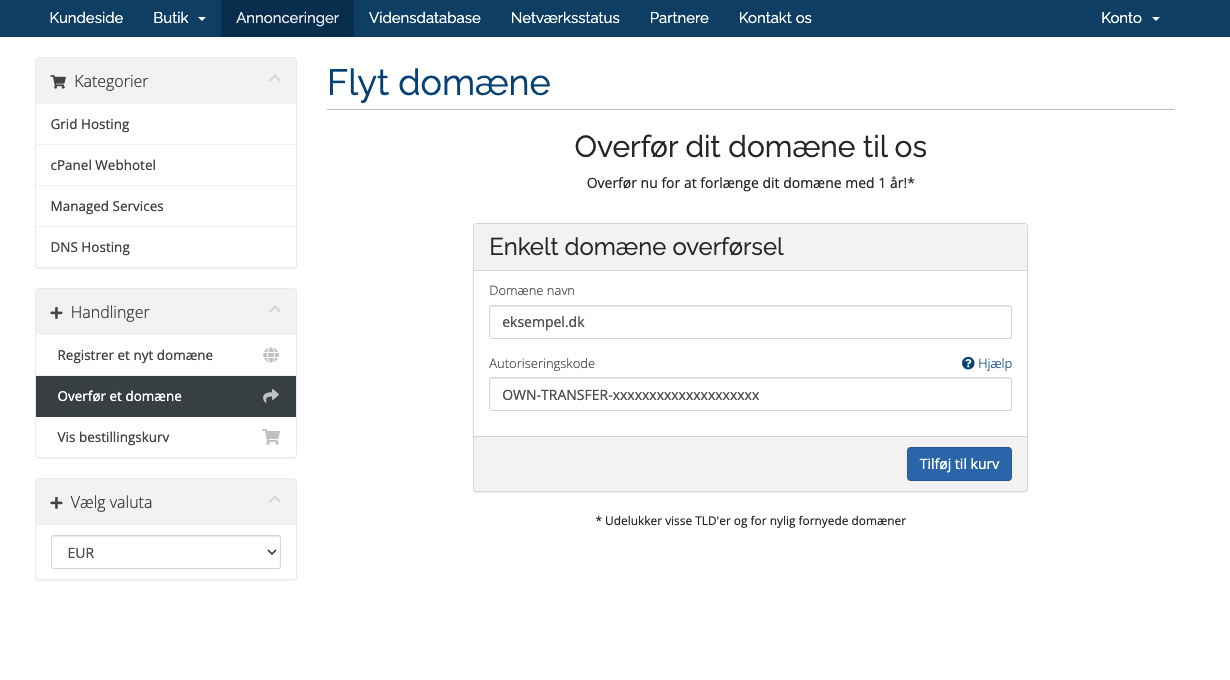
.dk domain, you need the Auth-ID for that domain from Punktum.dk. If you do not have it yet, see How to get AUTH-ID from Punktum.dk (Danish) until that guide is available in English here.
Transfer the domain
Review and accept terms
On the next screen, accept Punktum.dk’s terms (and any other required confirmations), then continue.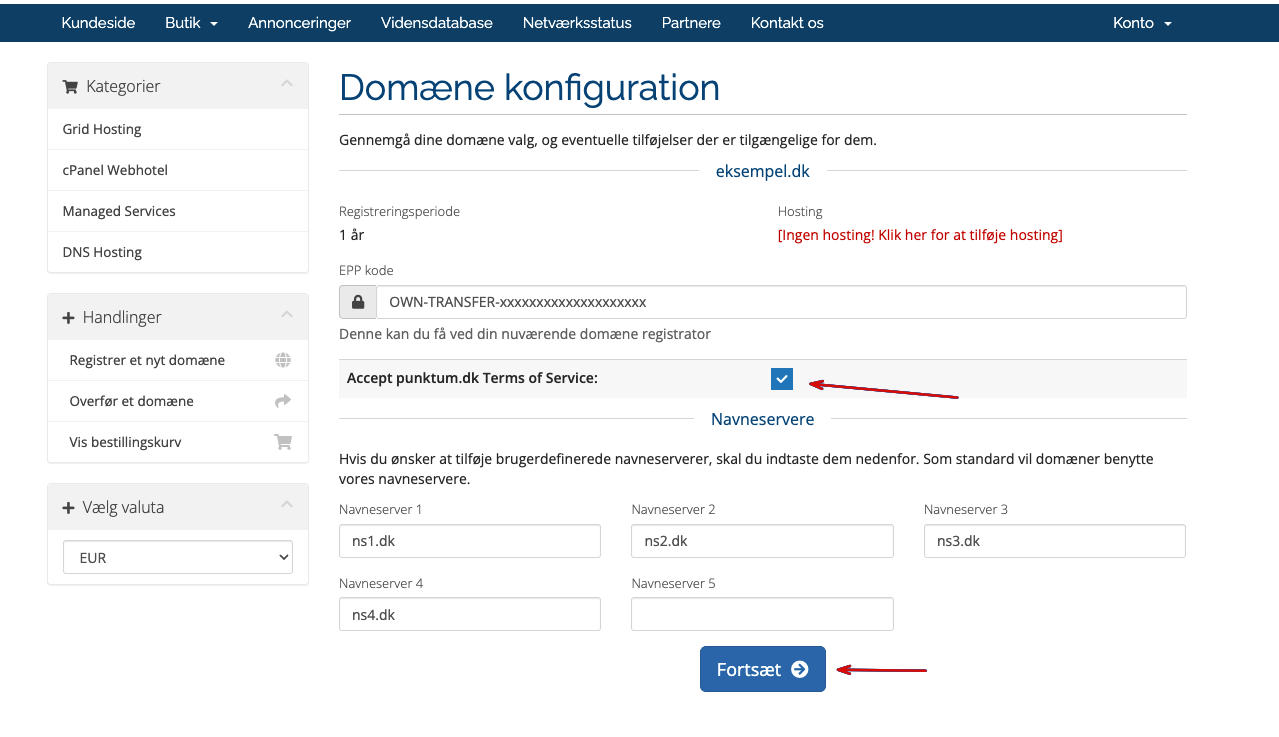
Set name servers
Choose name servers based on your hosting:cPanel Hosting — use:
ns1.dkns2.dkns3.dkns4.dk
ns1.dnscluster.dkns2.dnscluster.dkns3.dnscluster.dkns4.dnscluster.dk