> ## Documentation Index
> Fetch the complete documentation index at: https://perfgrid.com/docs/llms.txt
> Use this file to discover all available pages before exploring further.
# How to get AUTH-ID from Punktum.dk
> Retrieve the AUTH-ID for your .dk domain from the Punktum.dk self-service portal to transfer it to PerfGrid.
Denne artikel findes også på [Dansk](/docs/da/domains/overfoersel/hvordan-far-du-auth-id-fra-punktum-dk).
Log in to [Punktum.dk's self-service portal](https://selvbetjening.punktum.dk/).
Click the domain you need an AUTH-ID for.
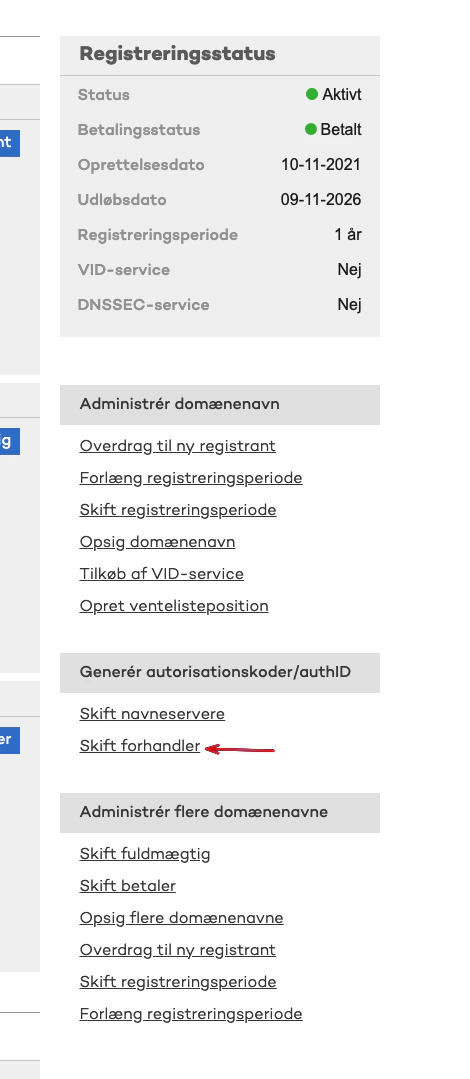
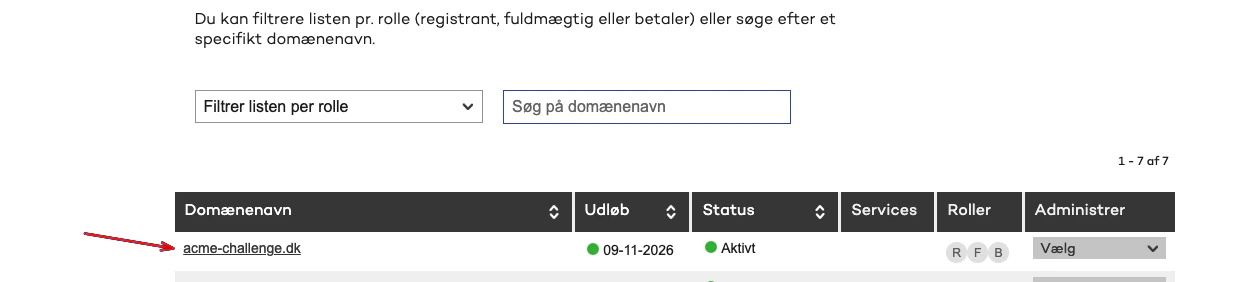 On the right side you will see **Skift forhandler** under the section **Generér autorisationskoder/authID**.
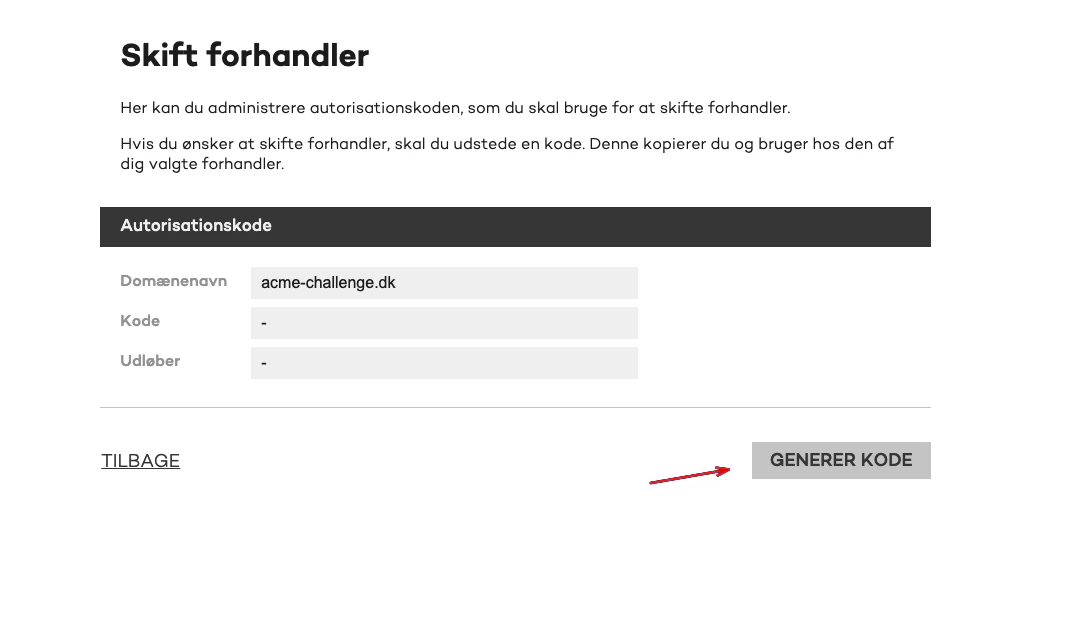
 Click the **GENERER KODE** button.
 You will receive a code that typically starts with **OWN-TRANSFER** or **REG-TRANSFER** — this is your AUTH-ID. If the code starts with **REDEL-TRANSFER**, it will not work.
You can then transfer the domain to PerfGrid by following [How to transfer a .dk domain to PerfGrid](/docs/domains/transfer/transfer-dk-domain).
## Related articles
* [How to transfer a .dk domain to PerfGrid](/docs/domains/transfer/transfer-dk-domain)
You will receive a code that typically starts with **OWN-TRANSFER** or **REG-TRANSFER** — this is your AUTH-ID. If the code starts with **REDEL-TRANSFER**, it will not work.
You can then transfer the domain to PerfGrid by following [How to transfer a .dk domain to PerfGrid](/docs/domains/transfer/transfer-dk-domain).
## Related articles
* [How to transfer a .dk domain to PerfGrid](/docs/domains/transfer/transfer-dk-domain)