> ## Documentation Index
> Fetch the complete documentation index at: https://perfgrid.com/docs/llms.txt
> Use this file to discover all available pages before exploring further.
# Password Protection
> Require a browser username and password for a whole domain or subdomain in hosting-panel.net.
**Password Protection** is a tab on **Domains**, after **GeoIP Blocking**. It sits next to **Domains**, **Subdomains**, **Redirects**, and **GeoIP Blocking**.
Protection is per hostname you select (domain or subdomain) and covers that whole hostname. Visitors get the browser’s HTTP Basic Auth prompt.
Changes apply in **10–15 seconds** (the web server reloads).
The certificate check at `/.well-known/` stays open so HTTPS can still renew.
## Usernames and passwords
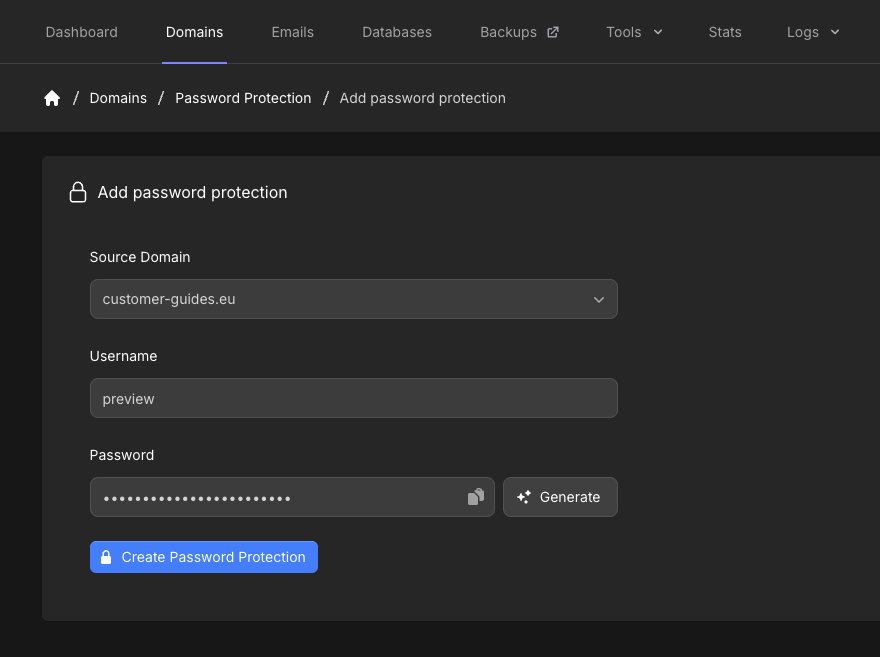
* Username: up to **64** characters. Allowed characters are letters, numbers, `.`, `_`, and `-`
* Password: up to **255** characters. Click **Generate** if you want the panel to create one
* There is **no** limit on how many users you add for a domain
## Add password protection
Log in to your hosting panel at [hosting-panel.net](https://hosting-panel.net).
Go to **Domains**, then **Password Protection**.
Each row shows **Domain**, **Status** (**On** when protection is active), and **Users**.
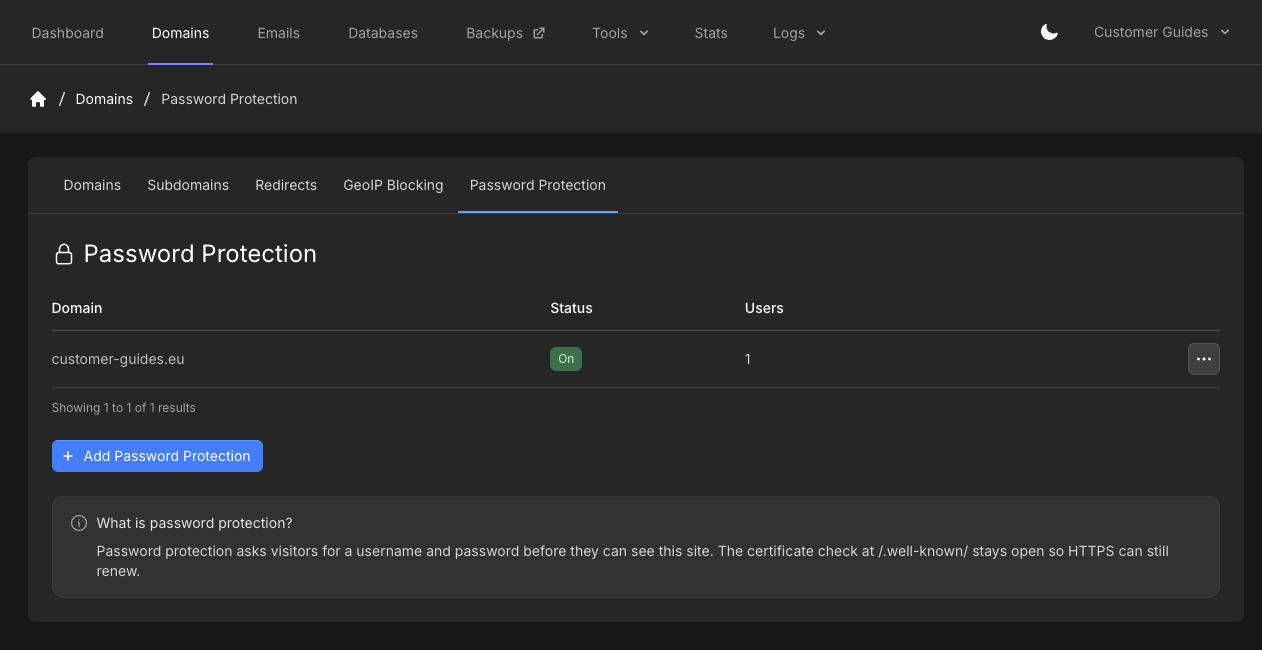 Click **Add Password Protection**. Set **Source Domain**, **Username**, and **Password**, then click **Create Password Protection**.
 ## Manage protection
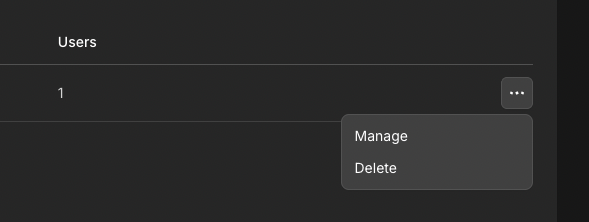
On the overview, open the **...** menu on a row and click **Manage** to edit that hostname, or **Delete** to remove password protection for it.
## Manage protection
On the overview, open the **...** menu on a row and click **Manage** to edit that hostname, or **Delete** to remove password protection for it.
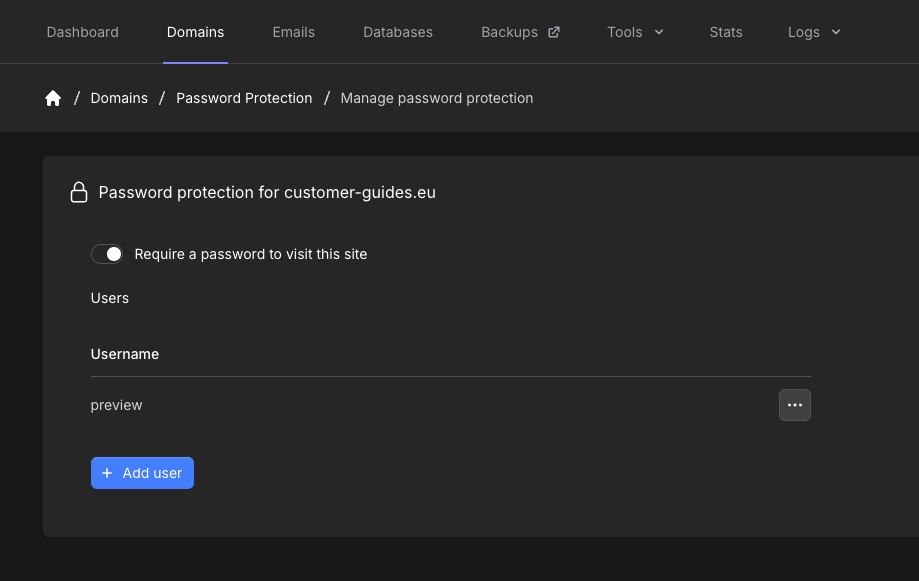
 **Manage password protection** shows **Password protection for** that hostname.
Use **Require a password to visit this site** to turn protection on or off. The toggle saves on its own. Turning it off does **not** delete the users for that hostname.
**Manage password protection** shows **Password protection for** that hostname.
Use **Require a password to visit this site** to turn protection on or off. The toggle saves on its own. Turning it off does **not** delete the users for that hostname.
 ## Manage users
Under **Users**, click **Add user**. Set **Username** and **Password**, then click **Add user**. Click **Cancel** to close the modal without adding anyone.
## Manage users
Under **Users**, click **Add user**. Set **Username** and **Password**, then click **Add user**. Click **Cancel** to close the modal without adding anyone.
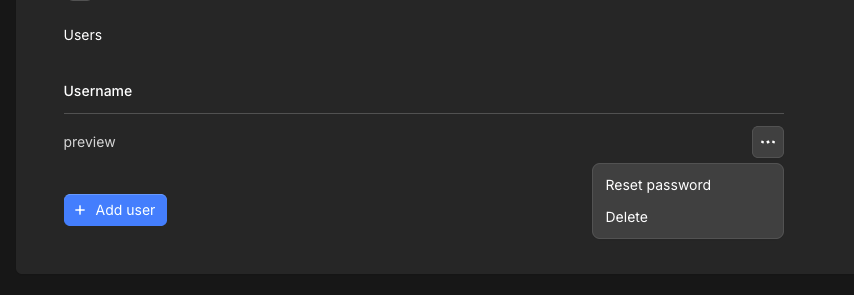
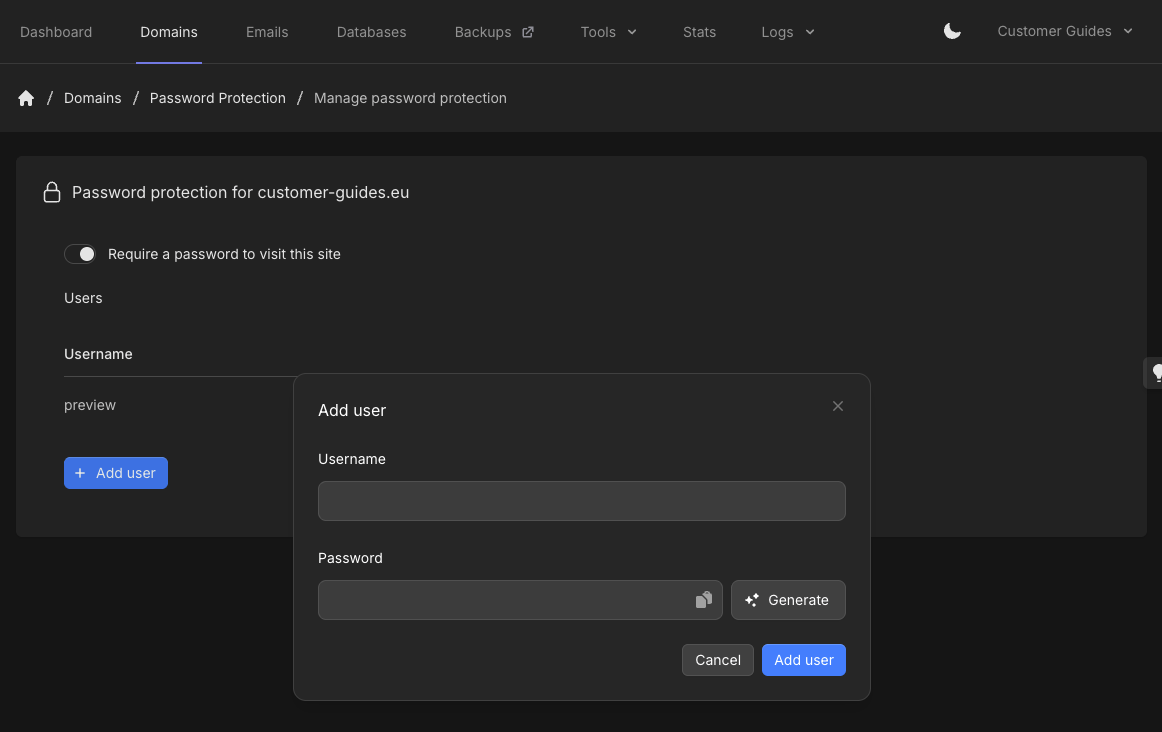 Open the **...** menu on a user to **Reset password** or **Delete**.
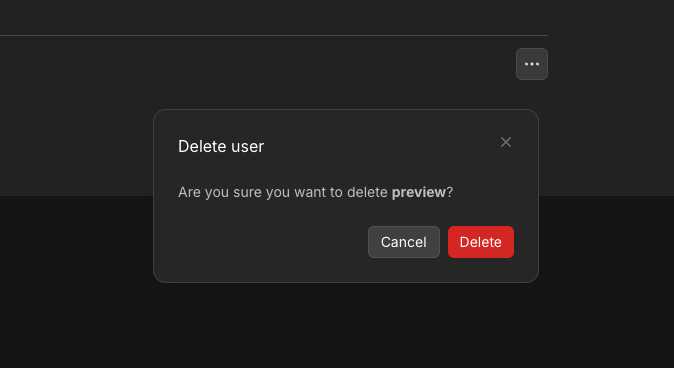
 Delete asks **Are you sure you want to delete** that username. Click **Delete** or **Cancel**.
 ## Related articles
* [GeoIP Blocking](/docs/grid-hosting/domains/block-traffic-by-geoip-or-asn)
* [How do I make a redirect?](/docs/grid-hosting/domains/how-do-i-make-a-redirect)
* [SSL certificate status](/docs/grid-hosting/domains/ssl-certificate-status)
## Related articles
* [GeoIP Blocking](/docs/grid-hosting/domains/block-traffic-by-geoip-or-asn)
* [How do I make a redirect?](/docs/grid-hosting/domains/how-do-i-make-a-redirect)
* [SSL certificate status](/docs/grid-hosting/domains/ssl-certificate-status)