> ## Documentation Index
> Fetch the complete documentation index at: https://perfgrid.com/docs/llms.txt
> Use this file to discover all available pages before exploring further.
# API tokens
> Create scoped Bearer tokens in hosting-panel.net for the Grid Hosting API and MCP server.
**API tokens** authenticate requests to the Grid Hosting API. The API covers Grid Hosting only (not cPanel, DNS Hosting, or domain registration).
Each token has **Abilities**. They are split into **read** and **write** for individual panel functions. Grant only what that token needs.
Tokens do **not** expire. They stay valid until you revoke them. You can create more than one token (for example one per script, environment, or MCP client).
Treat a token like a password: copy it when it is shown, store it in a secrets manager, and revoke it if it leaks.
## Create a token
Log in to your hosting panel at [hosting-panel.net](https://hosting-panel.net).
Open **Profile** from the user menu, then click **API tokens** in the settings sidebar.
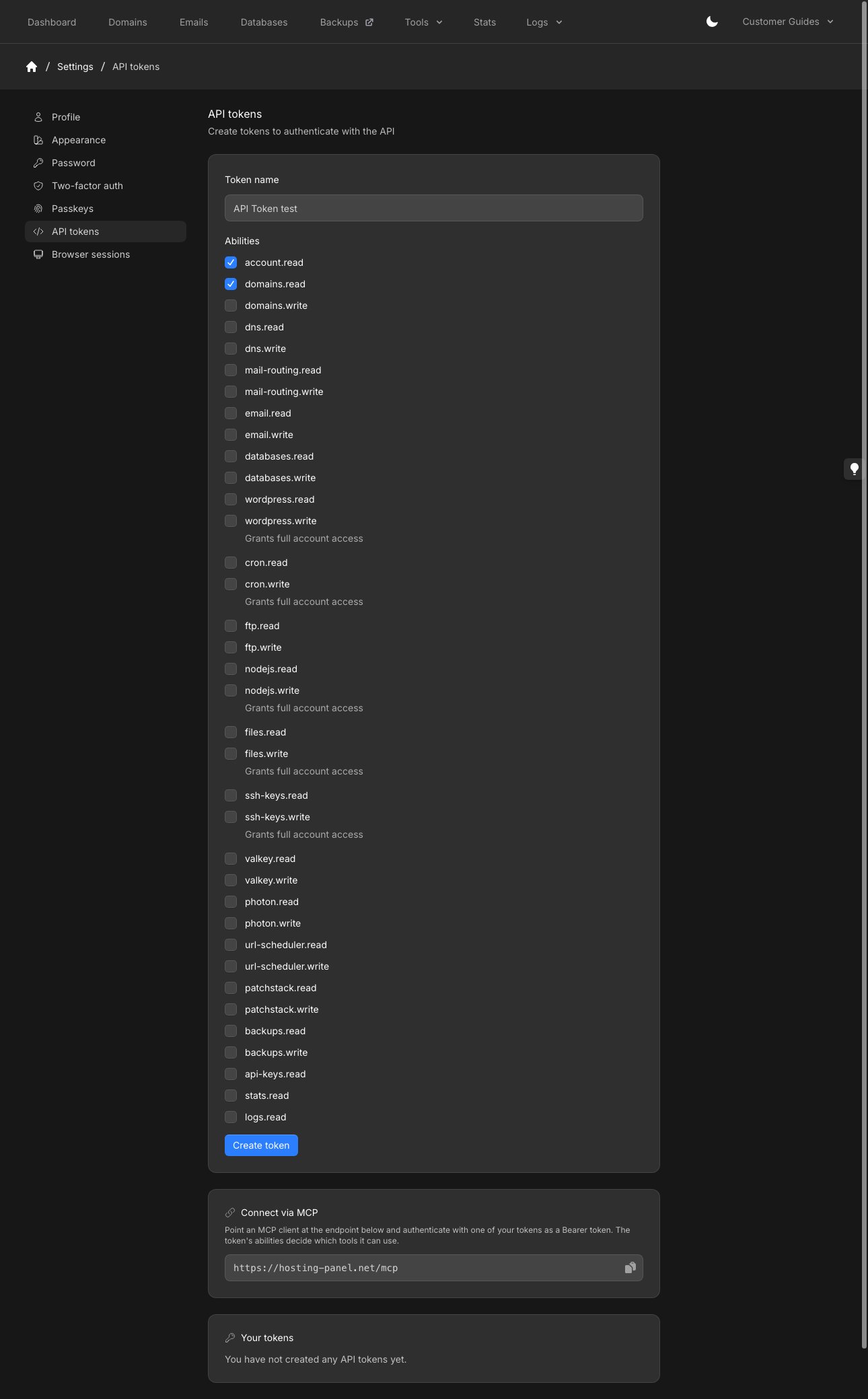
Enter a **Token name** you will recognize (placeholder example: `CI deployment`).
Select **Abilities**. Each ability is a panel function with `.read` and, where writes exist, `.write` (for example `domains.read` and `domains.write`). `account.read`, `api-keys.read`, `stats.read`, and `logs.read` have no write counterpart.
Click **Create token**.
**Connect via MCP** and **Your tokens** are on the same page, below the form.
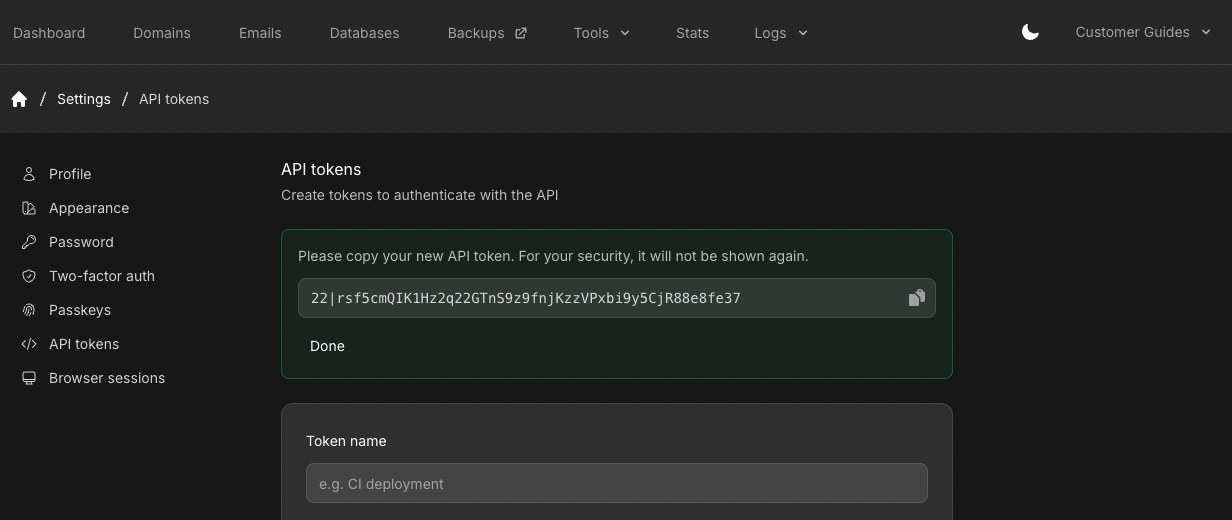
 Copy the token immediately. The panel shows **Please copy your new API token. For your security, it will not be shown again.** Click **Done** when you have stored it.
 You send it as a Bearer token on every request:
```bash theme={null}
Authorization: Bearer
```
These write abilities are labelled **Grants full account access**: `wordpress.write`, `cron.write`, `nodejs.write`, `files.write`, and `ssh-keys.write`.
## Your tokens
Existing tokens appear under **Your tokens** at the bottom of the page. If you have none, it says **You have not created any API tokens yet.** Revoke a token from that list when you no longer need it.
## Use the token
See the [API reference](/docs/api-reference/introduction) for authentication and available endpoints. Each endpoint requires a matching ability (for example `account.read`).
## MCP server
The **Connect via MCP** card is on the same page. Point an MCP client at `https://hosting-panel.net/mcp` and authenticate with one of your tokens as a Bearer token. The token’s abilities decide which tools it can use.
Give an MCP client that URL and token and ask it to add the server.
## Related articles
* [API reference](/docs/api-reference/introduction)
* [Profile settings](/docs/grid-hosting/profile/profile-settings)
* [Passkeys](/docs/grid-hosting/profile/passkeys)
You send it as a Bearer token on every request:
```bash theme={null}
Authorization: Bearer
```
These write abilities are labelled **Grants full account access**: `wordpress.write`, `cron.write`, `nodejs.write`, `files.write`, and `ssh-keys.write`.
## Your tokens
Existing tokens appear under **Your tokens** at the bottom of the page. If you have none, it says **You have not created any API tokens yet.** Revoke a token from that list when you no longer need it.
## Use the token
See the [API reference](/docs/api-reference/introduction) for authentication and available endpoints. Each endpoint requires a matching ability (for example `account.read`).
## MCP server
The **Connect via MCP** card is on the same page. Point an MCP client at `https://hosting-panel.net/mcp` and authenticate with one of your tokens as a Bearer token. The token’s abilities decide which tools it can use.
Give an MCP client that URL and token and ask it to add the server.
## Related articles
* [API reference](/docs/api-reference/introduction)
* [Profile settings](/docs/grid-hosting/profile/profile-settings)
* [Passkeys](/docs/grid-hosting/profile/passkeys)