> ## Documentation Index
> Fetch the complete documentation index at: https://perfgrid.com/docs/llms.txt
> Use this file to discover all available pages before exploring further.
# Deploy website
> Deploy a site from a ZIP file or a public git repository in hosting-panel.net.
**Deploy Website** publishes a basic static site (or PHP files) onto a domain or subdomain from a **ZIP file** or a **Public git repository**. Go to **Tools** → **Deploy Website**.
You can have **one deploy per domain** for now.
A git-hosted Laravel app can keep gitignored files such as `storage` and `.env` across updates. The panel does **not** run Composer, npm, or Artisan.
## Add a deploy
Log in to your hosting panel at [hosting-panel.net](https://hosting-panel.net).
Go to **Tools** → **Deploy Website**. **Website deploys** lists **Domain**, **Source**, **Status**, and **Last deployed**.
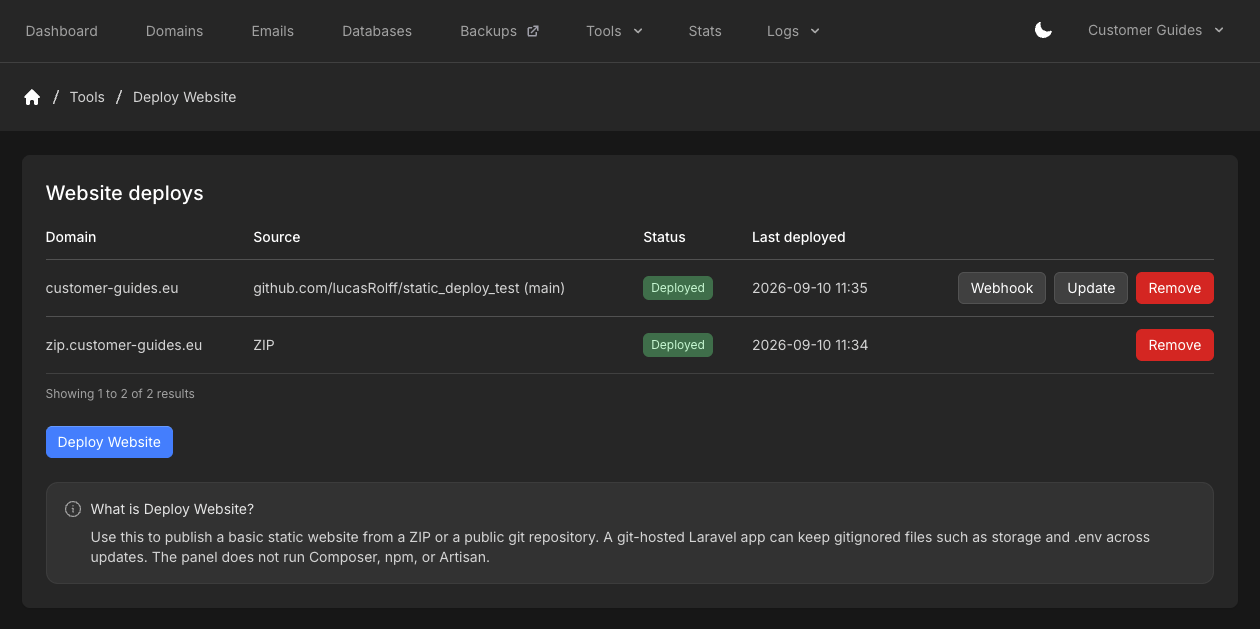 Click **Deploy Website**. Choose the **Domain** (domain or subdomain). Set **Source** to **ZIP file** or **Public git repository**.
**Publish subdirectory** is optional. Use it when the site lives in a folder such as `public` or `dist`. Leave it empty to publish at the domain root.
Check **I am aware that deploying will delete ALL files**. Deploying deletes **all** files in that site directory and cannot be recovered.
Click **Deploy Website**.
## ZIP file
Upload a `.zip` by dragging it onto the form or browsing for it. PHP and static files are allowed. The archive is unpacked into the site directory.
Click **Deploy Website**. Choose the **Domain** (domain or subdomain). Set **Source** to **ZIP file** or **Public git repository**.
**Publish subdirectory** is optional. Use it when the site lives in a folder such as `public` or `dist`. Leave it empty to publish at the domain root.
Check **I am aware that deploying will delete ALL files**. Deploying deletes **all** files in that site directory and cannot be recovered.
Click **Deploy Website**.
## ZIP file
Upload a `.zip` by dragging it onto the form or browsing for it. PHP and static files are allowed. The archive is unpacked into the site directory.
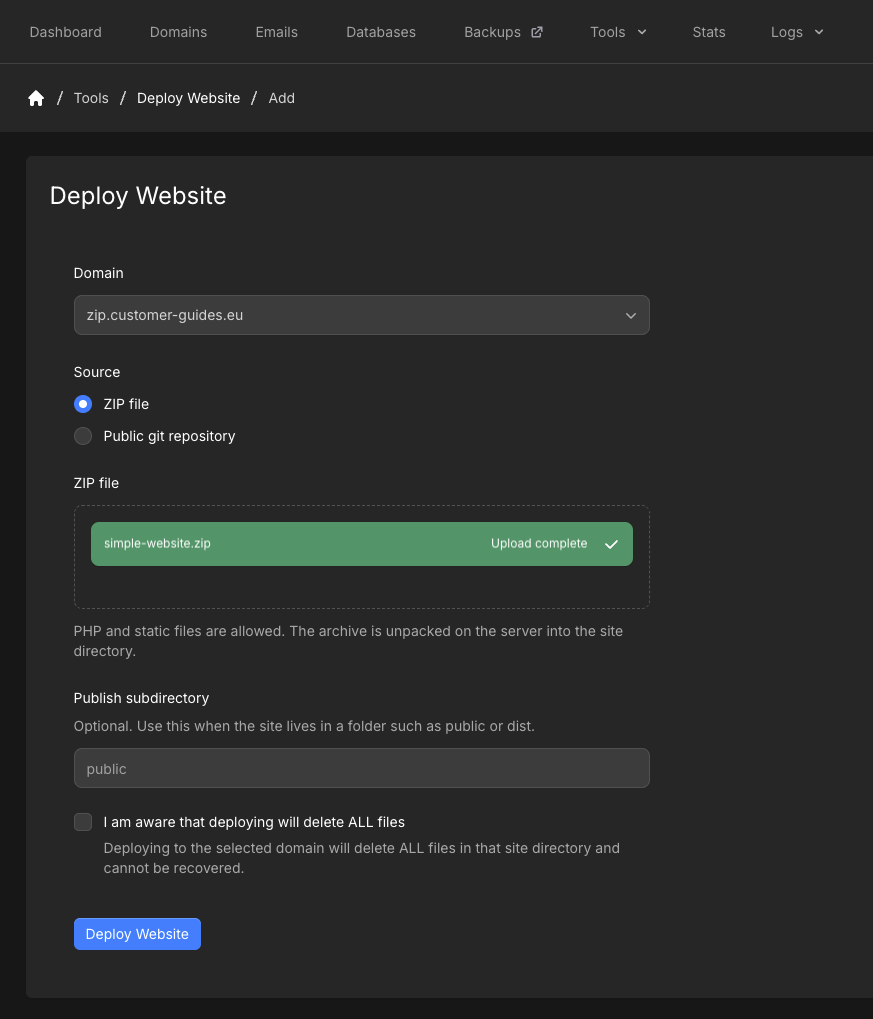 Limits:
* At most **100,000** files
* Must fit in the free disk space on the account
* Cannot be encrypted
* Cannot contain symlinks
ZIP deploys have **Remove** on the list. They do not have **Webhook** or **Update**.
To publish a new zip, **Remove** the deploy, then add it again with the new file. Direct ZIP updates are not available yet.
## Public git repository
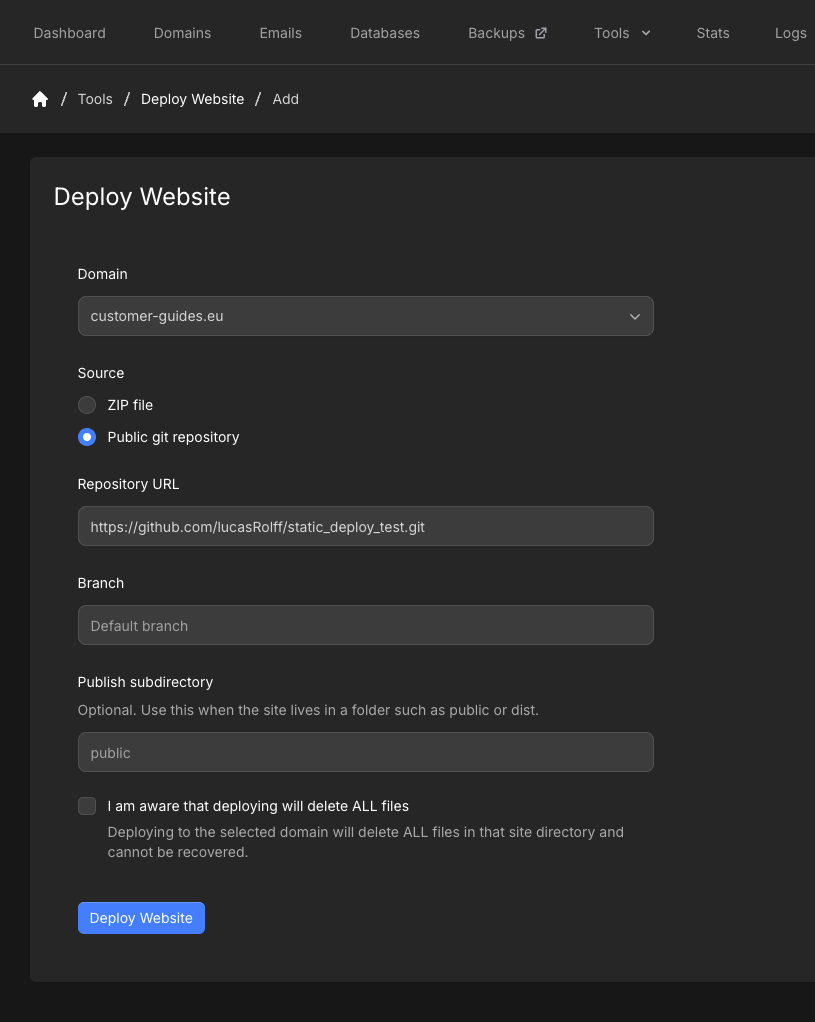
Enter **Repository URL** as an `https://` URL to a **public** repository, for example `https://github.com/owner/repo.git`. Private repos and non-HTTPS URLs are not supported. There is no size limit.
**Branch** is optional. The placeholder is **Default branch**. If you leave it empty, the deploy uses the repository’s default branch.
Limits:
* At most **100,000** files
* Must fit in the free disk space on the account
* Cannot be encrypted
* Cannot contain symlinks
ZIP deploys have **Remove** on the list. They do not have **Webhook** or **Update**.
To publish a new zip, **Remove** the deploy, then add it again with the new file. Direct ZIP updates are not available yet.
## Public git repository
Enter **Repository URL** as an `https://` URL to a **public** repository, for example `https://github.com/owner/repo.git`. Private repos and non-HTTPS URLs are not supported. There is no size limit.
**Branch** is optional. The placeholder is **Default branch**. If you leave it empty, the deploy uses the repository’s default branch.
 An update pulls the **latest commit** and discards tracked files that were modified on the server.
Click **Update** on the row to run that now. The row refreshes inline and shows a pending or deploying state until it finishes (**Deployed**).
### Webhook
Click **Webhook** on a git deploy. Paste the URL into GitHub, Bitbucket, Gitea, or any git host that can **POST** a webhook. A request to this URL runs the same update as **Update**.
An update pulls the **latest commit** and discards tracked files that were modified on the server.
Click **Update** on the row to run that now. The row refreshes inline and shows a pending or deploying state until it finishes (**Deployed**).
### Webhook
Click **Webhook** on a git deploy. Paste the URL into GitHub, Bitbucket, Gitea, or any git host that can **POST** a webhook. A request to this URL runs the same update as **Update**.
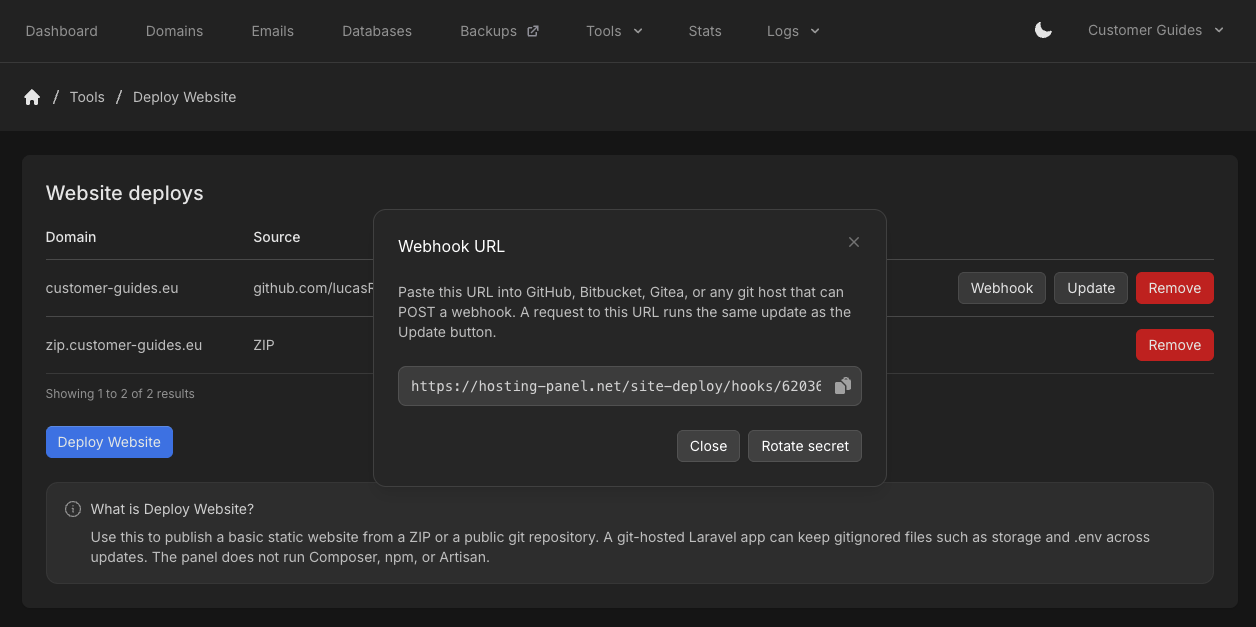 Click **Rotate secret** to replace the secret in the URL. The old secret stops working immediately. Click **Close** when you are done.
## Remove a deploy
Click **Remove** on the row.
Removing a deploy does **not** delete the files already on the domain.
## Related articles
* [File Manager](/docs/grid-hosting/tools/file-manager)
* [FTP accounts](/docs/grid-hosting/tools/ftp-accounts)
Click **Rotate secret** to replace the secret in the URL. The old secret stops working immediately. Click **Close** when you are done.
## Remove a deploy
Click **Remove** on the row.
Removing a deploy does **not** delete the files already on the domain.
## Related articles
* [File Manager](/docs/grid-hosting/tools/file-manager)
* [FTP accounts](/docs/grid-hosting/tools/ftp-accounts)