

When you’re configuring Branded Sending Domain in Klaviyo, it requires you to add a few DNS records. Klaviyo gives you the possibility to use Dynamic Routing or Static Routing. Grid Hosting supports both Dynamic Routing (Documentation Index
Fetch the complete documentation index at: https://perfgrid.com/docs/llms.txt
Use this file to discover all available pages before exploring further.
NS on subdomains) and Static Routing (CNAME).
We’ll however focus on Dynamic Routing here, since it’s the recommended way by Klaviyo.
We assume you already have the required DNS records to add.
Access your panel
First off all, ensure you’re logged into hosting-panel.net
Go to Domains
In the top menu at hosting-panel.net you want to click the Domains link.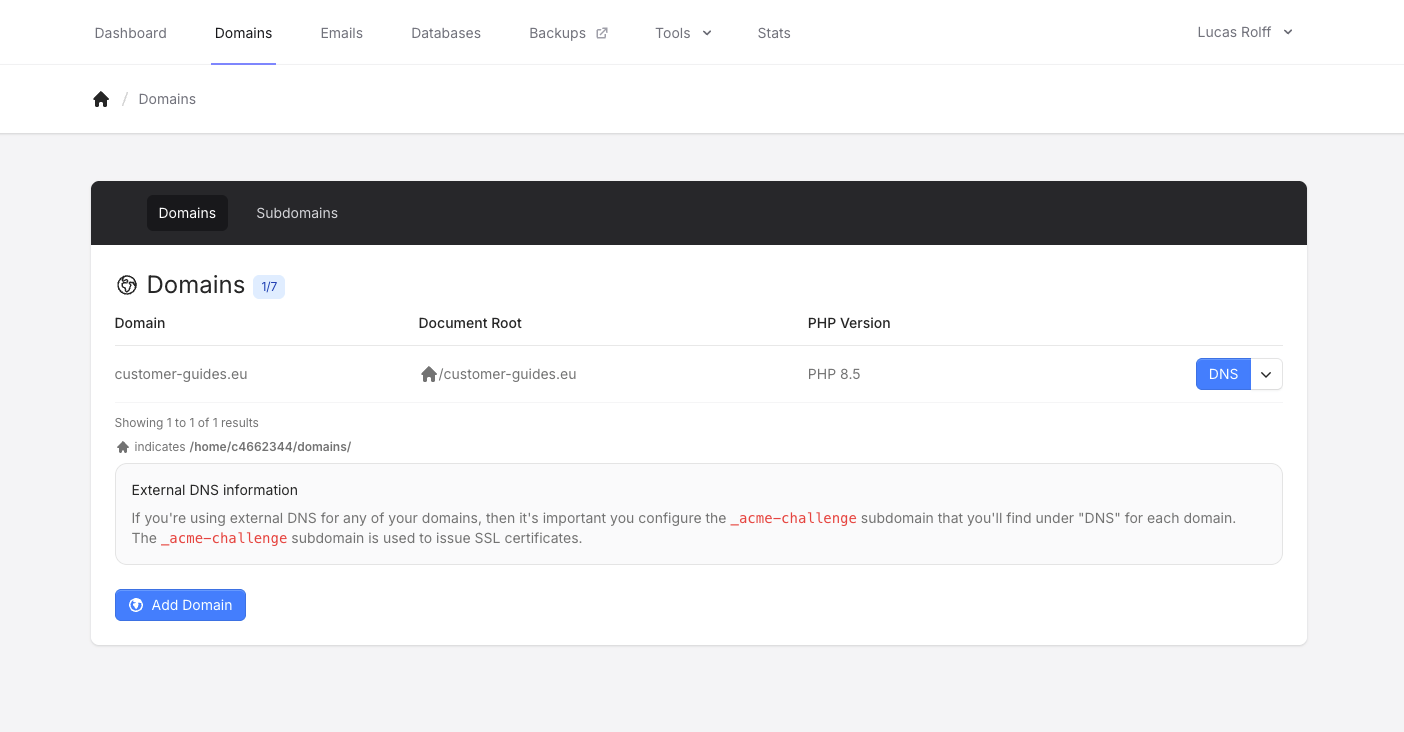
Access the DNS Zone Editor
Click on DNS for the domain you want to make the change, this will bring up the DNS Editor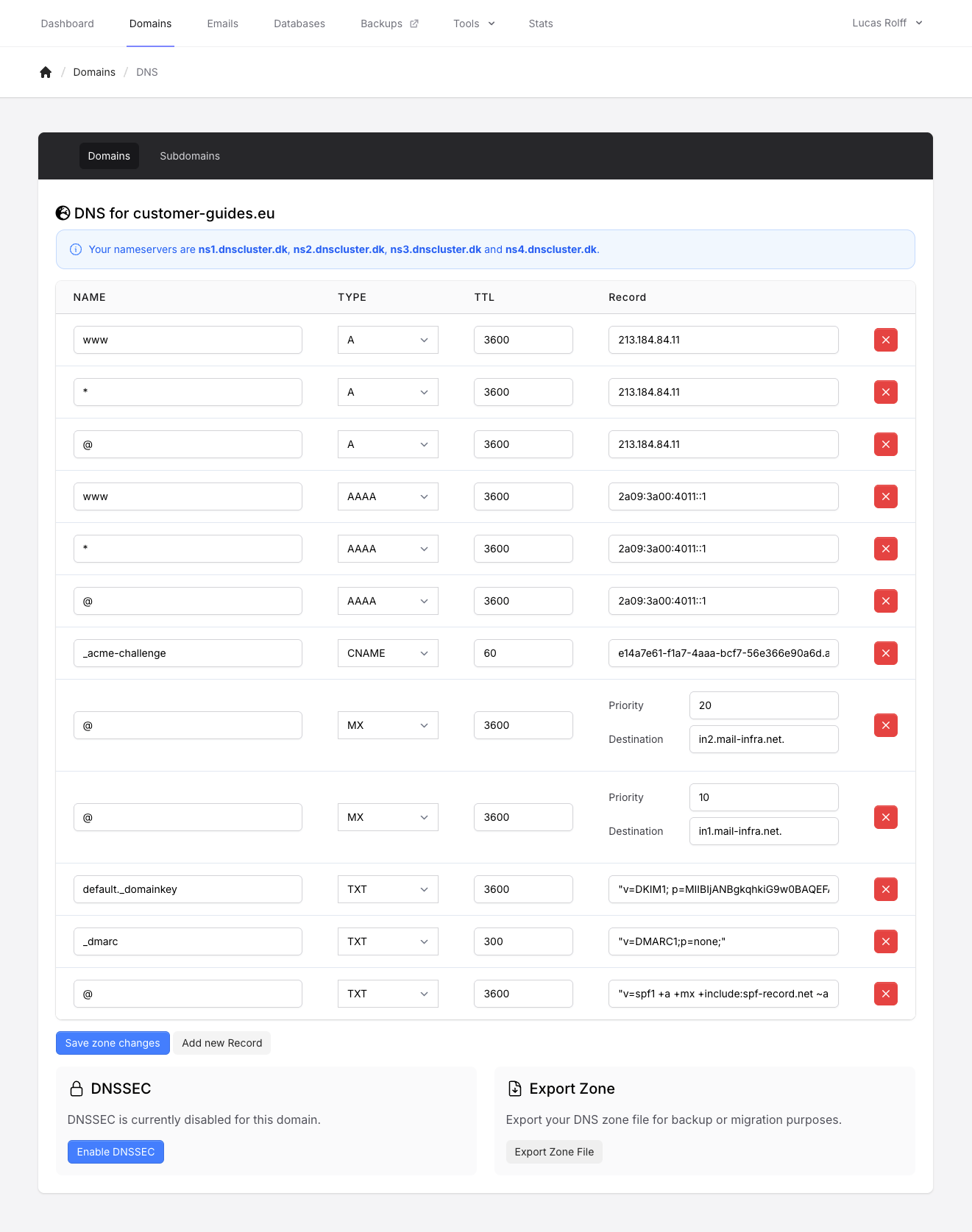
Configure your records
Assuming we e.g. use 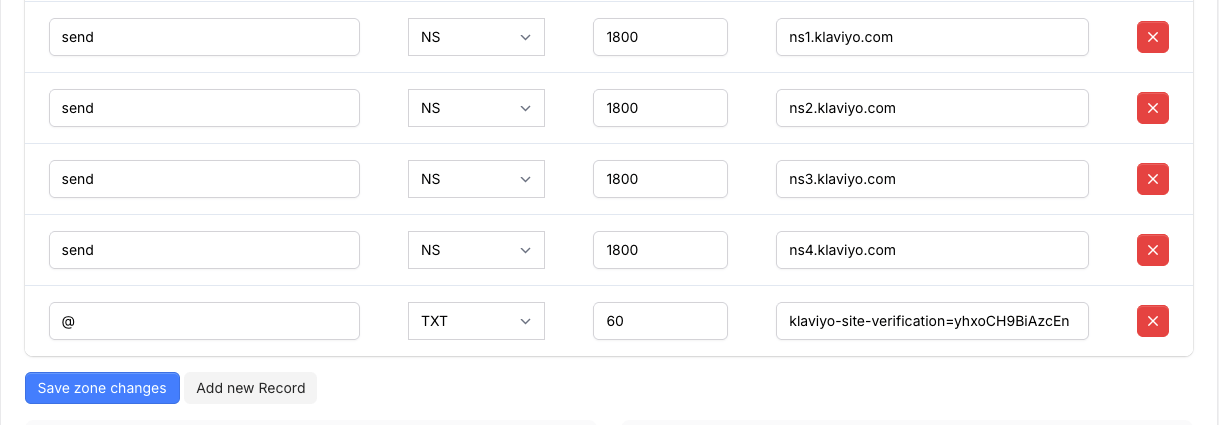
send as the subdomain, we’d configure 4 new NS records and one new TXT record. Do this by clicking the Add new Record button, and add the entries as following:We use
klaviyo-site-verification=yhxoCH9BiAzcEn as an example here! The actual site verification string can be found in your Klaviyo dashboard.