

Text guide
1
Open Zone Editor
In cPanel, open Zone Editor under Domains.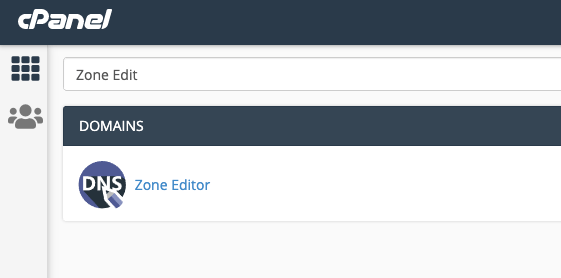
2
Manage the zone
Click Manage next to the domain you want to edit.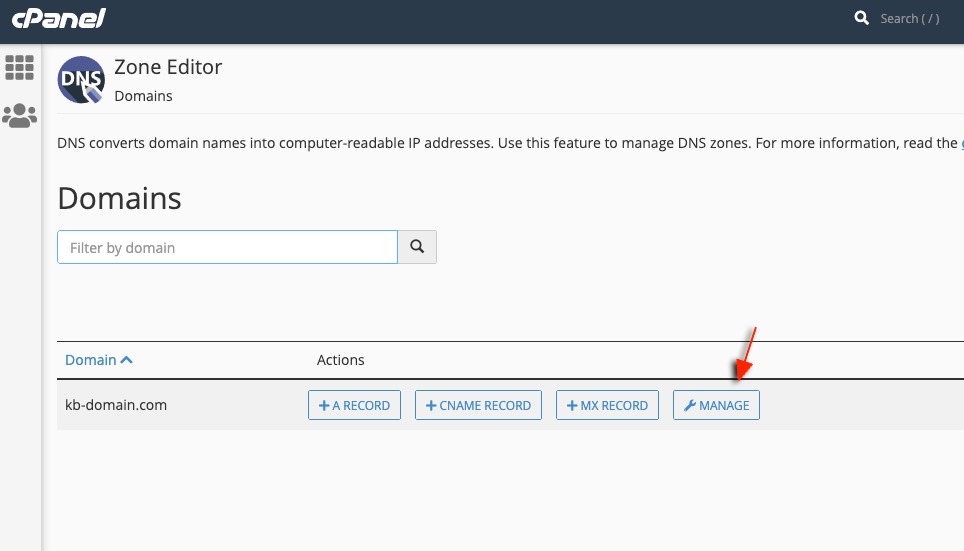
3
Add a TXT record
Open the Add Record menu and choose Add TXT record.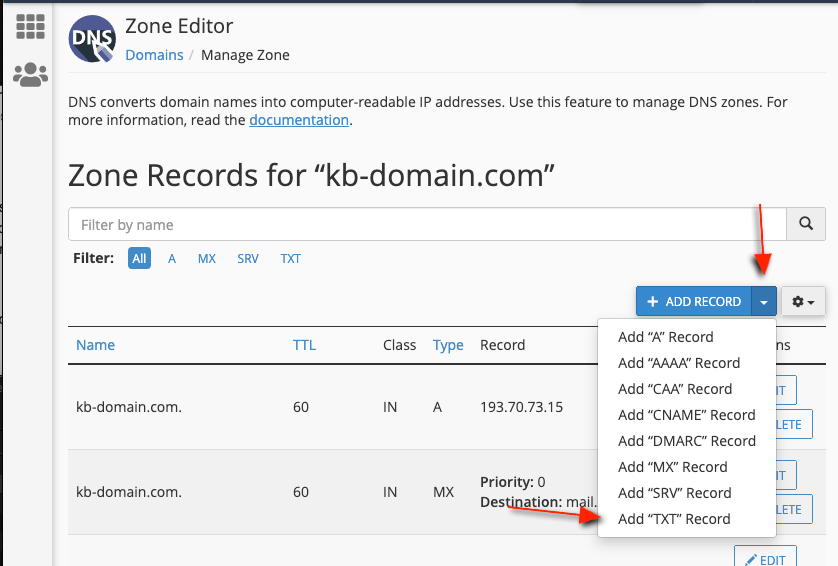
4
Enter the verification string
Set Name to your domain (or @ if your zone uses that convention), leave TTL at the default, set Type to TXT, and paste the full google-site-verification=… value into Record.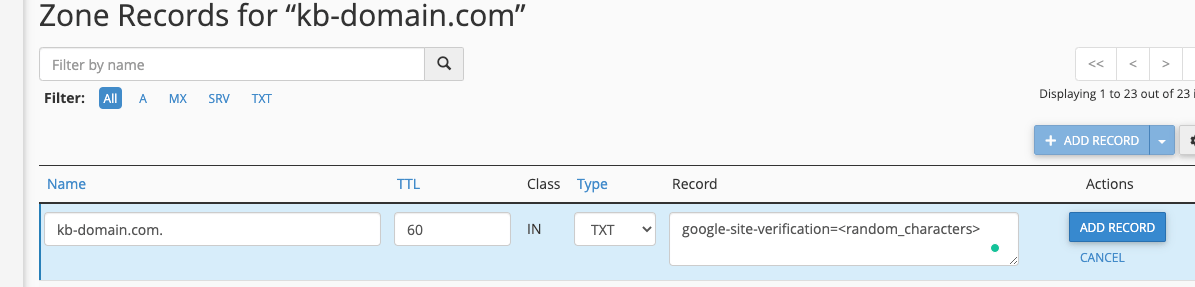
5
Save
Click Add Record. Changes usually propagate across our nameservers within 10–15 seconds.