

Denne artikel findes også på Dansk.
1
Log in to the self-service portal
Log in to Punktum.dk’s self-service portal.
2
Select the domain
Click the domain you need an AUTH-ID for.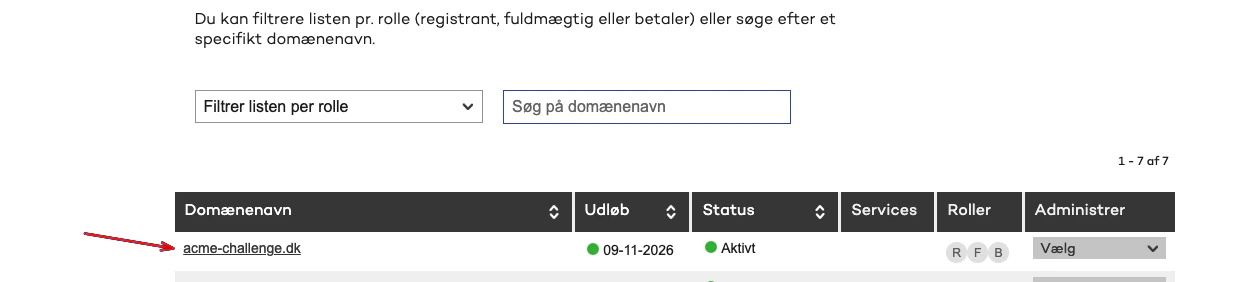
3
Find authorization codes
On the right side you will see Skift forhandler under the section Generér autorisationskoder/authID.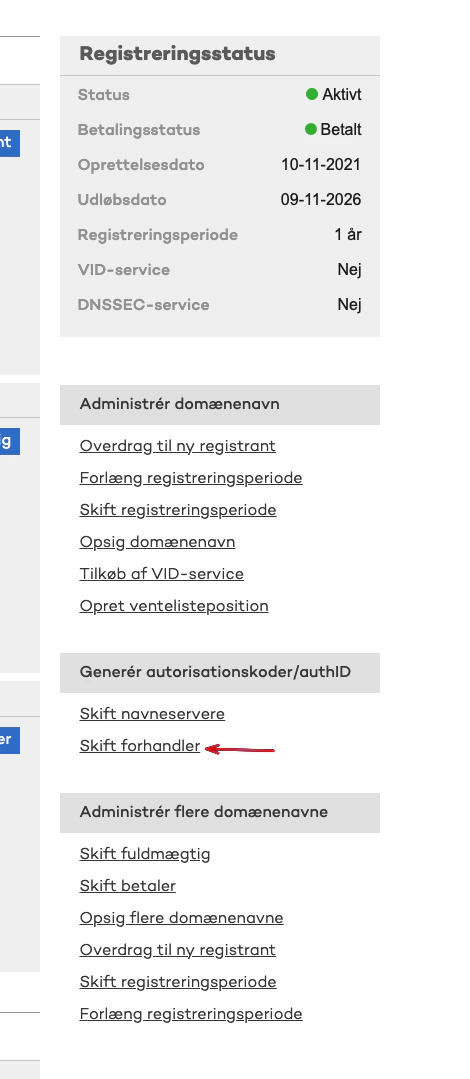
4
Generate the code
Click the GENERER KODE button.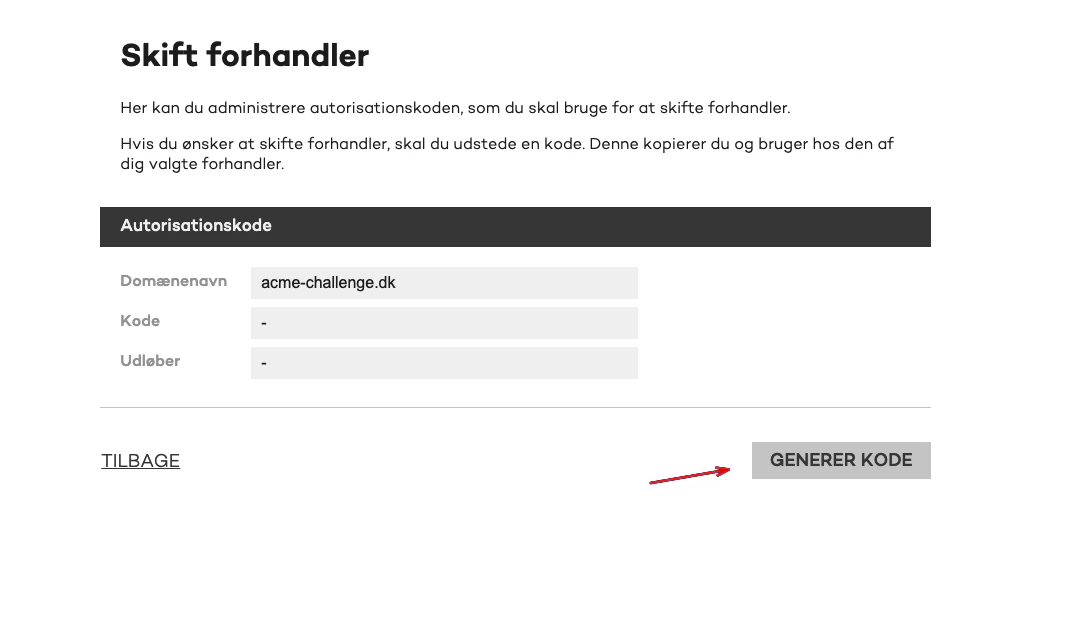
5
Use the AUTH-ID
You will receive a code that typically starts with OWN-TRANSFER or REG-TRANSFER, this is your AUTH-ID. If the code starts with REDEL-TRANSFER, it will not work.