

Denne artikel findes også på Dansk.
.dk domain, you need the Auth-ID for that domain from Punktum.dk. If you do not have it yet, see How to get AUTH-ID from Punktum.dk.
Transfer the domain
1
Open domain transfer
In the PerfGrid client area, go to Transfer a domain.
2
Enter domain and Auth-ID
Enter your domain name and the Auth-ID, then click Add to cart.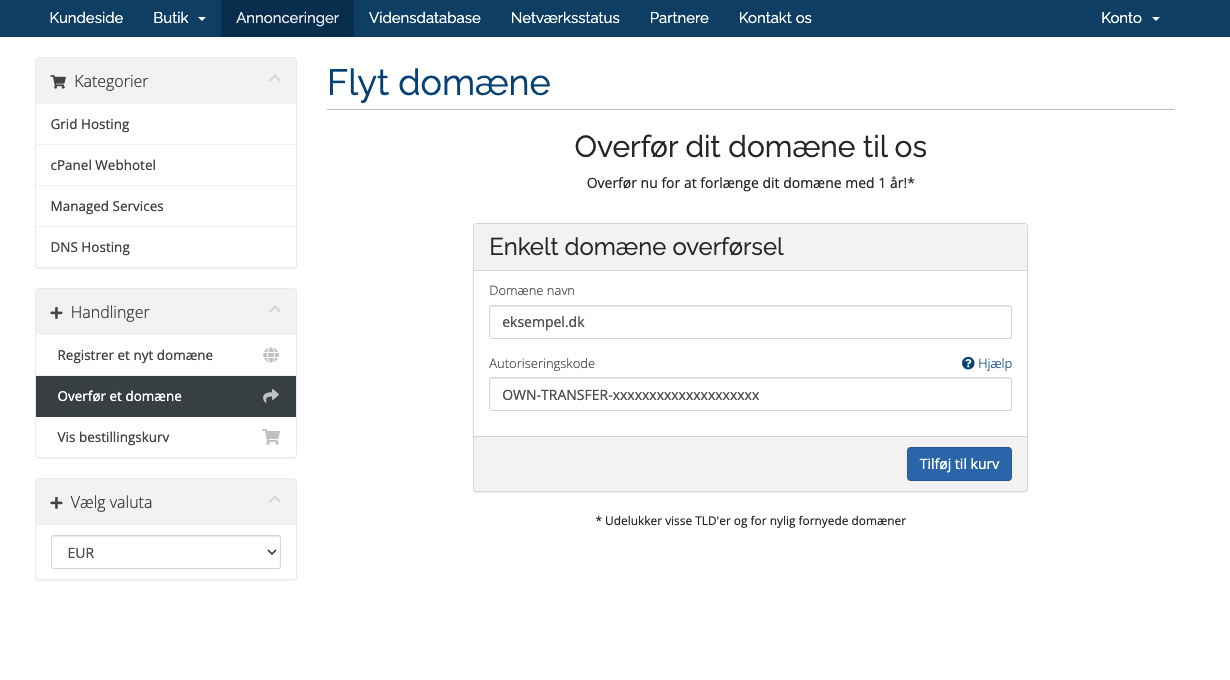
3
Review and accept terms
On the next screen, accept Punktum.dk’s terms (and any other required confirmations), then continue.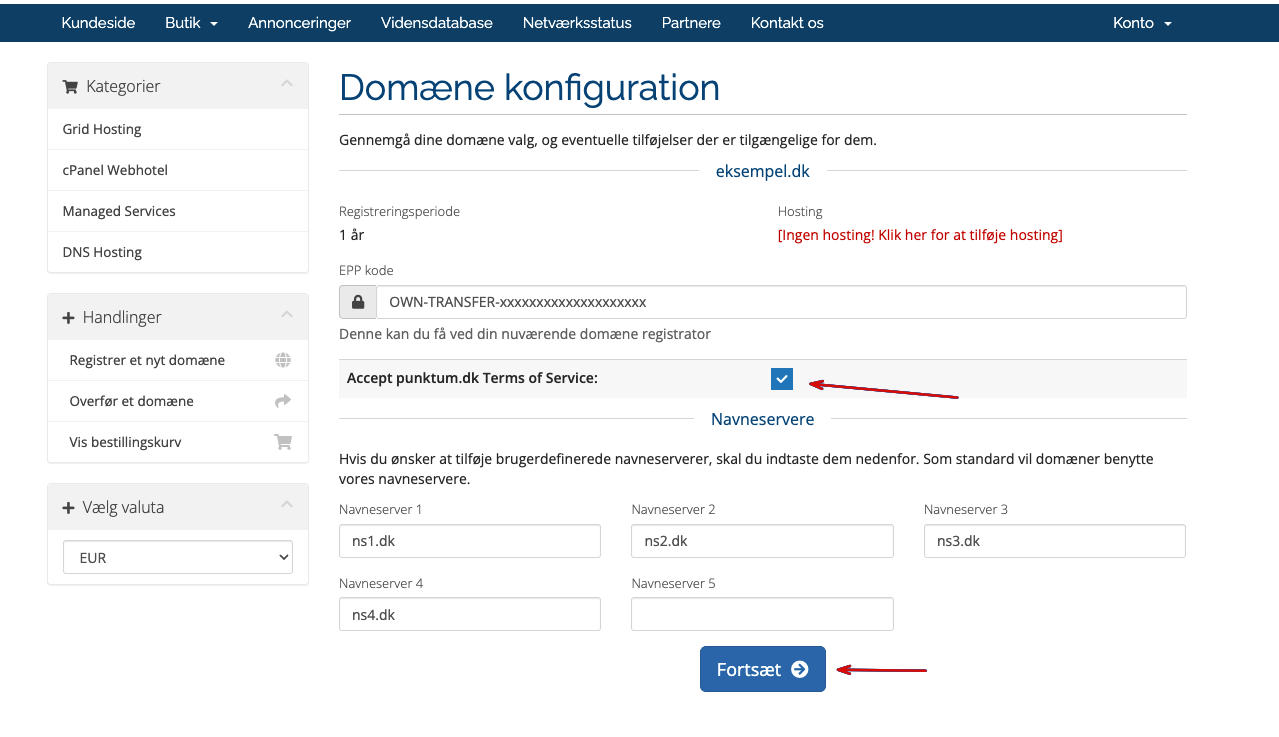
4
Set name servers
Choose name servers based on your hosting:cPanel Hosting: use:
ns1.dkns2.dkns3.dkns4.dk
ns1.dnscluster.dkns2.dnscluster.dkns3.ns-infra.nlns4.ns-infra.nl
5
Continue
Click Continue to complete this step.