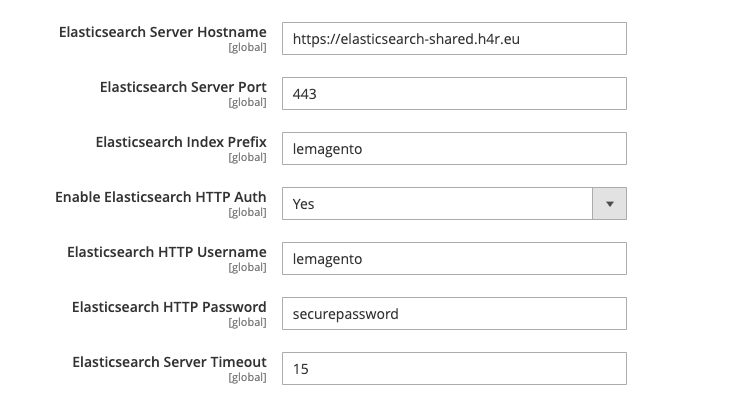
When you install Magento 2.4, it’s a requirement you set up ElasticSearch / OpenSearch, since this is used for the search catalog in Magento 2.4. You can either buy access to an ElasticSearch / OpenSearch index via our site, or any hosted ElasticSearch. You can either configure ElasticSearch / OpenSearch from the GUI or from the command-line.Documentation Index
Fetch the complete documentation index at: https://perfgrid.com/docs/llms.txt
Use this file to discover all available pages before exploring further.
Via the GUI:
First navigate to Stores -> Settings -> Configuration -> Catalog -> Catalog -> Catalog Search. By default, you’ll see the following: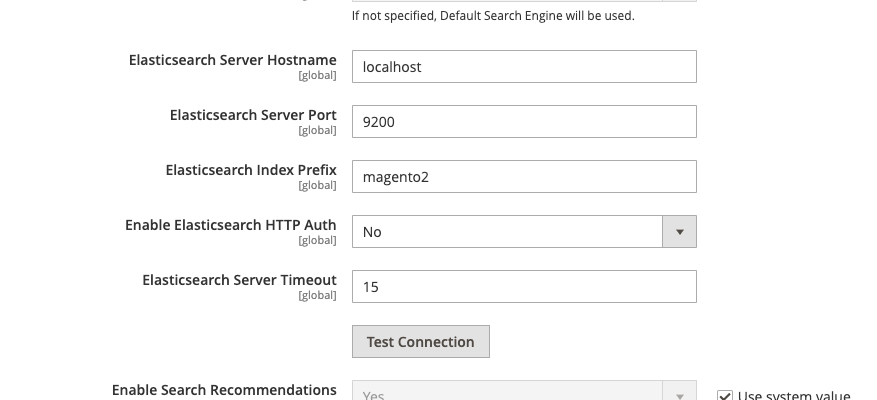
https://elasticsearch-shared.h4r.eu (Keep in mind https:// is very important here!)
Elasticsearch Server Port: 443
Elasticsearch Index Prefix: <your_index>
Enable Elasticsearch HTTP Auth: Yes
Elasticsearch HTTP Username: <user_username>
Elasticsearch HTTP Password: <user_password>