1

Open File Backups

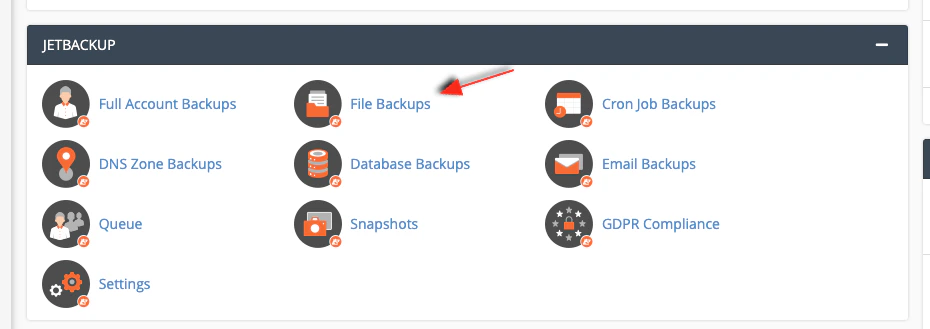
In cPanel, under the JetBackup section, click File Backups.
cPanel JetBackup section with File Backups highlighted
2

Choose a restore point

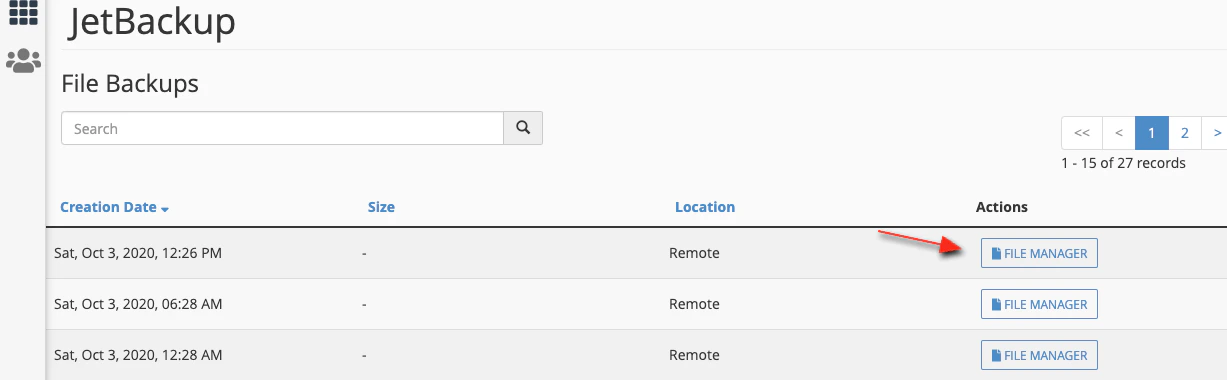
Select the date you want to restore from.
JetBackup restore date selection
3

Select items and queue the restore

Select the files or folders to restore (for example the cache folder and piwik.js), then click Restore SelectedAdd to Restore Queue.
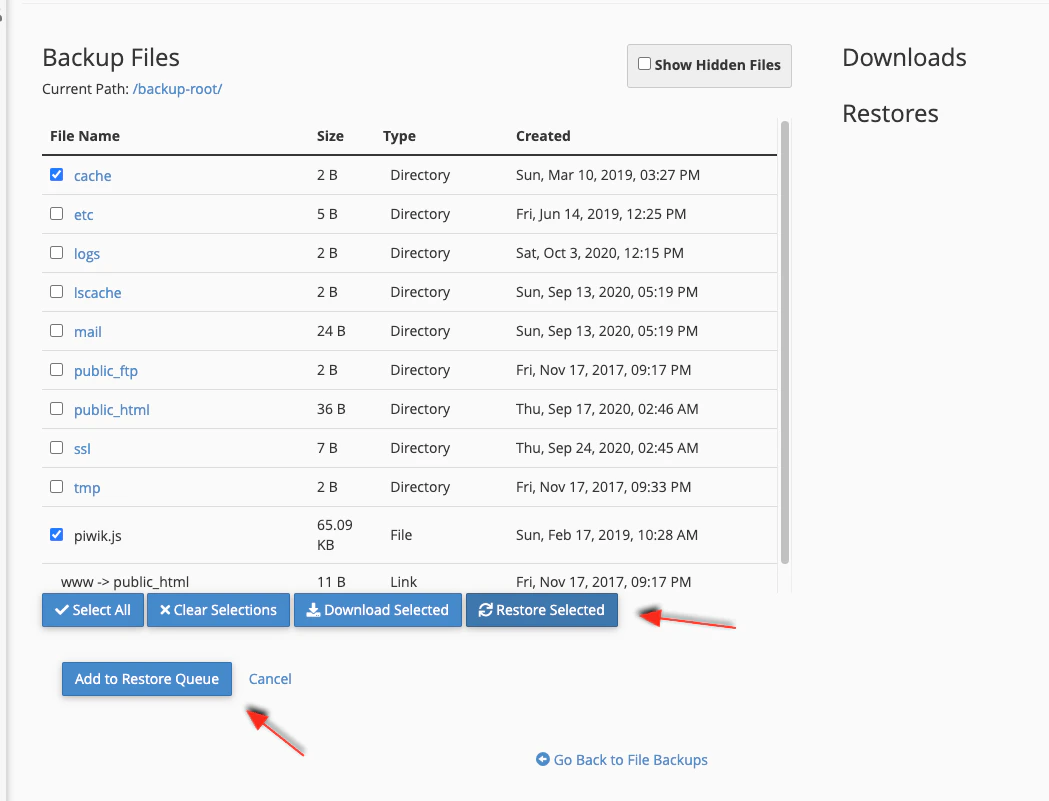
JetBackup file selection with Restore Selected controls
4

Wait for completion

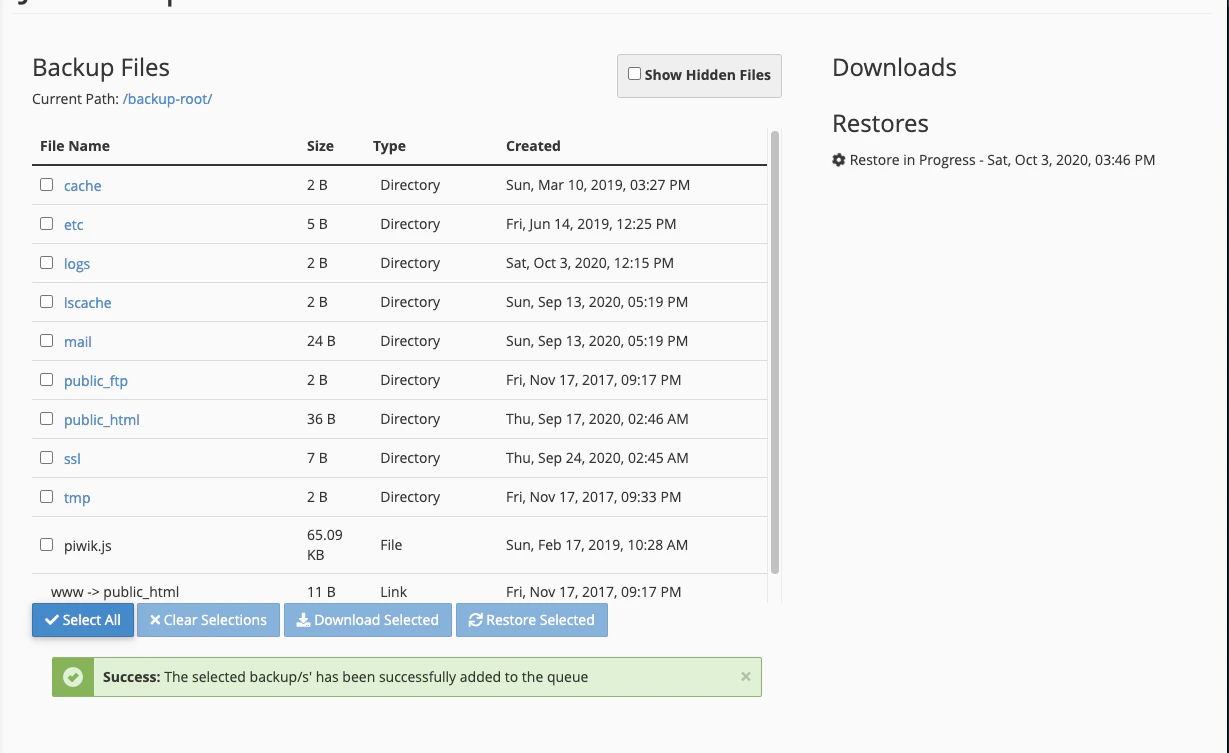
The job runs in the restore queue.
JetBackup restoration in progress