

1
Log in
Log in to your hosting panel at hosting-panel.net.
2
Go to Domains
Click Domains in the top menu.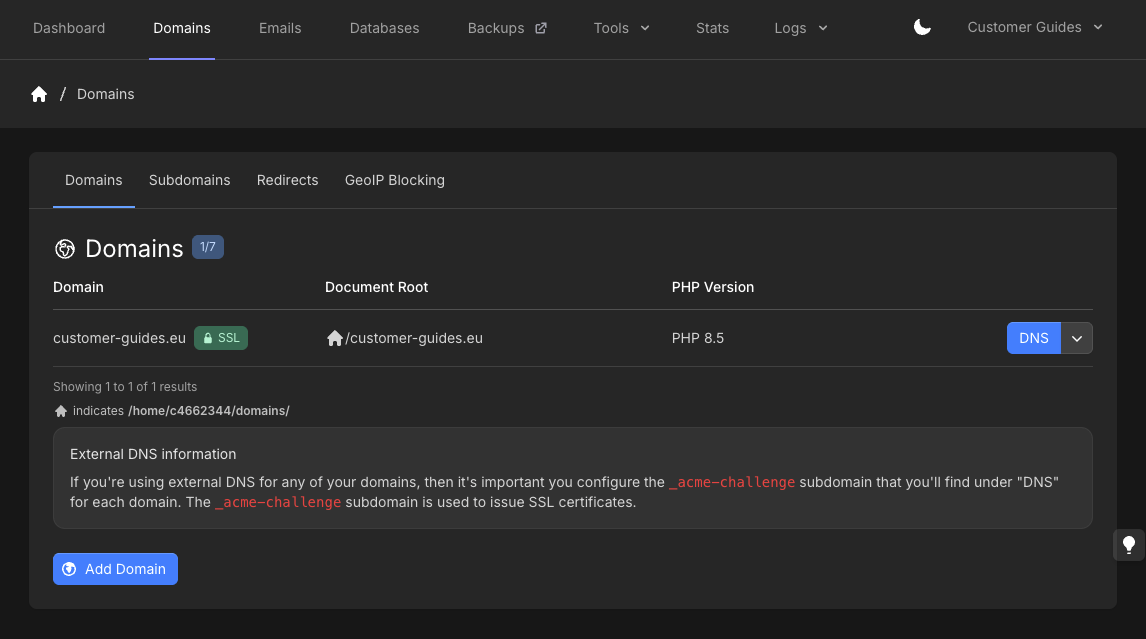
3
Open the DNS editor
Click DNS for the domain you want to update.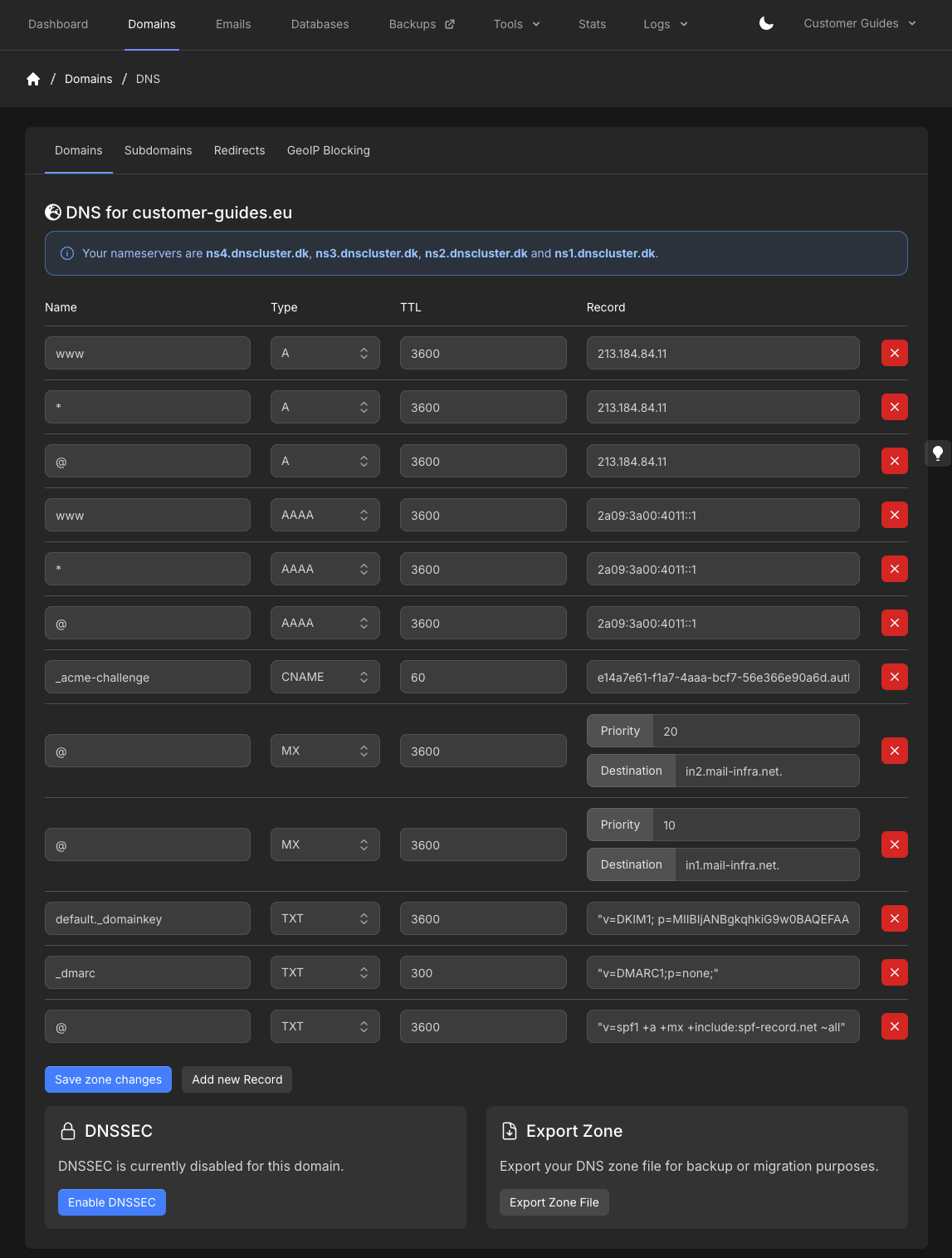
4
Add the TXT record
Click Add new Record. Set Type to TXT, Name to 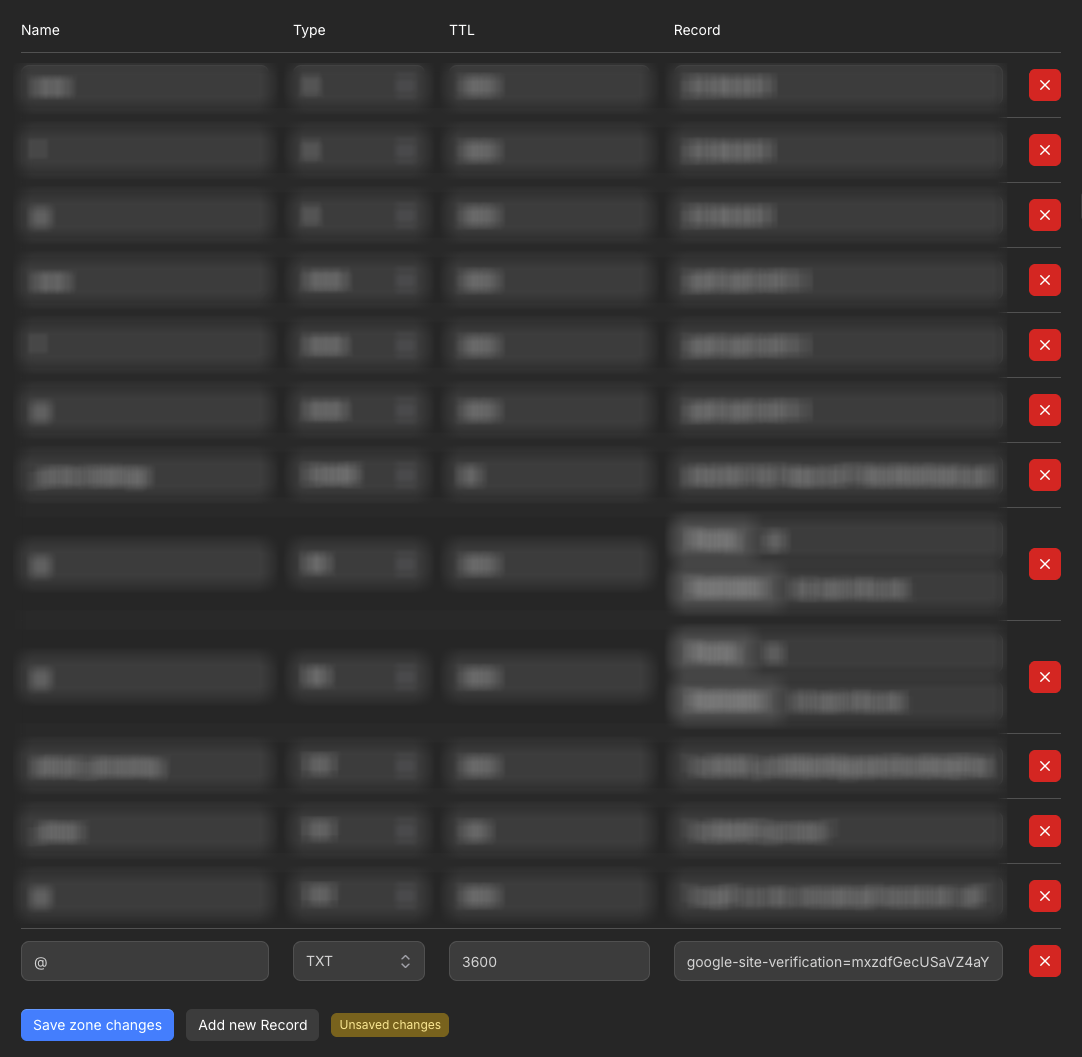
@, and paste the verification string into Record. TTL can be any value you prefer.Record names are relative to your domain. Use
@, not example.com. If a banner suggests a shorter name, click Fix it.google-site-verification=mxzdfGecUSaVZ4aY is an example. Copy the real verification string from Google Search Console.5
Save
Click Save zone changes. The Unsaved changes badge disappears when the zone is saved. Changes apply and propagate across our nameservers within 5-10 seconds.