

Configure external mail routing
1
Log in
Log in to your hosting panel at hosting-panel.net.
2
Open Domains
Go to Domains.
3
Open the domain menu
Click the dropdown for the domain you want to configure.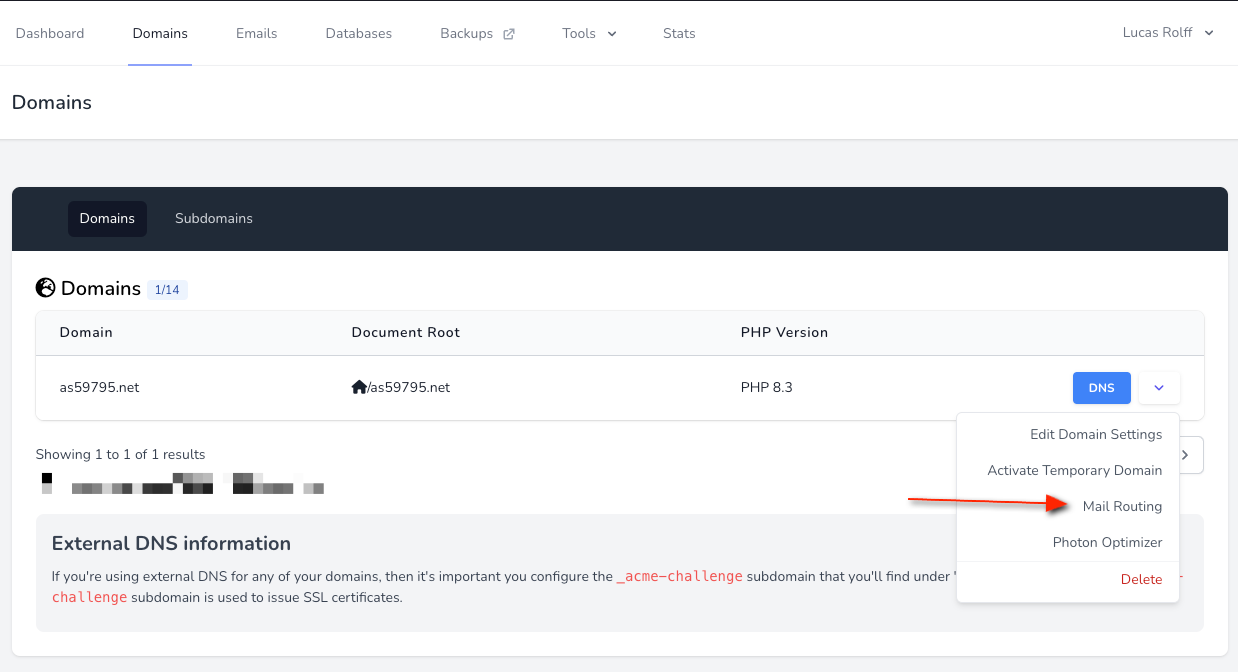
4
Open Mail Routing
Select Mail Routing.
5
Choose External Routing
On the Mail Routing page, set Mail Routing to External Routing.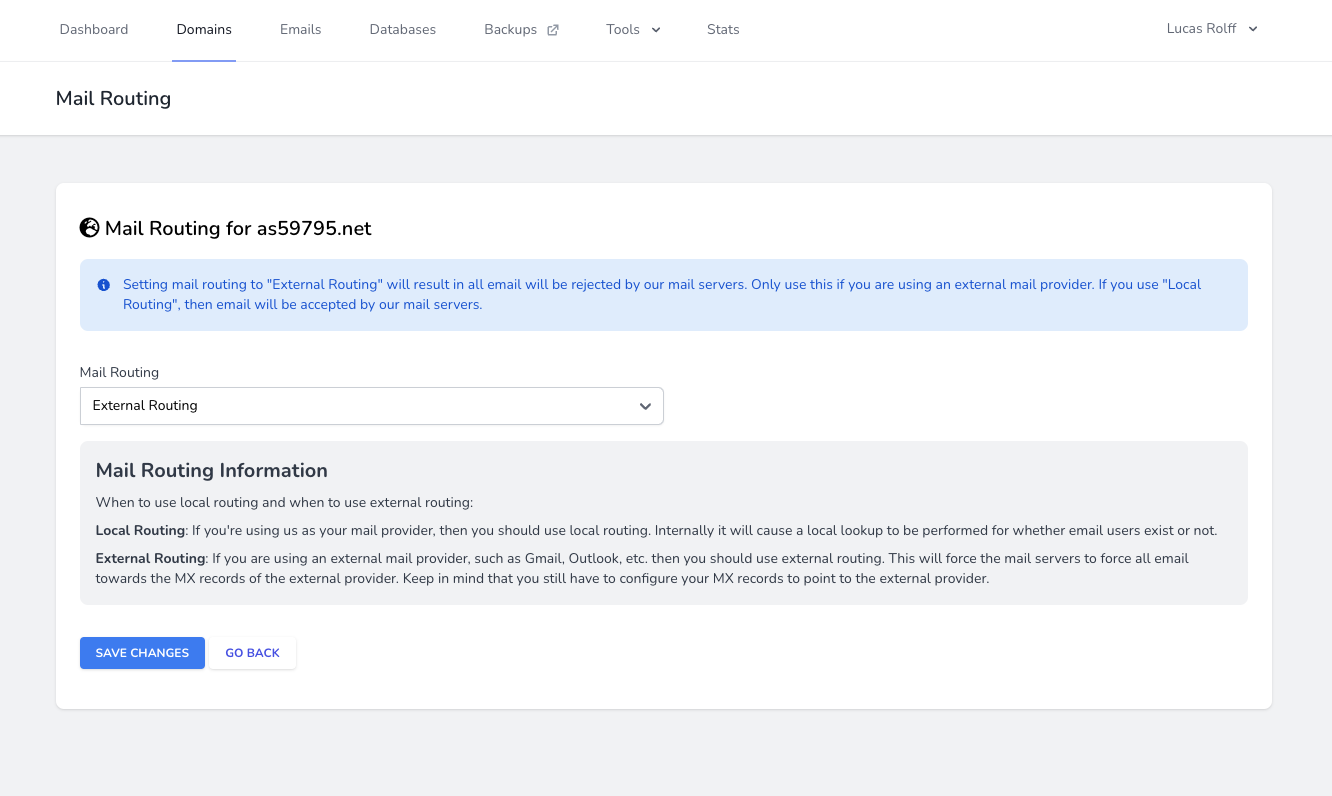
6
Save
Click Save Changes.
Why use external routing?
You typically need this so that:- Plugins and tools (such as SMTP plugins) send mail through your external provider.
- Mail for your domain is delivered to your provider instead of local mailboxes on the server.