Access logs shows website request logs. Use them to see who hit a domain, from where, and with which method. Go to LogsAccess Logs. The panel looks back 7 days at most. You cannot export the logs. Data may be delayed up to 1 minute.

Filters

You can filter on:
  • Domain
  • Client IP (for example 1.2.3.4)
  • Method (or All methods)
  • Country (for example NL)
  • Per page (how many rows to load)

View logs

1

Log in

Log in to your hosting panel at hosting-panel.net.
2

Open Access Logs

Go to LogsAccess Logs.
3

Apply filters

Set domain, client IP, method, and/or country, then read the matching rows.
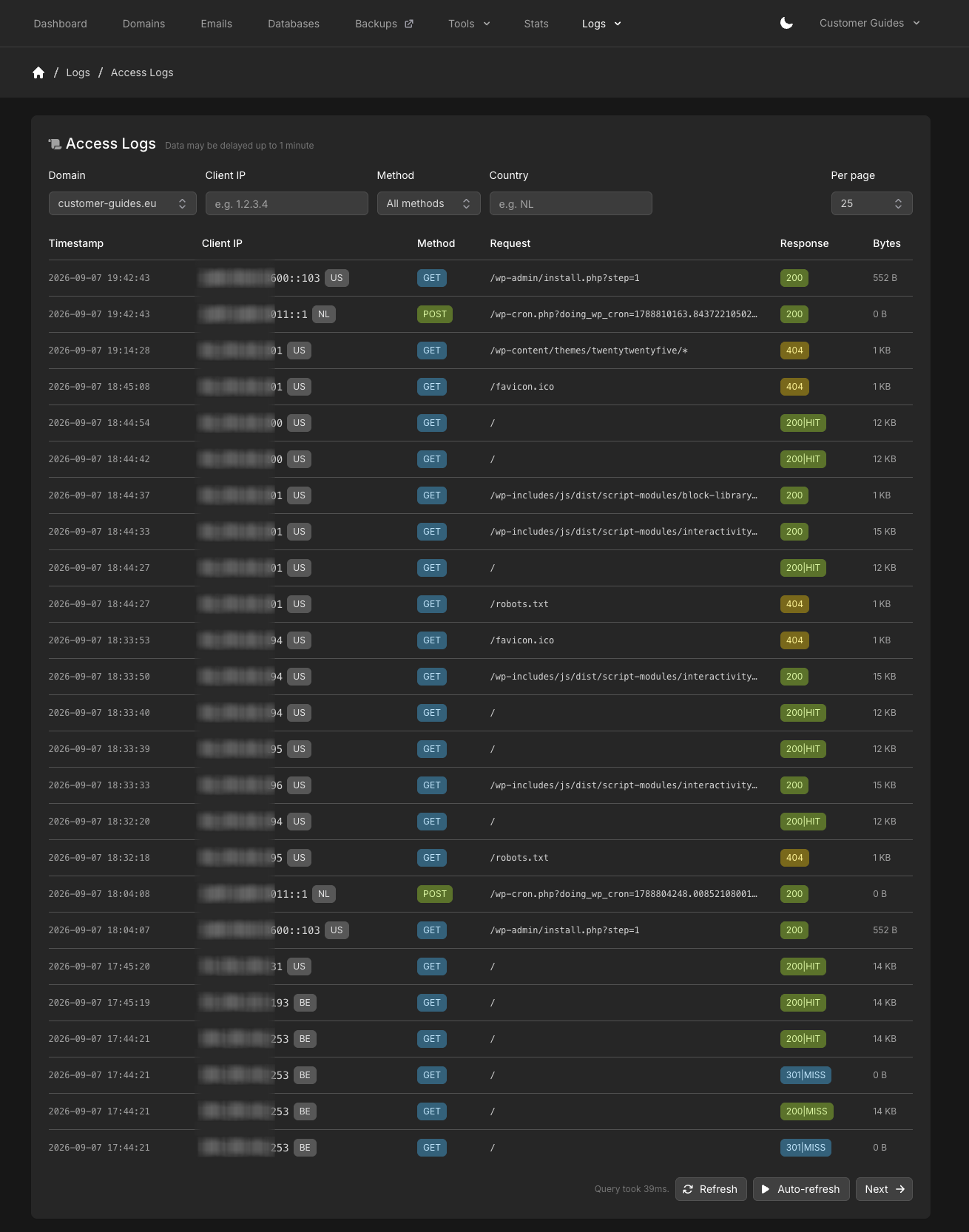
Access Logs with domain, client IP, method, and country filters and a results table
Each row shows Timestamp, Client IP (with a country code), Method, Request, Response, and Bytes. Response is the HTTP status, and can include cache status such as HIT or MISS. Use Refresh, Auto-refresh, or Next under the table. To inspect requests served by Photon, use Photon Optimizer logs.
Last modified on September 7, 2026