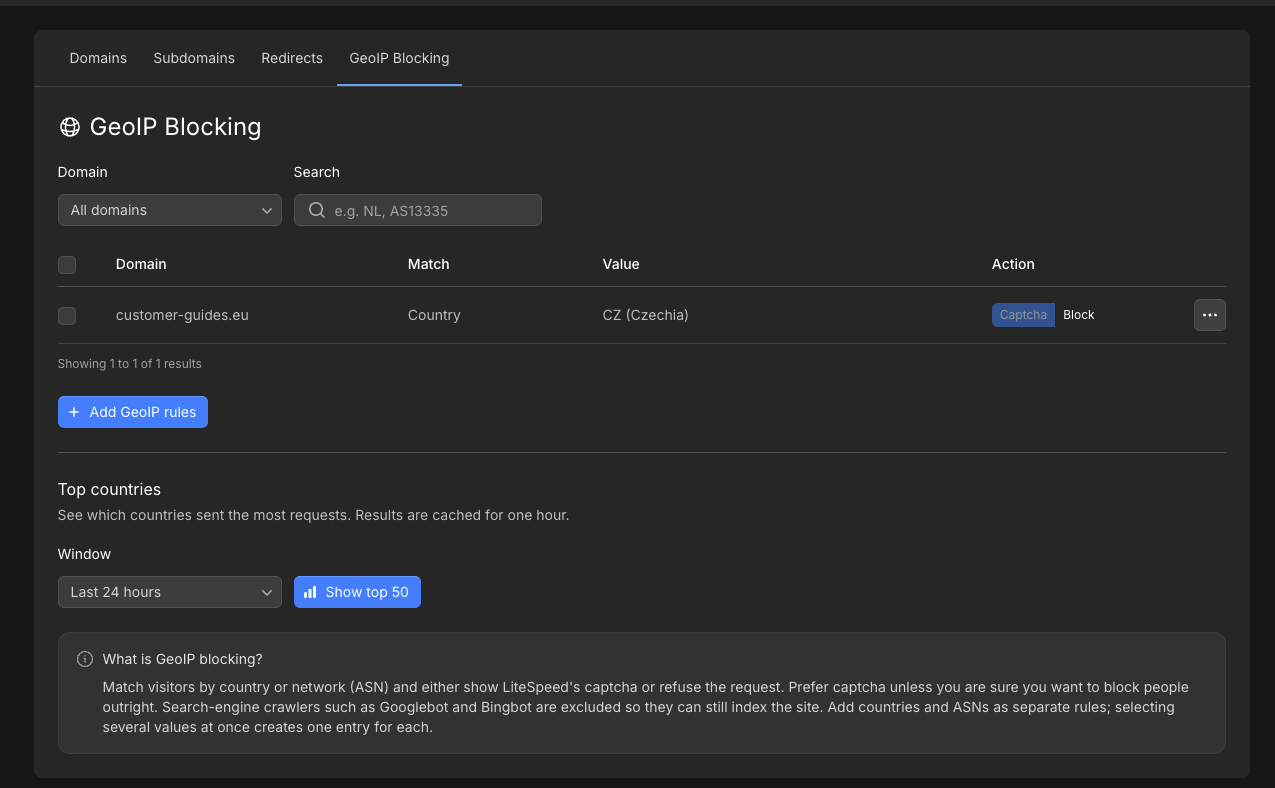
- Captcha (recommended) — LiteSpeed shows a captcha (ALTCHA). The visitor can continue to the site after they pass it.
- Block — the request is refused with 403 Forbidden.
Exceptions
These requests skip Captcha and Block:- Paths under
/.well-known/(used for SSL issuance) - Search-engine crawlers, including Googlebot, bingbot, DuckDuckBot, Pinterest, Applebot, facebookexternalhit, Twitterbot, LinkedInBot, Slurp, Baiduspider, and YandexBot
Add GeoIP rules
1
Log in
Log in to your hosting panel at hosting-panel.net.
2
Open GeoIP Blocking
Go to Domains, then GeoIP Blocking.Filter by Domain (or leave All domains) and search by code if you already have rules, for example 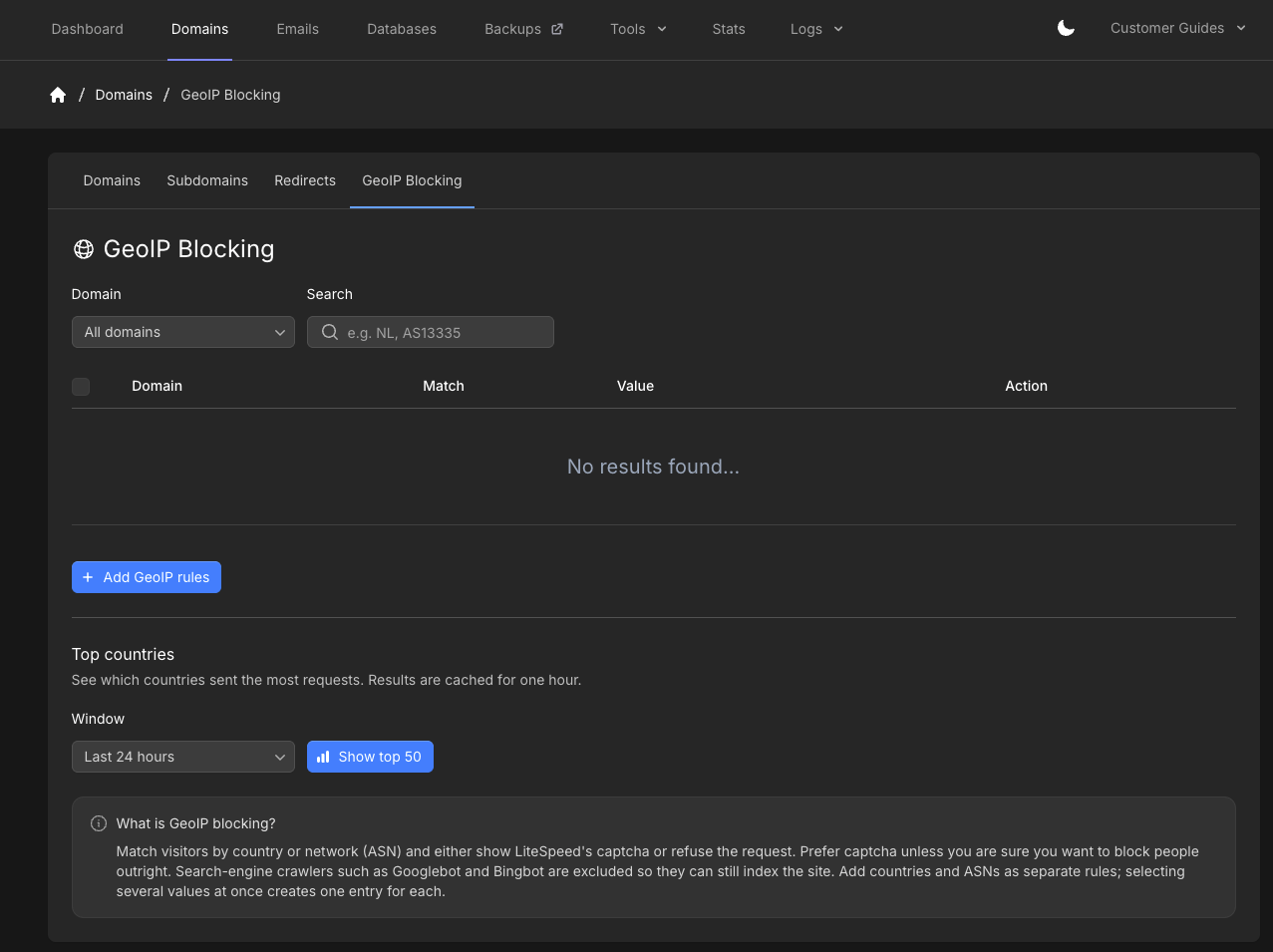
NL or AS13335.3
Open Add GeoIP rules
Click Add GeoIP rules.
4
Choose source, action, and match
Set Source Domain. All domains creates the same rules for every domain and subdomain currently on the account. Domains you add later are not included.Set Action to Captcha (recommended) or Block.Set Match to countries or ASNs. For countries, select one or more, or paste codes such as 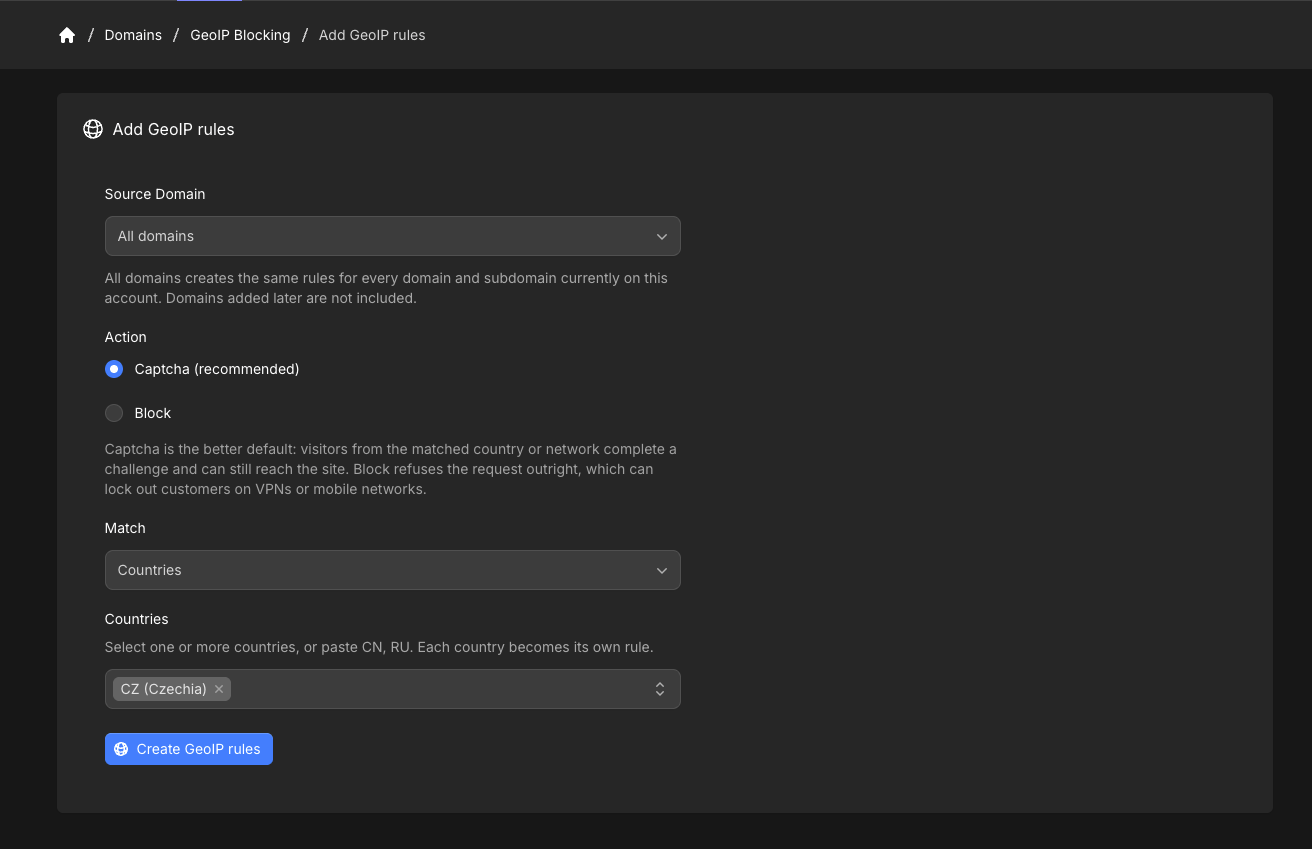
CN, RU. For a specific ASN that does not appear in search, enter it as AS12345.5
Create the rules
Click Create GeoIP rules. Each selected country or ASN becomes its own row.On the overview, switch a row between Captcha and Block without deleting it.