Password Protection is a tab on Domains, after GeoIP Blocking. It sits next to Domains, Subdomains, Redirects, and GeoIP Blocking. Protection is per hostname you select (domain or subdomain) and covers that whole hostname. Visitors get the browser’s HTTP Basic Auth prompt. Changes apply in 10–15 seconds (the web server reloads). The certificate check at /.well-known/ stays open so HTTPS can still renew.

Usernames and passwords

  • Username: up to 64 characters. Allowed characters are letters, numbers, ., _, and -
  • Password: up to 255 characters. Click Generate if you want the panel to create one
  • There is no limit on how many users you add for a domain

Add password protection

1

Log in

Log in to your hosting panel at hosting-panel.net.
2

Open Password Protection

Go to Domains, then Password Protection.Each row shows Domain, Status (On when protection is active), and Users.
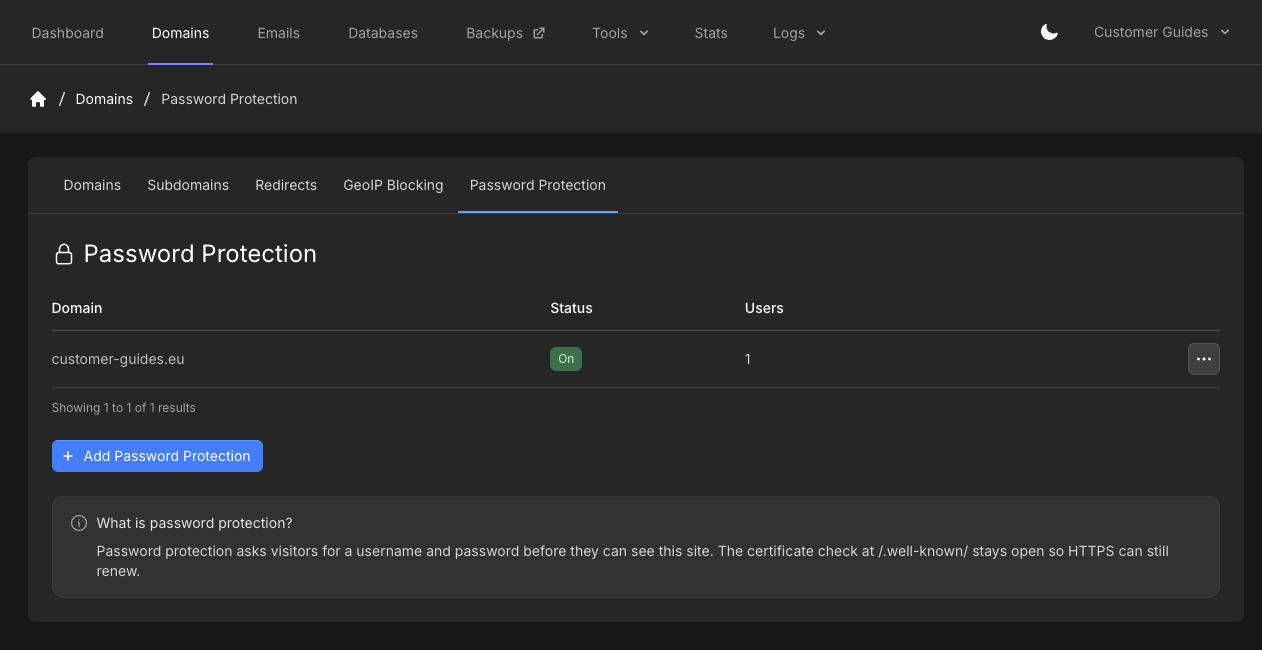
Password Protection tab with domain, On status, user count, and Add Password Protection
3

Add Password Protection

Click Add Password Protection. Set Source Domain, Username, and Password, then click Create Password Protection.
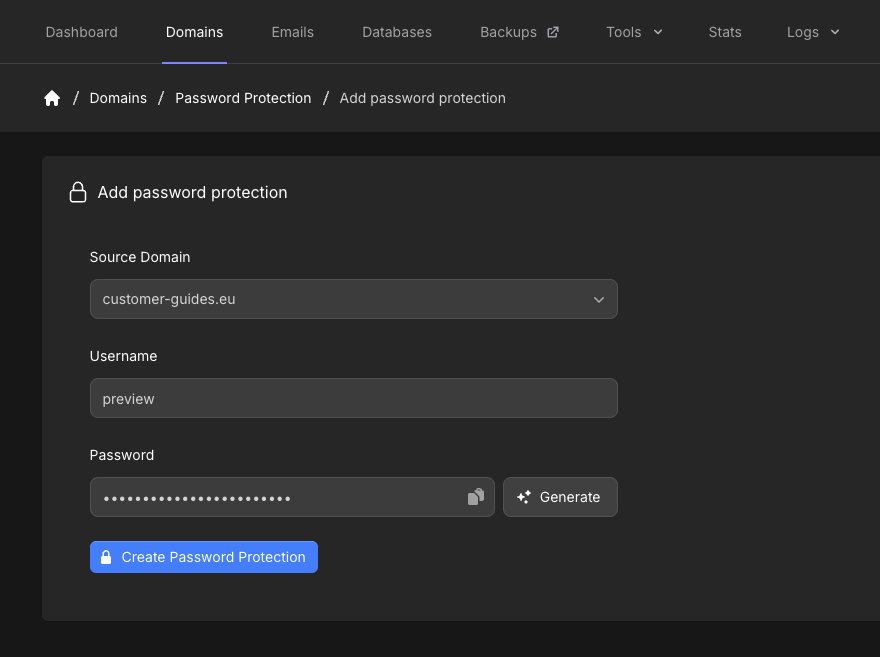
Add password protection form with Source Domain, Username, Password, Generate, and Create Password Protection

Manage protection

On the overview, open the menu on a row and click Manage to edit that hostname, or Delete to remove password protection for it.
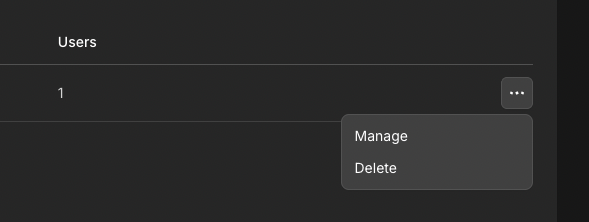
Password Protection row menu with Manage and Delete
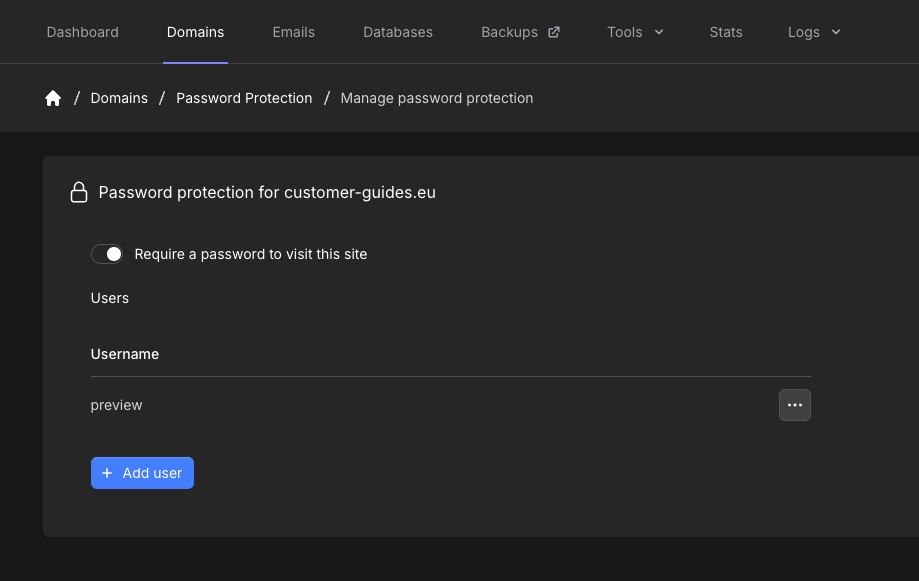
Manage password protection shows Password protection for that hostname. Use Require a password to visit this site to turn protection on or off. The toggle saves on its own. Turning it off does not delete the users for that hostname.
Manage password protection with Require a password to visit this site toggle and Users list

Manage users

Under Users, click Add user. Set Username and Password, then click Add user. Click Cancel to close the modal without adding anyone.
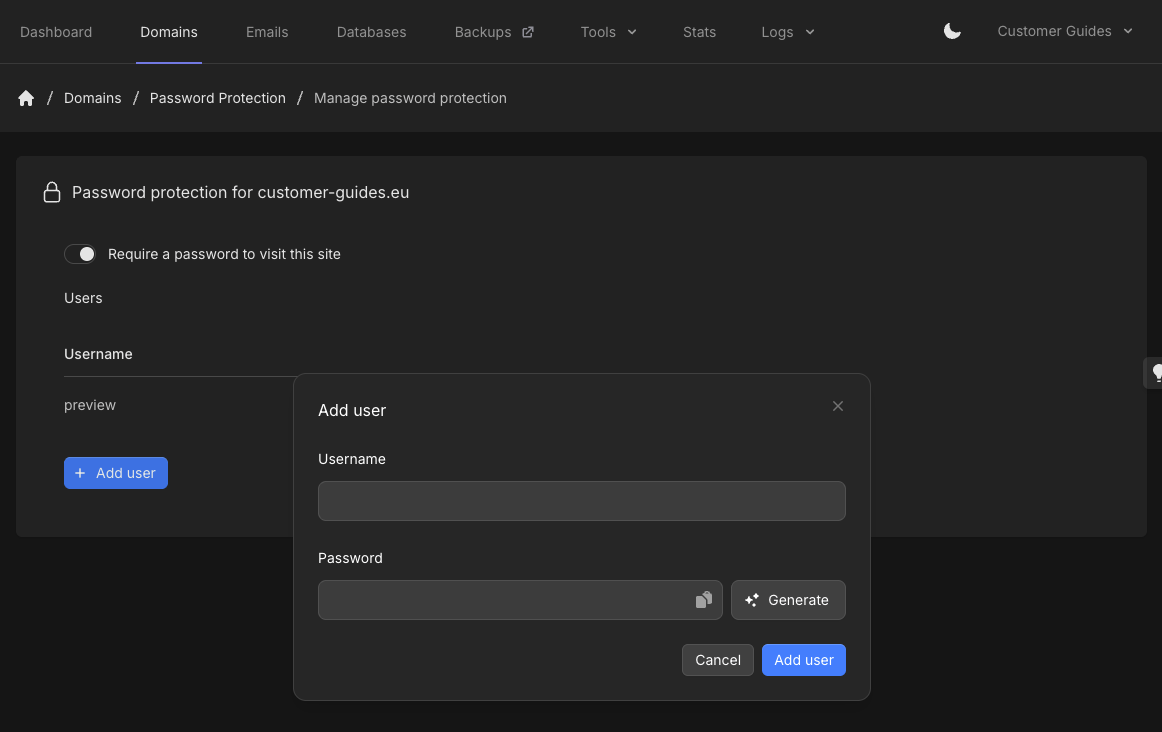
Add user modal with Username, Password, Generate, Cancel, and Add user
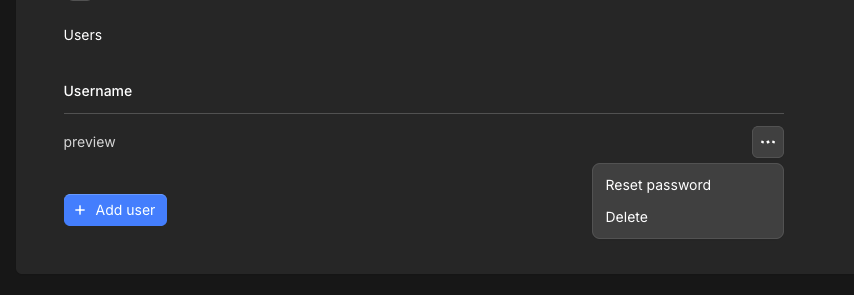
Open the menu on a user to Reset password or Delete.
Users row menu with Reset password, Delete, and Add user
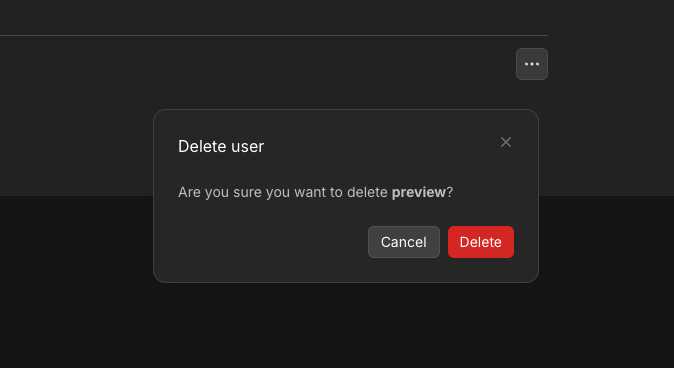
Delete asks Are you sure you want to delete that username. Click Delete or Cancel.
Delete user modal with Cancel and Delete
Last modified on September 9, 2026