lsphp (LiteSpeed PHP) processes for your account. Use it when a site is stuck or a PHP process has crashed.
The control is on Domains, next to Add Domain. It applies to every site on the account, not one domain.
You can run it at most once every 15 seconds. The restart takes about 5 seconds.
Restart PHP
1
Log in
Log in to your hosting panel at hosting-panel.net.
2
Open Domains
Go to Domains. Click Restart PHP next to Add Domain.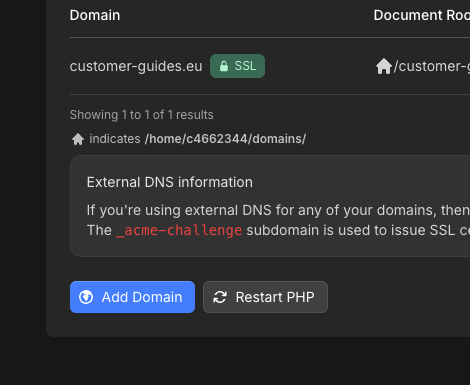
3
Confirm
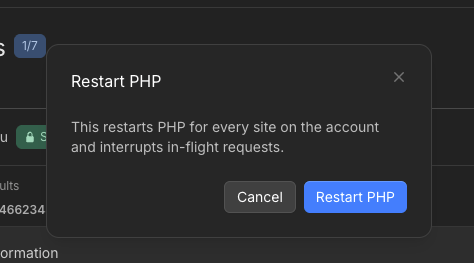
The modal says This restarts PHP for every site on the account and interrupts in-flight requests. Click Restart PHP to continue, or Cancel.