

Create a token
1
Log in
Log in to your hosting panel at hosting-panel.net.
2
Open API tokens
Open Profile from the user menu, then click API tokens in the settings sidebar.
3
Create a token
Enter a Token name you will recognize (placeholder example: 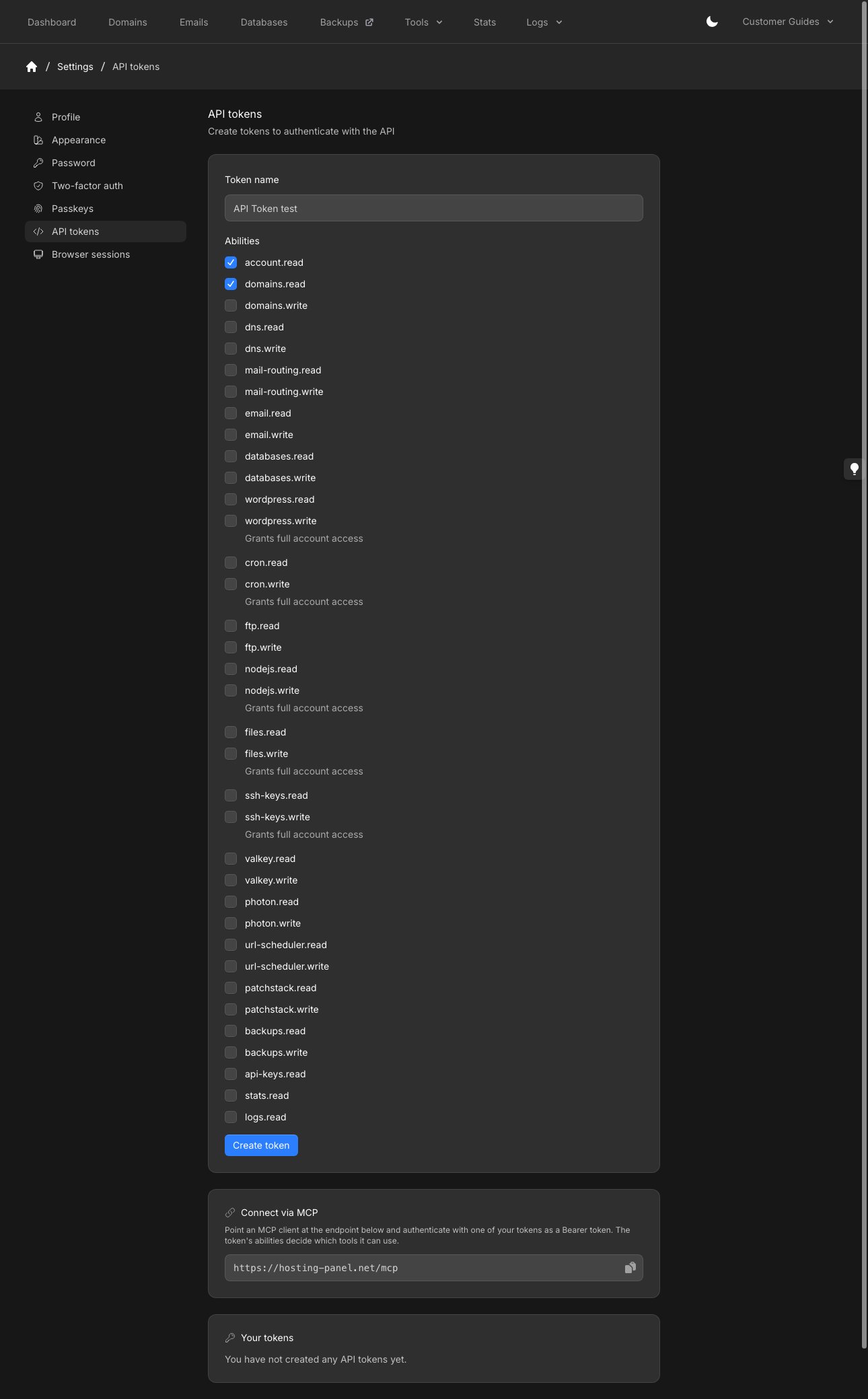
CI deployment).Select Abilities. Each ability is a panel function with .read and, where writes exist, .write (for example domains.read and domains.write). account.read, api-keys.read, stats.read, and logs.read have no write counterpart.Click Create token.Connect via MCP and Your tokens are on the same page, below the form.4
Copy the token
Copy the token immediately. The panel shows Please copy your new API token. For your security, it will not be shown again. Click Done when you have stored it.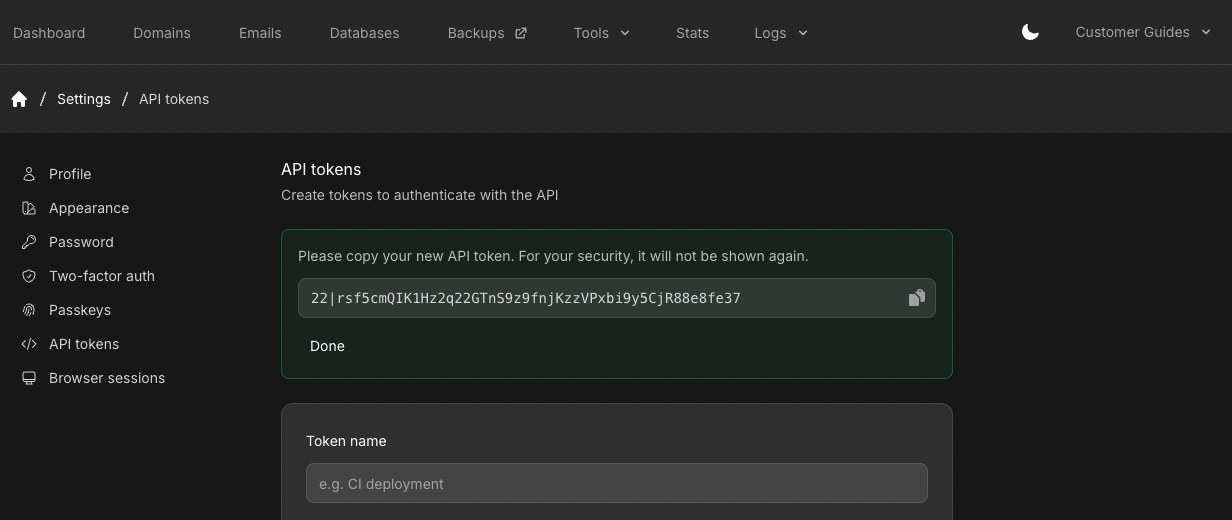 You send it as a Bearer token on every request:
Your tokens
Existing tokens appear under Your tokens at the bottom of the page. If you have none, it says You have not created any API tokens yet. Revoke a token from that list when you no longer need it.Use the token
See the API reference for authentication and available endpoints. Each endpoint requires a matching ability (for exampleaccount.read).
MCP server
The Connect via MCP card is on the same page. Point an MCP client athttps://hosting-panel.net/mcp and authenticate with one of your tokens as a Bearer token. The token’s abilities decide which tools it can use.
Give an MCP client that URL and token and ask it to add the server.