

Join the programme
1
Open Affiliate programme
Switch to the billing account you want to join with. In the sidebar, open More and click Affiliate programme.
2
Join
Read How it works and click Join the affiliate programme. Your link is ready at once.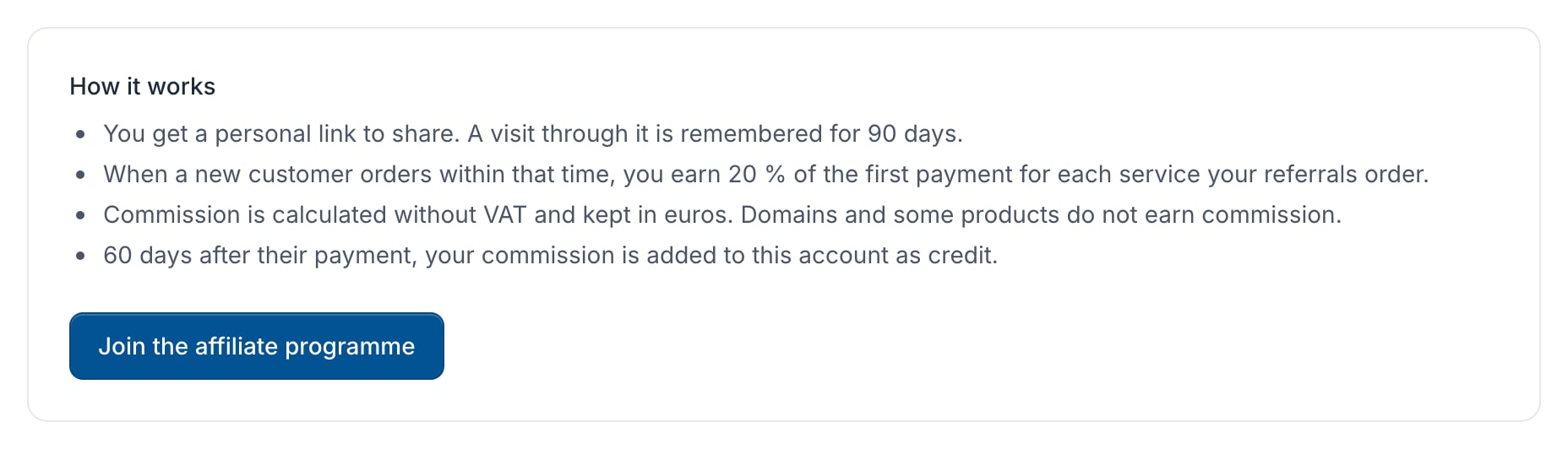
Share your link
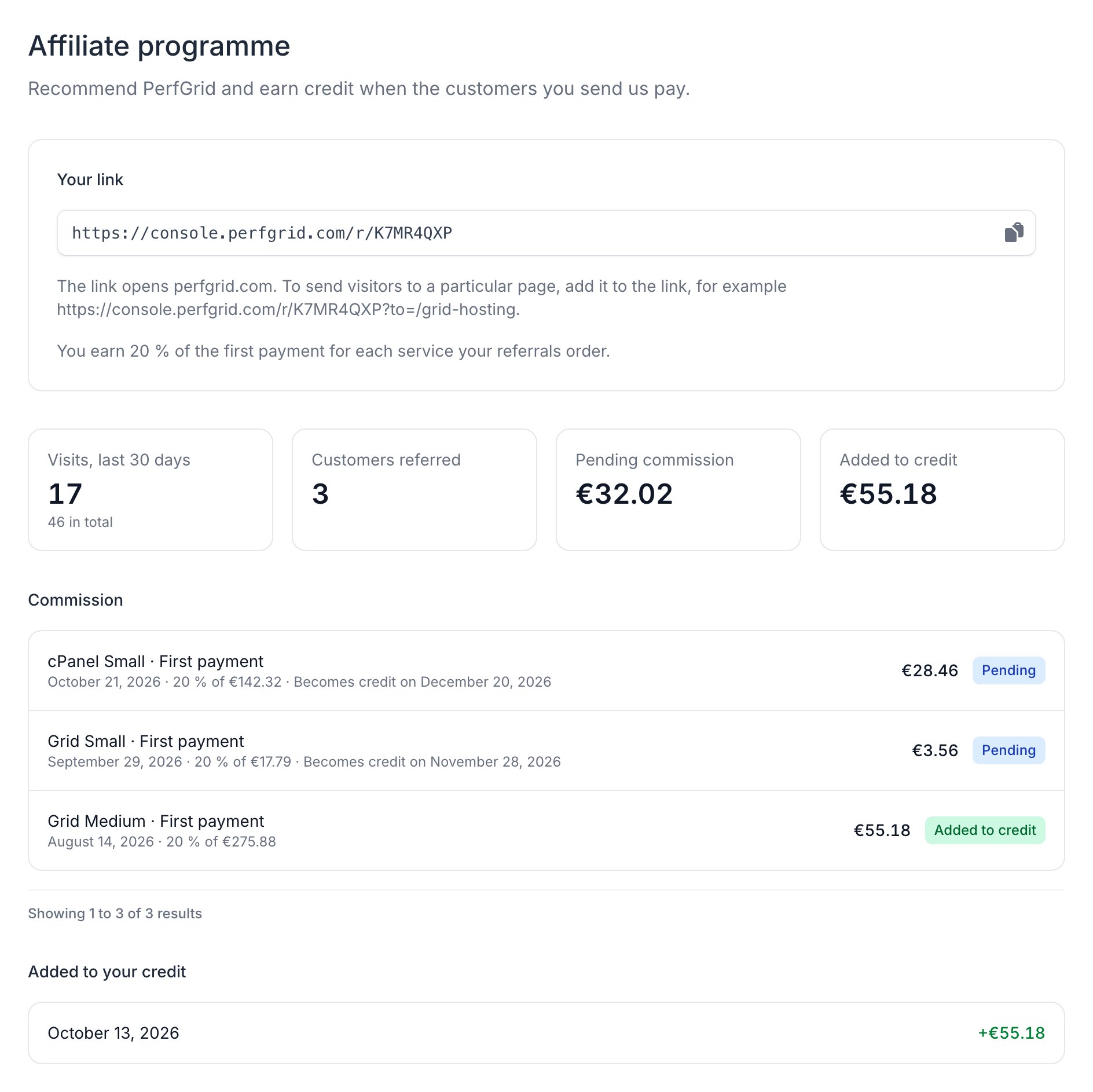
Copy your link under Your link and share it wherever you like. It opens perfgrid.com. To send visitors to a particular page, add the path, for examplehttps://console.perfgrid.com/r/CODE?to=/grid-hosting.
The page also shows your visits, Customers referred, and your commission: what it was for, its status and when it becomes credit. We never show who you referred.
How you earn commission
- A visit through your link is remembered for 90 days. If the visitor later follows another affiliate’s link, the newest link counts.
- You earn commission when that visitor becomes a new client and orders within those 90 days: on the services in that first order, and on addons added to them later. Domains and some products don’t earn commission.
- Your terms are under Your link. Commission is calculated on the price without VAT, after discounts and credit, and kept in euros.
- 60 days after the client’s payment, the commission is added to your billing account as credit. Until then it shows as Pending.
Orders from your own billing account or its members never earn commission. A referral that looks like your own waits for us to review it and shows as In review. If we issue a credit note for something you earned commission on, pending commission is reduced, and commission that is already credit may be taken back.
Coming from our old customer panel
If you were an affiliate in our old customer panel (billing.perfgrid.com), your affiliate account moved to the console with a new link, and your balance there was added as credit. Old links of the formbilling.perfgrid.com/aff.php?aff=... forward to your new link.