

https://console.perfgrid.com/api/v1 and the PerfGrid MCP server at https://console.perfgrid.com/mcp.
To create tokens you need the Manage API tokens permission (owners, administrators and technical members have it), and two-factor authentication or a passkey on your login. Until then, New token is greyed out. Your tokens need it too: while your login has neither, every call with them is refused, and they work again once you turn 2FA back on.
This is not the Grid Hosting panel API at hosting-panel.net, which has its own tokens. See Grid Hosting API tokens.
Create a token
1
Open API tokens
In the sidebar, open More and click API tokens. Confirm your password if the console asks.
2
Start a new token
Click New token.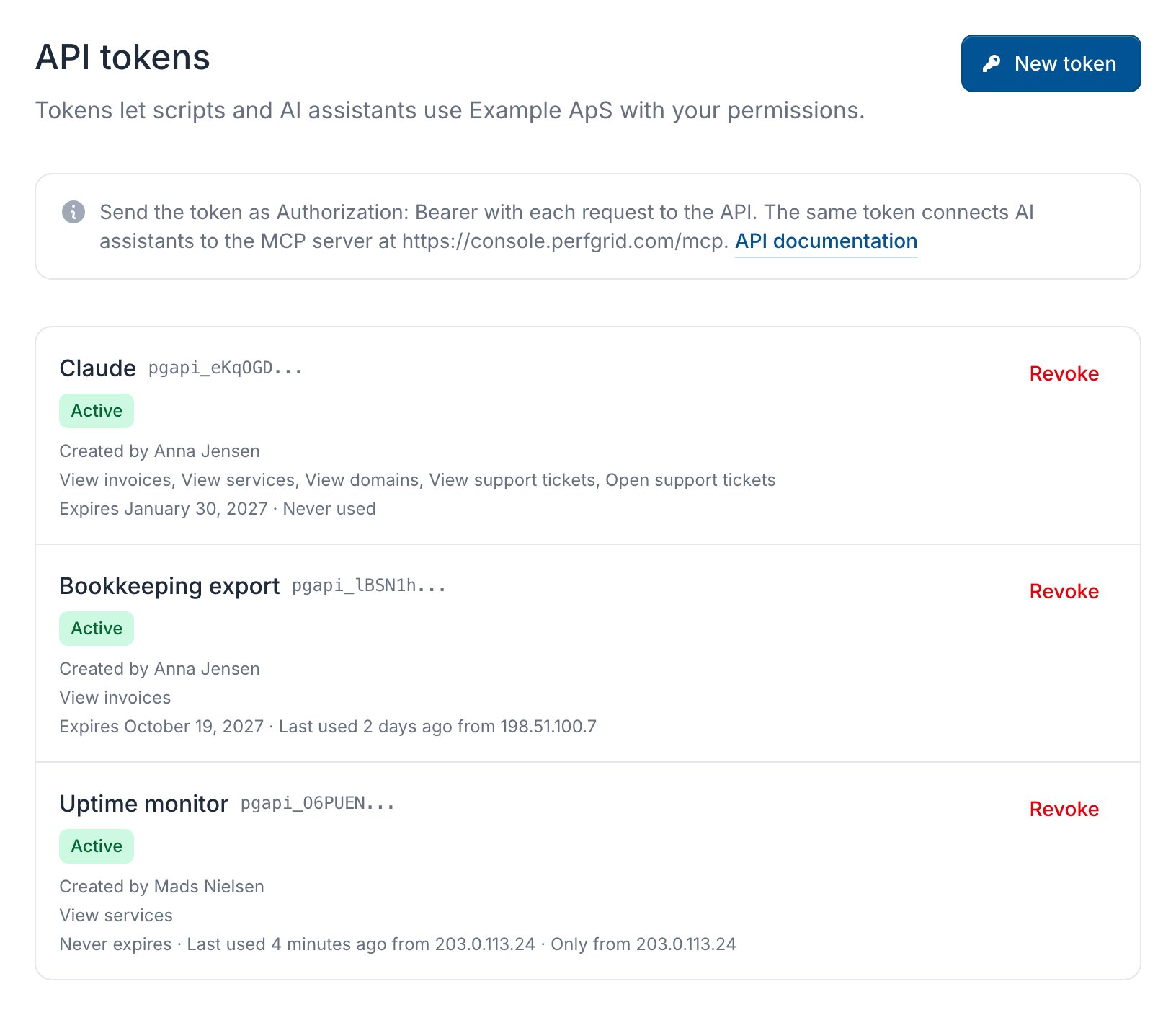
3
Fill in the dialog
Give the token a Name that says what uses it and tick its Permissions. Choose when it Expires and, if you like, the Allowed addresses it may be used from: IP addresses or ranges, one per line or separated by commas or spaces, or empty for any address. Click Create token.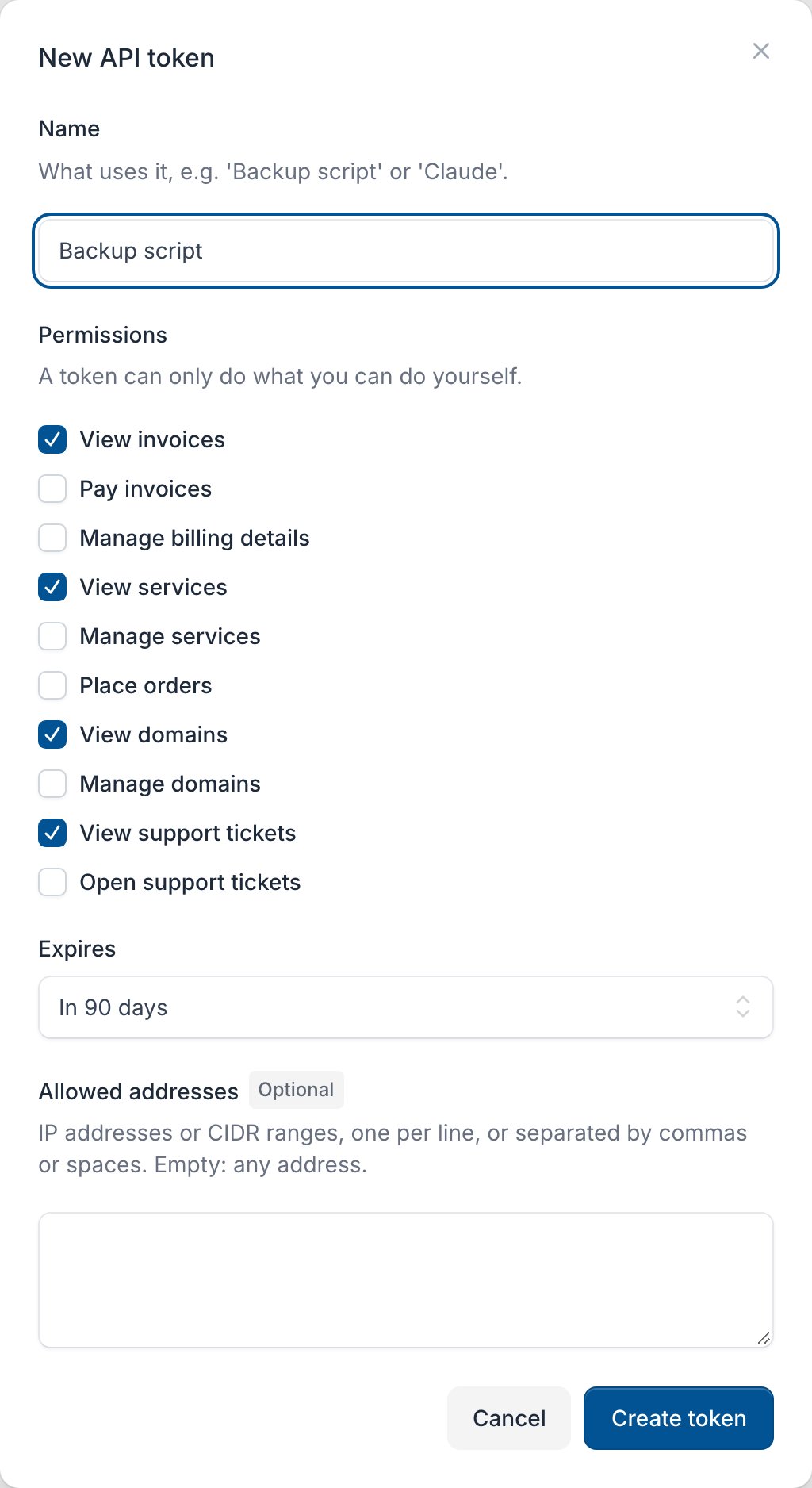
4
Copy the token
Copy the token, which starts with 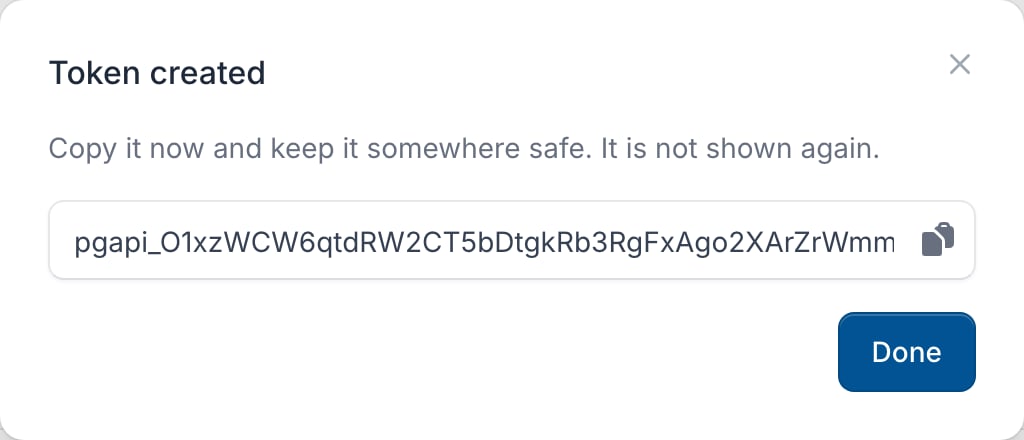
pgapi_, store it somewhere safe and click Done.What a token can do
A token can only do what you can do yourself, and only what you ticked. If your own permissions are reduced, or you leave the billing account, the token loses them too. Each permission works on its own: Pay invoices doesn’t let a token list invoices without View invoices. What each permission gives access to is listed under Abilities in the API reference. Members, payment methods, API tokens, the affiliate programme, ordering new services and closing tickets stay in the console.Revoke a token
Click Revoke next to the token and confirm. Anything that uses it stops working at once. Members with Manage users see and can revoke every token of the billing account; others see their own. You can’t change a token’s permissions or expiry afterwards: create a new one and revoke the old one. We email you 7 days before a token expires.Use the API
Send the token in theAuthorization header:
Connect an AI assistant (MCP)
Addhttps://console.perfgrid.com/mcp to your MCP client and send the token in the Authorization header. In Claude Code: