

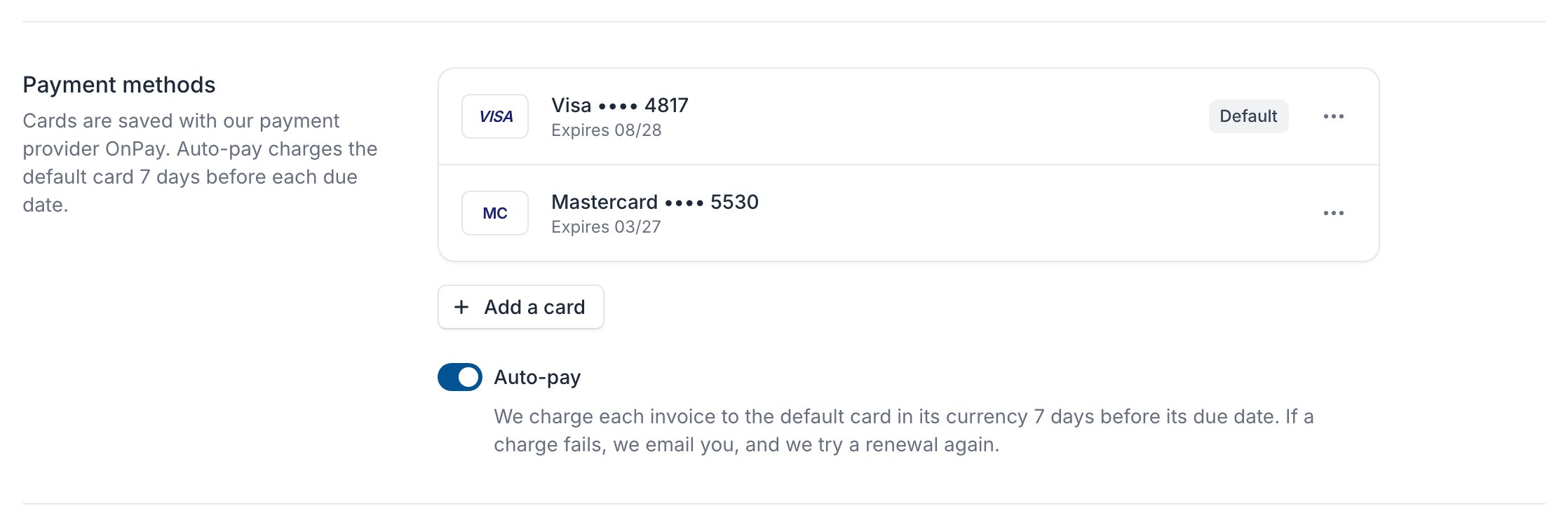
Add a card
1
Click Add a card
Under Payment methods, click Add a card.
2
Enter your card
Enter it on our payment provider’s page and confirm with your bank if it asks. No money is taken.
3
Check that it was saved
Back on Billing, the page says Your card was saved.
Change the default card or remove a card
Click the ⋯ button next to a card and choose Make default or Remove. Auto-pay charges the default card.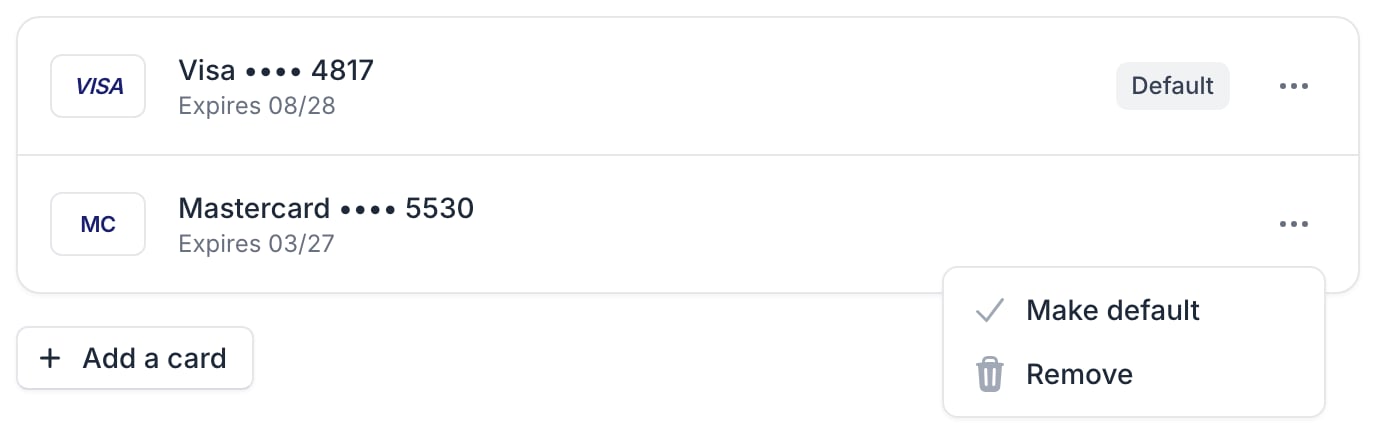
A card only pays invoices in its own currency, and you have one default card per currency.
Auto-pay
With Auto-pay on, we charge each invoice to the default card in its currency 7 days before its due date. An invoice issued less than 7 days before its due date is charged within a day.- If a charge fails, we email you. A renewal is tried again 3 and 7 days after its due date; pay other invoices on their page.
- An unpaid invoice’s summary shows the charge day, for example Auto-pay on 8 Nov. If it says Pay by and a date instead, it won’t be charged automatically.
- To pay another way, pay the invoice before the charge day.