Your domains
Click Domains in the sidebar. You can switch Auto-renew on or off right in the list. A domain that expires within 30 days without automatic renewal says Expires in and the number of days. Click a domain’s name, or Manage, to open its page.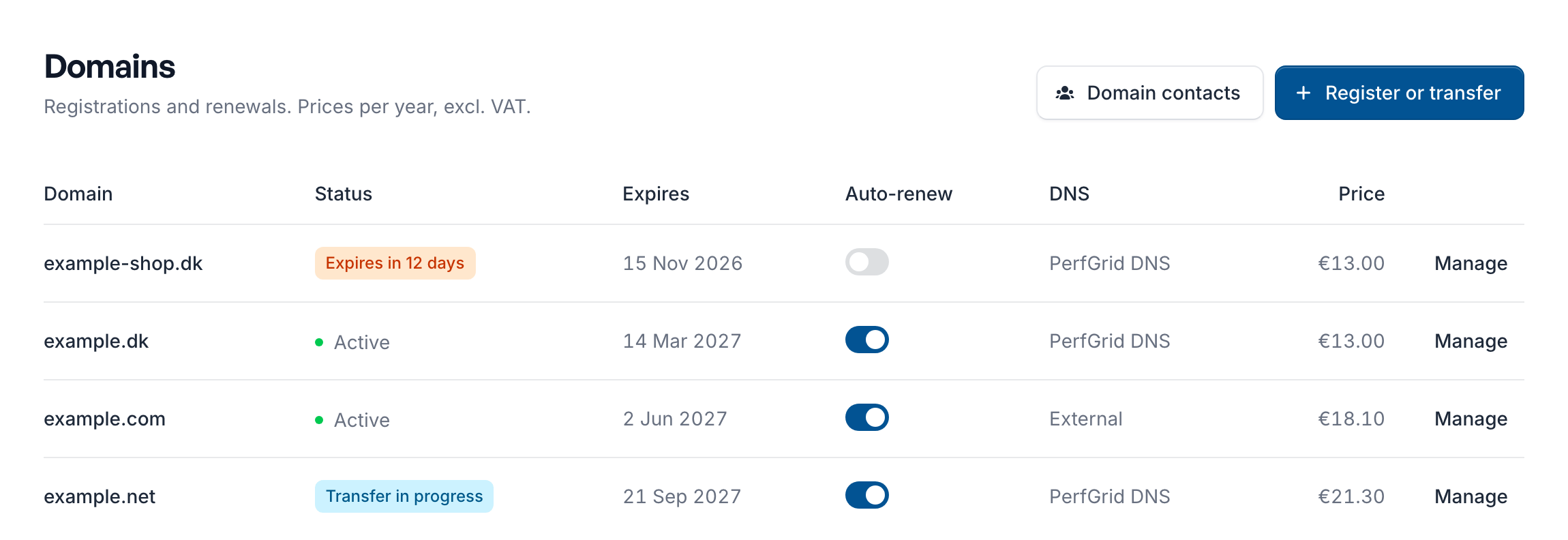
.dk domain marked Billed by the registry (you pay Punktum dk directly), and an older domain Managed by PerfGrid support (contact us to change it). You can’t change a domain while it is Being registered or its Transfer in progress.
The domain’s page
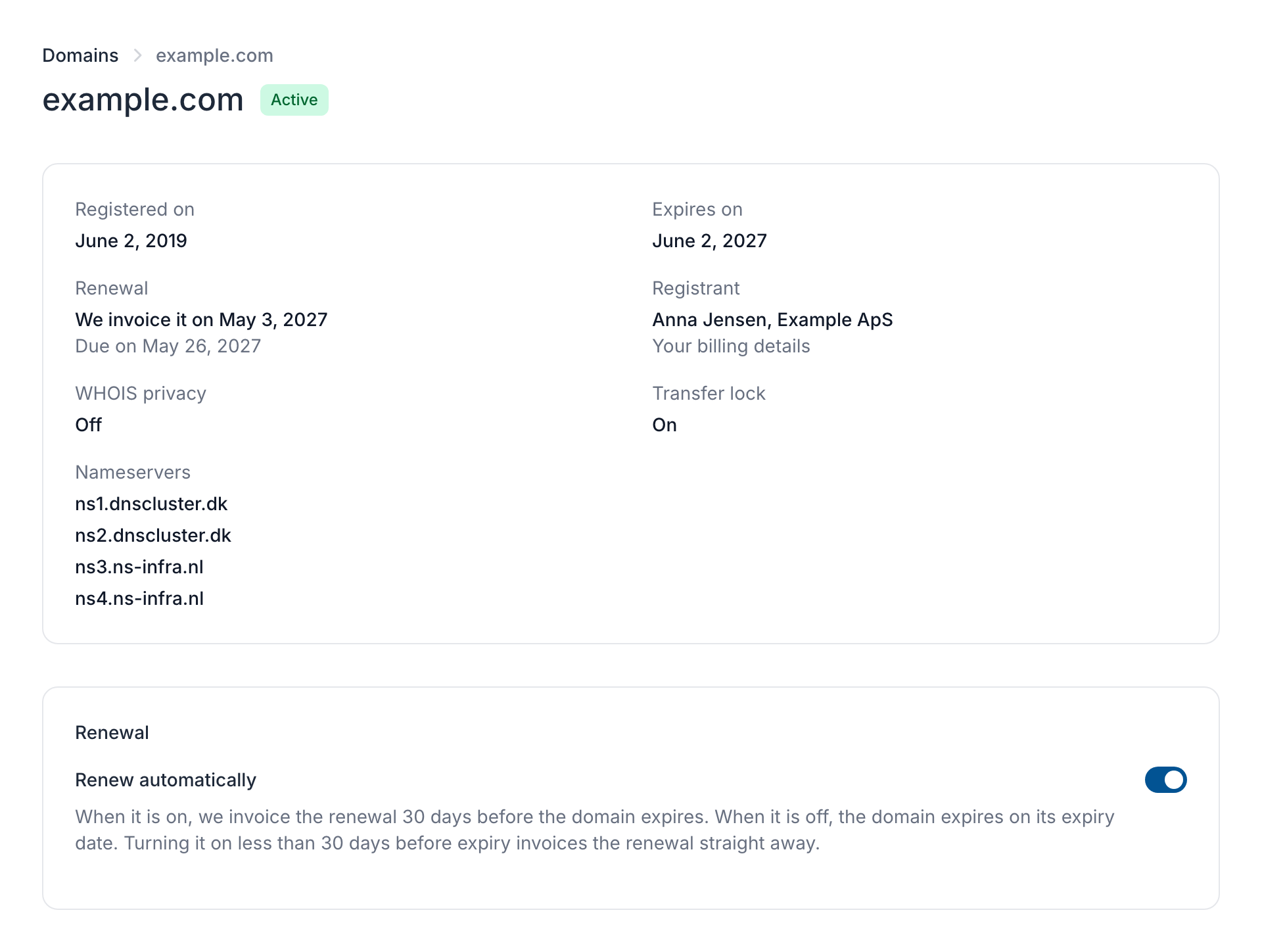
The top of the page shows the domain’s dates, renewal, registrant and nameservers. Below are the settings you can change. The page only shows the settings the domain ending supports: a.dk domain, for example, has no transfer lock, WHOIS privacy or registrant section.
Renewal
With Renew automatically on, we invoice the renewal before the domain expires (30 days before for most domain endings). A renewal is always for one year, at the renewal price of the day. Once it is invoiced, the page says The renewal is on invoice with a View invoice button. With it off, the domain expires on its expiry date.Change the nameservers
1
Enter the nameservers
Under Nameservers, enter the nameservers your DNS provider gives you, one in each field. Use Add a nameserver for another field, or the x to remove one.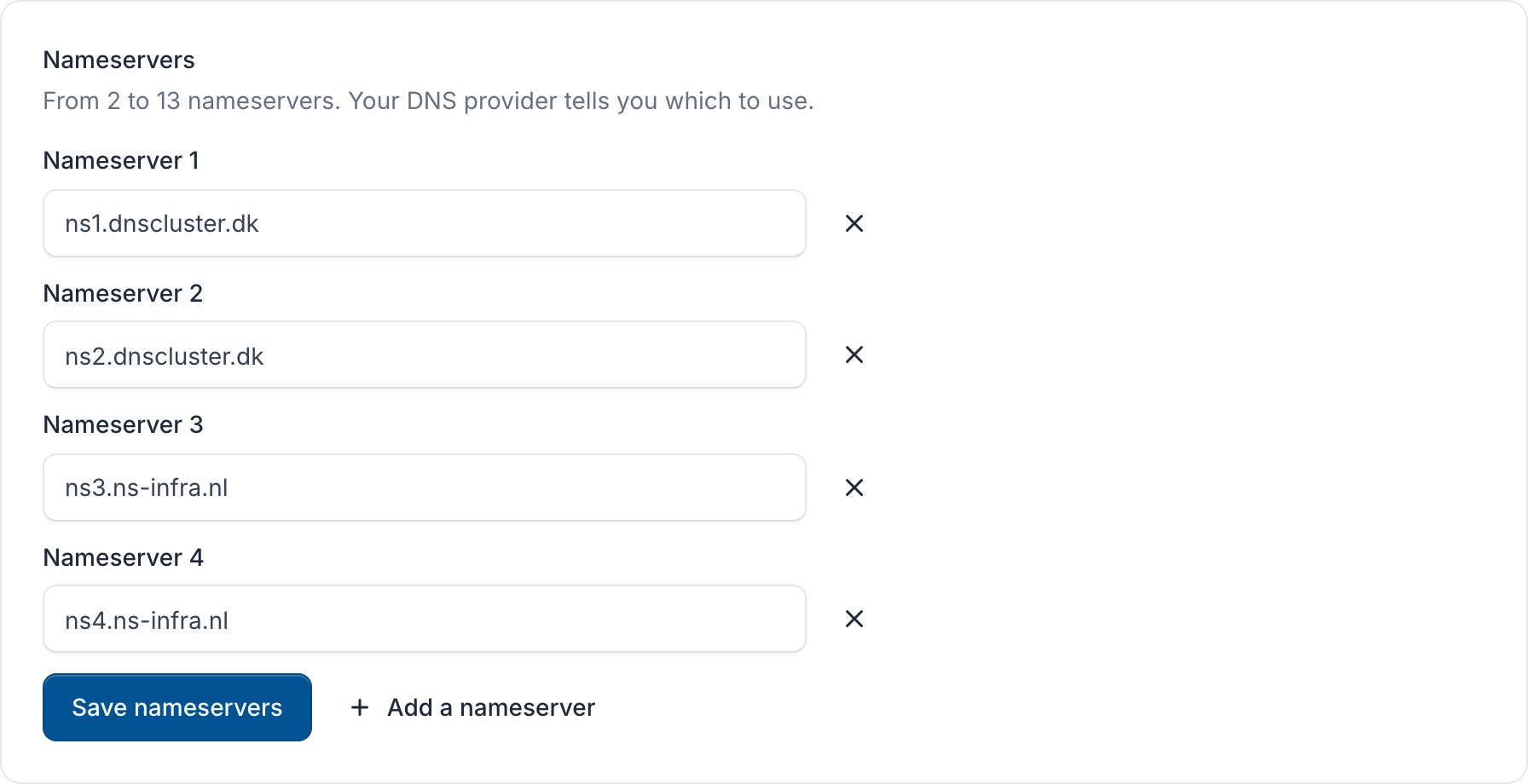
2
Save
Click Save nameservers. The change usually reaches the registry within a few minutes.
.dk domain, the new nameservers must already have the domain’s DNS zone, and changing them turns DNSSEC off. Our own nameservers are listed in What’s your nameservers? (Grid Hosting) and What’s your nameservers? (cPanel).
DNSSEC
Under DNSSEC, enter the records your DNS provider gives you for this domain (DS records for.dk, DNSKEY records for other endings) and click Save DNSSEC. To turn it off, click Turn off DNSSEC.
Transfer lock and WHOIS privacy
Both are under Protection.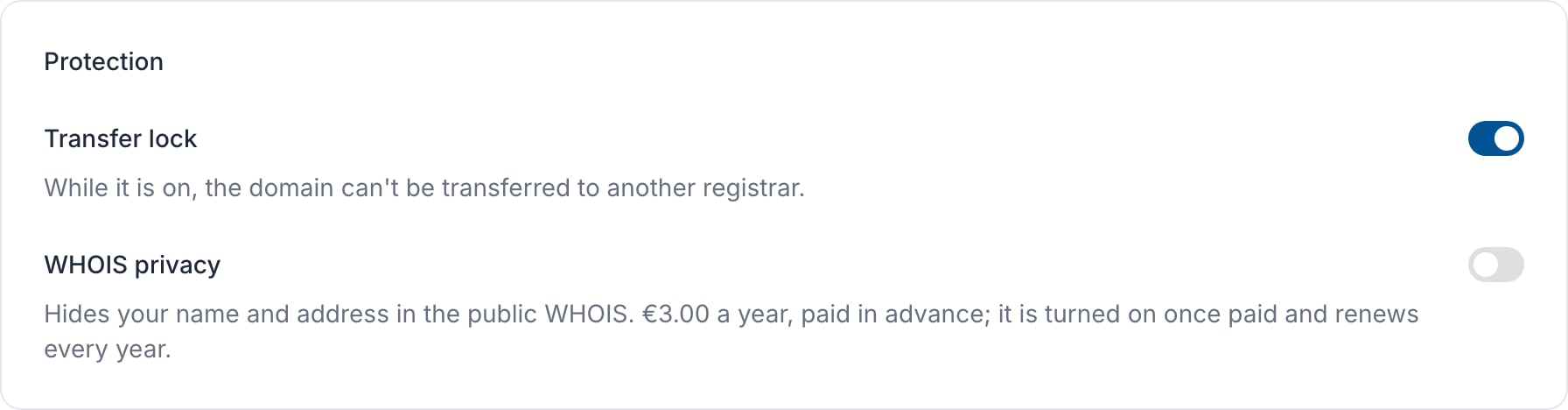
- Transfer lock: while it is on, the domain can’t be transferred to another registrar.
- WHOIS privacy: hides your name and address in the public WHOIS. Turning it on sends you a proforma invoice for a year, and privacy is turned on once it is paid. It renews every year. Turning it off gives no refund.
Change the registrant
The registrant is who the domain is registered to. Under Registrant, choose My billing details, A saved contact (one of your domain contacts) or Someone else, and click Save registrant. Some registries treat a new registrant as a change of owner.Move a domain to another registrar
1
Turn off the transfer lock
If the domain has a Transfer lock, turn it off under Protection.
2
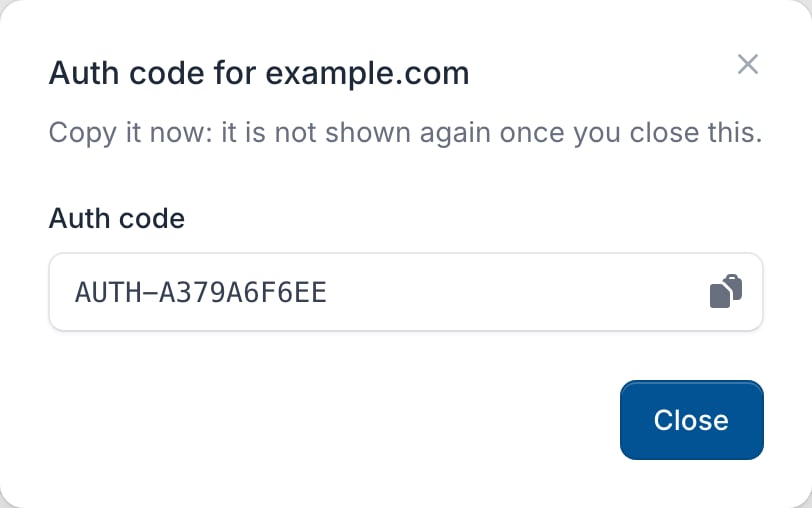
Get the auth code
Under Auth code, click Get auth code, copy the code and give it to your new registrar.