

storage and .env across updates. The panel does not run Composer, npm, or Artisan.
Add a deploy
1
Log in
Log in to your hosting panel at hosting-panel.net.
2
Open Deploy Website
Go to Tools → Deploy Website. Website deploys lists Domain, Source, Status, and Last deployed.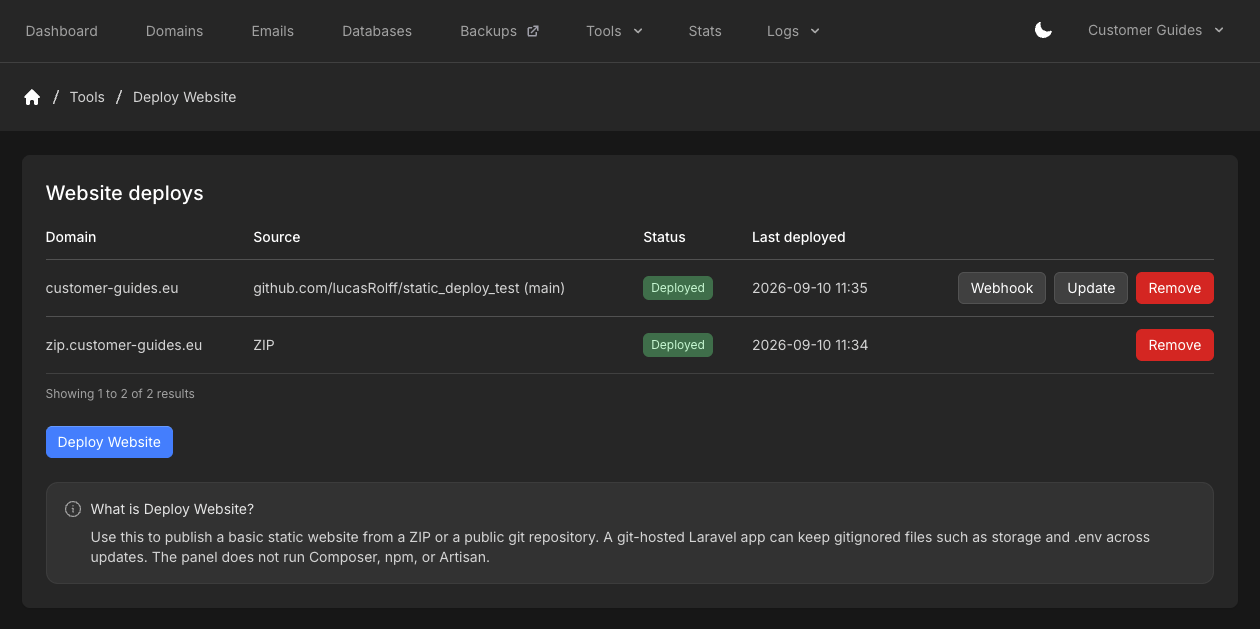
3
Deploy Website
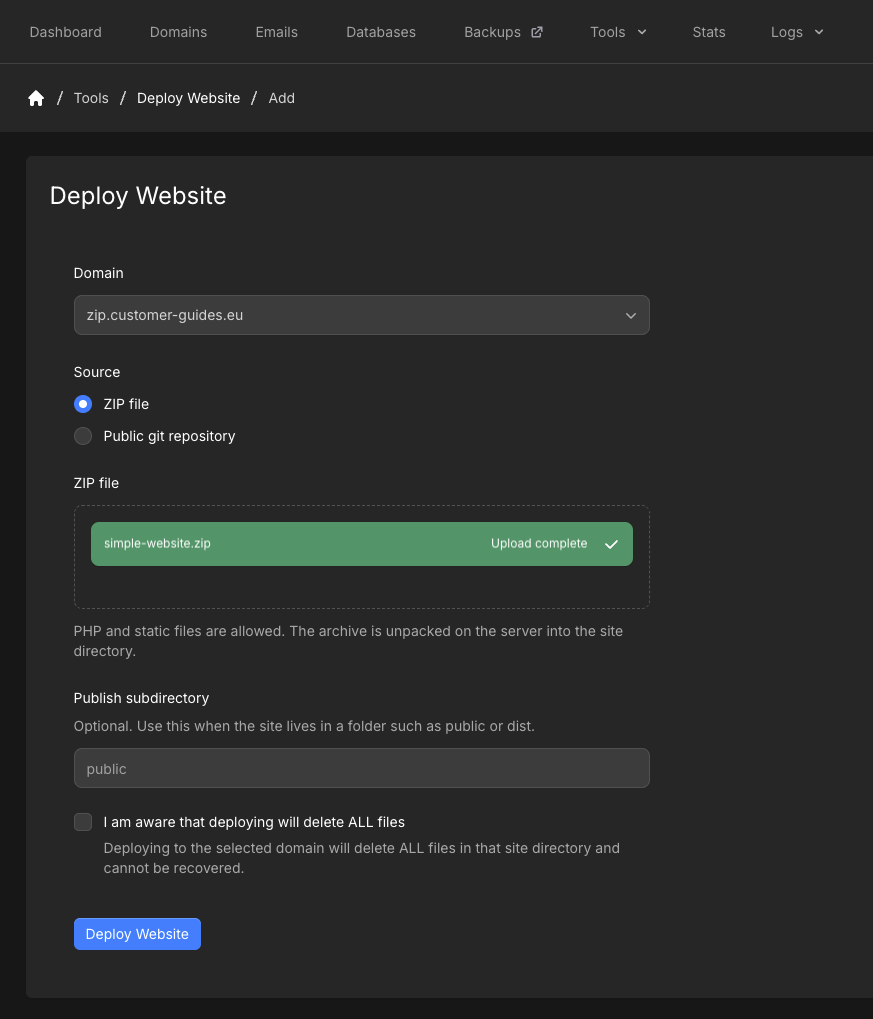
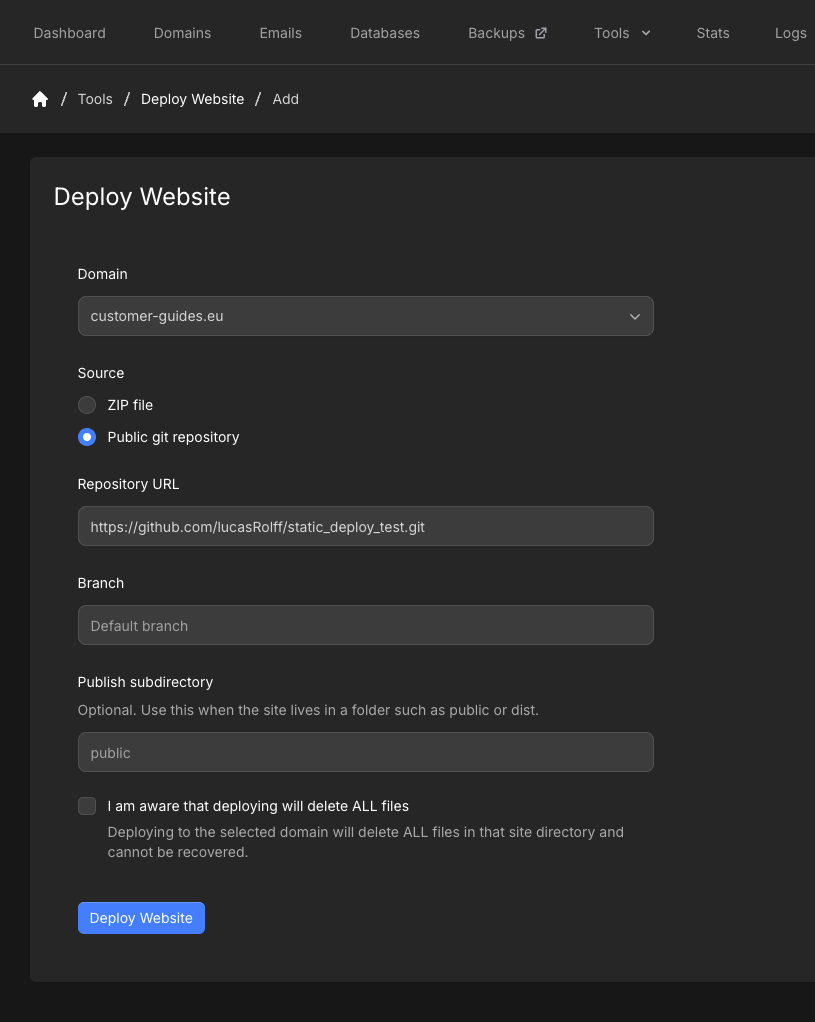
Click Deploy Website. Choose the Domain (domain or subdomain). Set Source to ZIP file or Public git repository.
4
Set publish path and confirm wipe
Publish subdirectory is optional. Use it when the site lives in a folder such as
public or dist. Leave it empty to publish at the domain root.Check I am aware that deploying will delete ALL files. Deploying deletes all files in that site directory and cannot be recovered.Click Deploy Website.ZIP file
Upload a.zip by dragging it onto the form or browsing for it. PHP and static files are allowed. The archive is unpacked into the site directory.
- At most 100,000 files
- Must fit in the free disk space on the account
- Cannot be encrypted
- Cannot contain symlinks
To publish a new zip, Remove the deploy, then add it again with the new file. Direct ZIP updates are not available yet.
Public git repository
Enter Repository URL as anhttps:// URL to a public repository, for example https://github.com/owner/repo.git. Private repos and non-HTTPS URLs are not supported. There is no size limit.
Branch is optional. The placeholder is Default branch. If you leave it empty, the deploy uses the repository’s default branch.
Webhook
Click Webhook on a git deploy. Paste the URL into GitHub, Bitbucket, Gitea, or any git host that can POST a webhook. A request to this URL runs the same update as Update.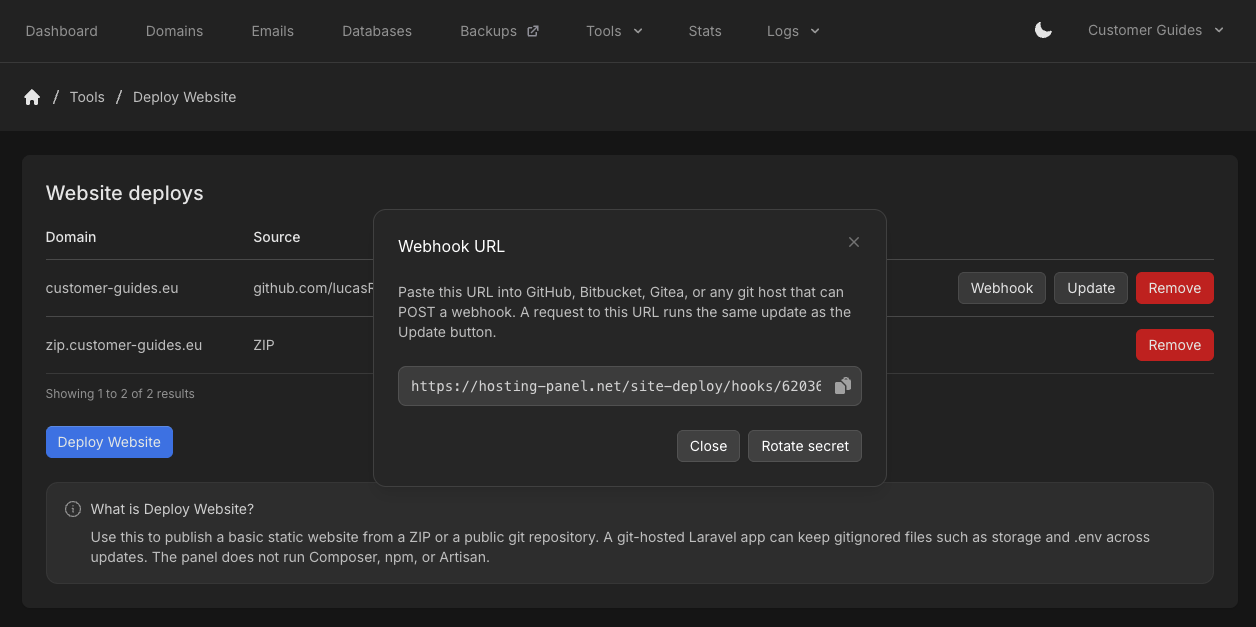
Remove a deploy
Click Remove on the row.Removing a deploy does not delete the files already on the domain.