Valkey Manager runs a Valkey instance for your account. Valkey is a Redis-compatible key-value store. Activate it, set Max Memory, Memory Eviction Policy, and Data Persistence, then point your app at the Socket Path shown in the panel. You can Activate Valkey and Deactivate Valkey. There is no flush control in the manager. Go to ToolsValkey Manager.

Activate Valkey

1

Log in

Log in to your hosting panel at hosting-panel.net.
2

Open Valkey Manager

Go to ToolsValkey Manager. While the instance is off, the page shows Deactivated.
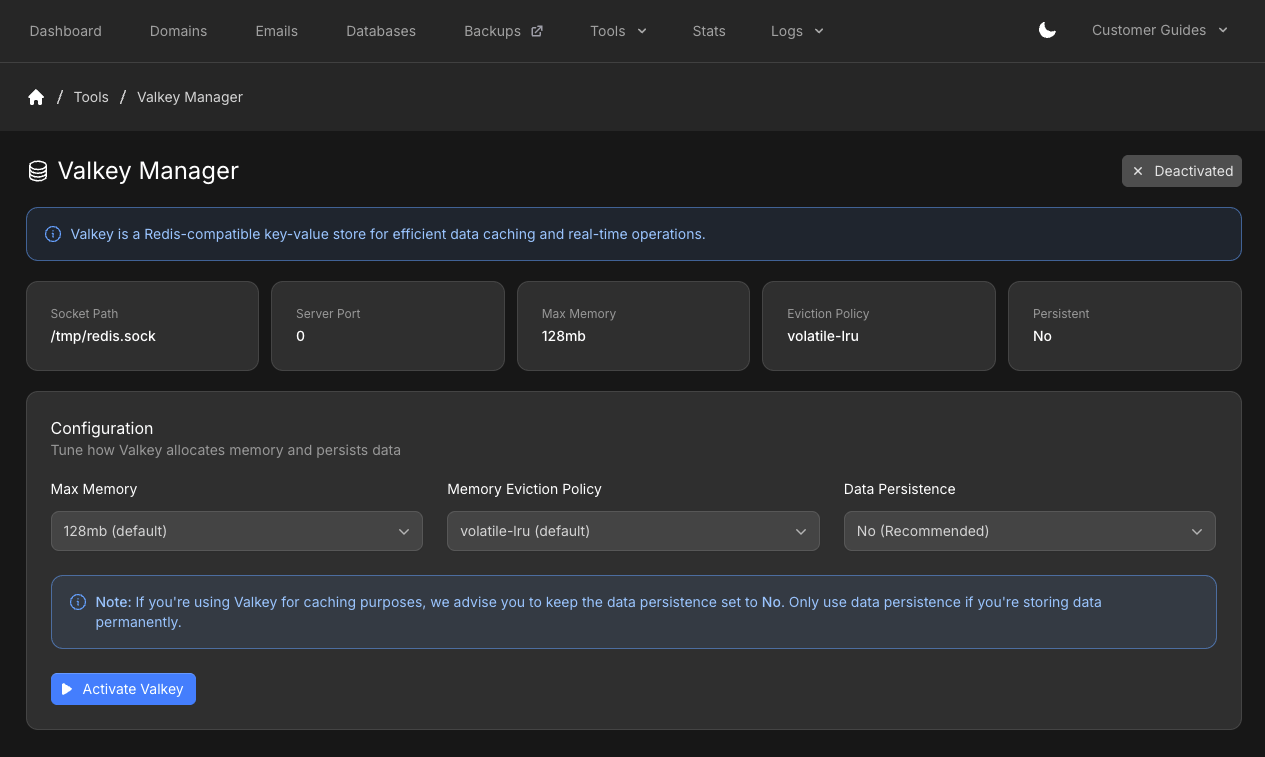
Valkey Manager deactivated with socket path, max memory, eviction policy, persistence, and Activate Valkey
3

Set memory and persistence

Under Configuration, choose:
  • Max Memory — options depend on your plan (see the table below)
  • Memory Eviction Policy
  • Data PersistenceNo (Recommended) for caching. Only turn persistence on if you store data you need after a restart
4

Activate

Click Activate Valkey. The page shows Activated, the same connection cards, and live metrics.Copy Socket Path (for example /tmp/redis.sock) and Server Port (0 for the Unix socket). Use those values in your application.
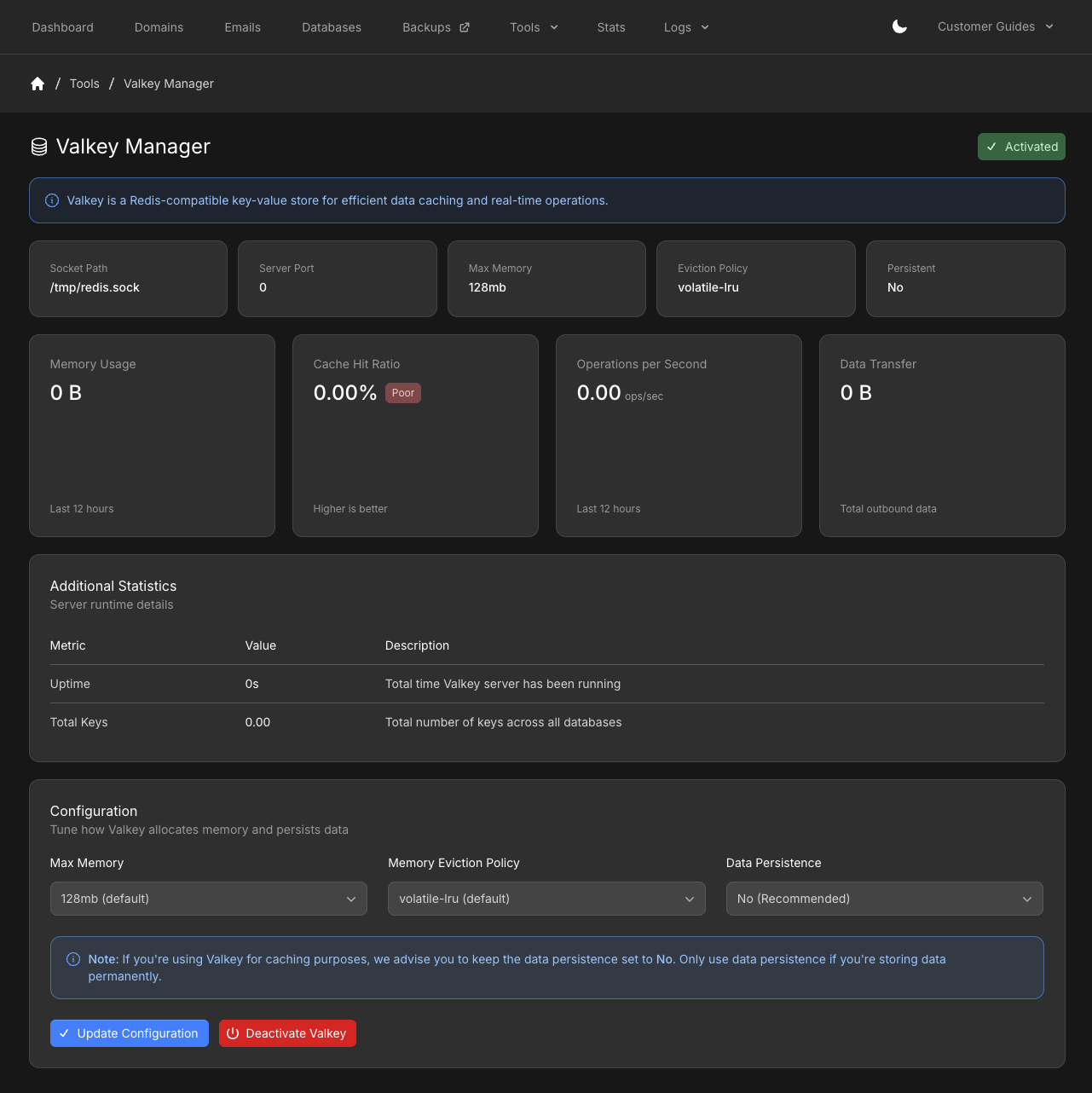
Valkey Manager activated with metrics, runtime details, Update Configuration, and Deactivate Valkey
After activate, Update Configuration applies new memory, eviction, or persistence settings. Deactivate Valkey turns the instance off. Max memory options by plan: Eviction policies:
If you do not set a TTL on keys, use allkeys-lru. Otherwise the instance can return Out of Memory errors.

Statistics

While Valkey is activated, the manager shows:
  • Memory Usage (last 12 hours)
  • Cache Hit Ratio
  • Operations per Second (last 12 hours)
  • Data Transfer (total outbound)
  • Uptime and Total Keys under Server runtime details

Use Valkey in your app

After the instance is running, follow How do I use Redis / Valkey? for WordPress, LiteSpeed Cache, Laravel, and Magento examples. Replace the example socket path with the Socket Path shown in Valkey Manager.
Last modified on September 7, 2026