

c1234567) on port 831. FTP accounts cannot connect over SFTP/SSH. See How do I connect over SSH on Grid Hosting?.
There is no per-account FTP quota. Uploads count against the hosting account disk quota.
Add an FTP account
1
Log in
Log in to your hosting panel at hosting-panel.net.
2
Open FTP Accounts
Go to Tools → FTP Accounts.Each row shows Username, Domain, and Root. The FTP Configuration box lists FTP Server, Port (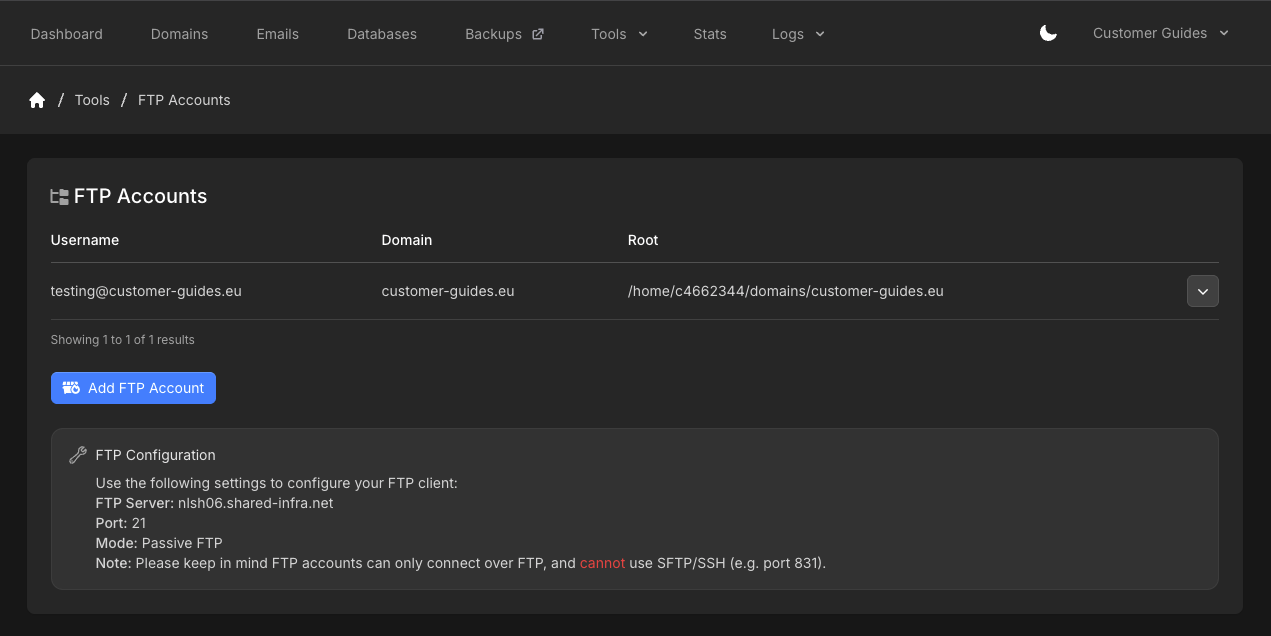
21), and Mode (Passive FTP).3
Add FTP Account
Click Add FTP Account.
4
Create the account
Set Username (local part plus the domain). The account is bound to that domain. Path is filled for you as 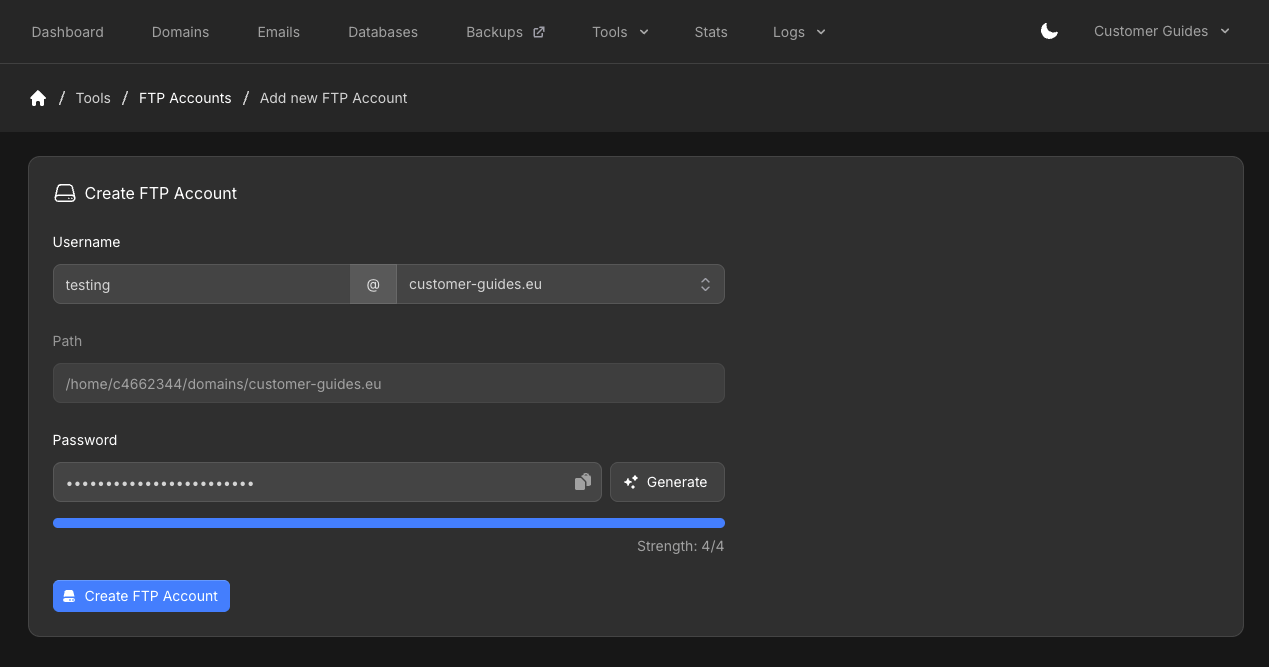
/home/c1234567/domains/example.com for the selected domain.Set a Password, or click Generate. Then click Create FTP Account.