

Choose a plan
The storefront lists our plans by product. Prices exclude VAT. Click See prices and options on a plan.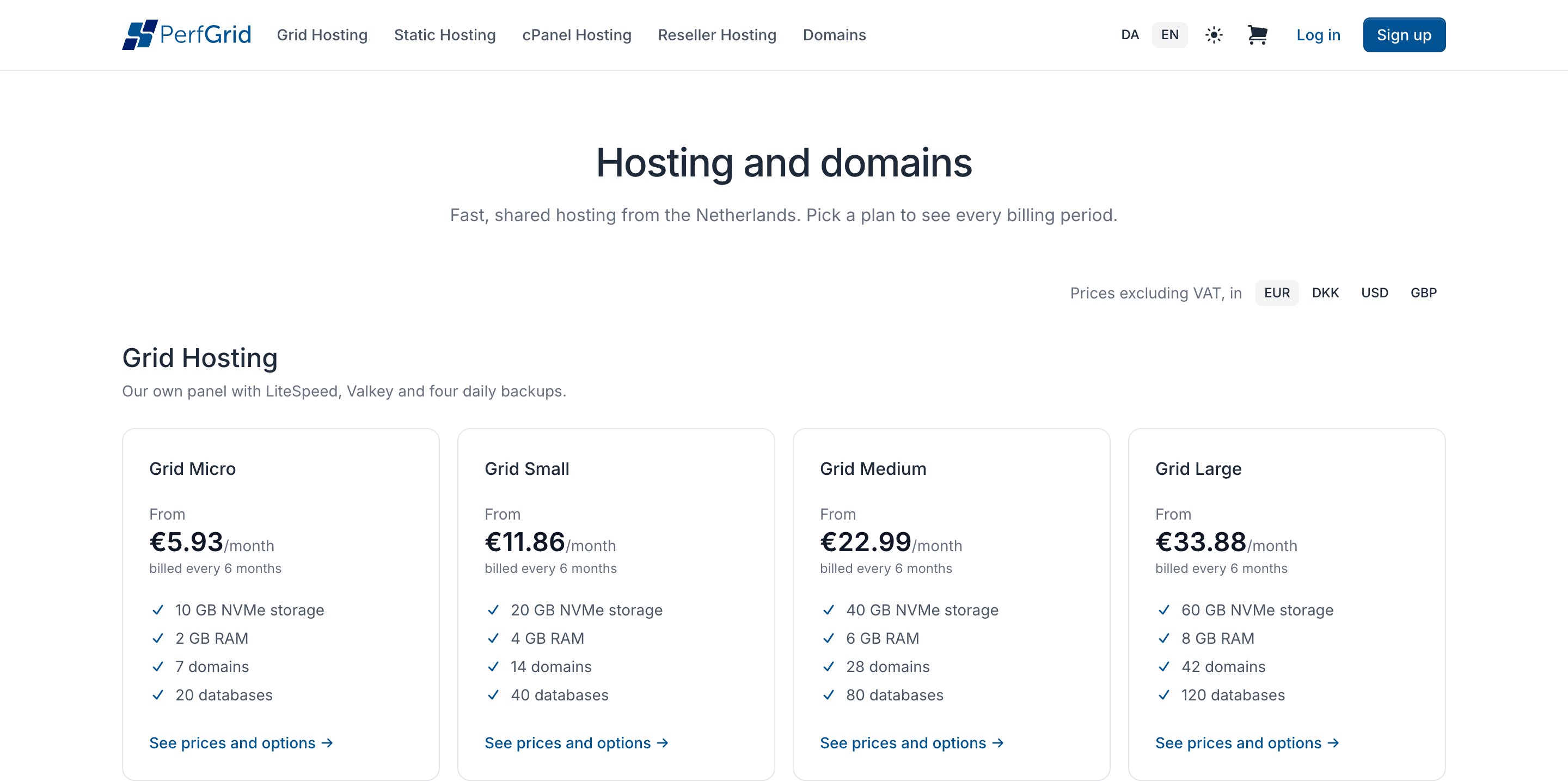
1
Pick a billing period
Under Billing period, choose how often you pay. Longer periods show what they save.
2
Enter your domain
Type it in Domain name. Under The domain, choose I already own it, Register it or Transfer it.
3
Choose options and addons
The price box adds up what you chose and shows the First payment. Enter a promo code under it and click Apply.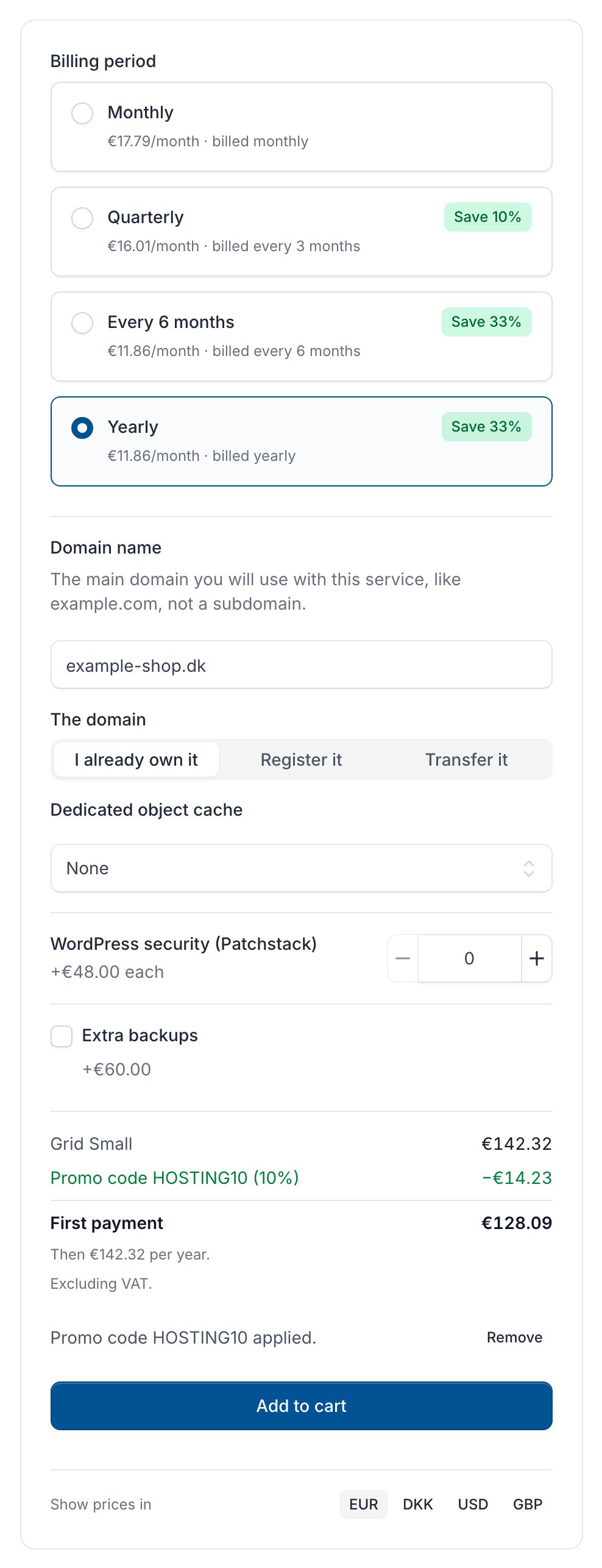
4
Add it to your cart
Click Add to cart.
Check your cart
Open the cart with the cart icon at the top of the storefront. You can change a line’s billing period, remove it with the bin icon, or enter a Promo code (one per cart).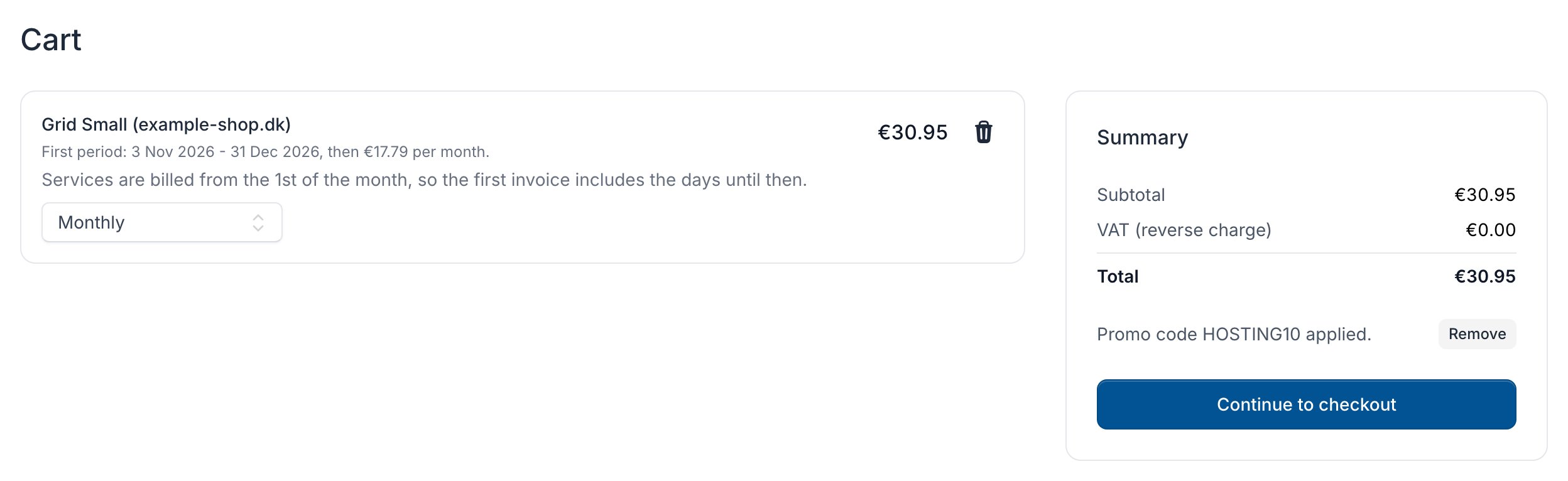
Check out
1
Choose who the order is for
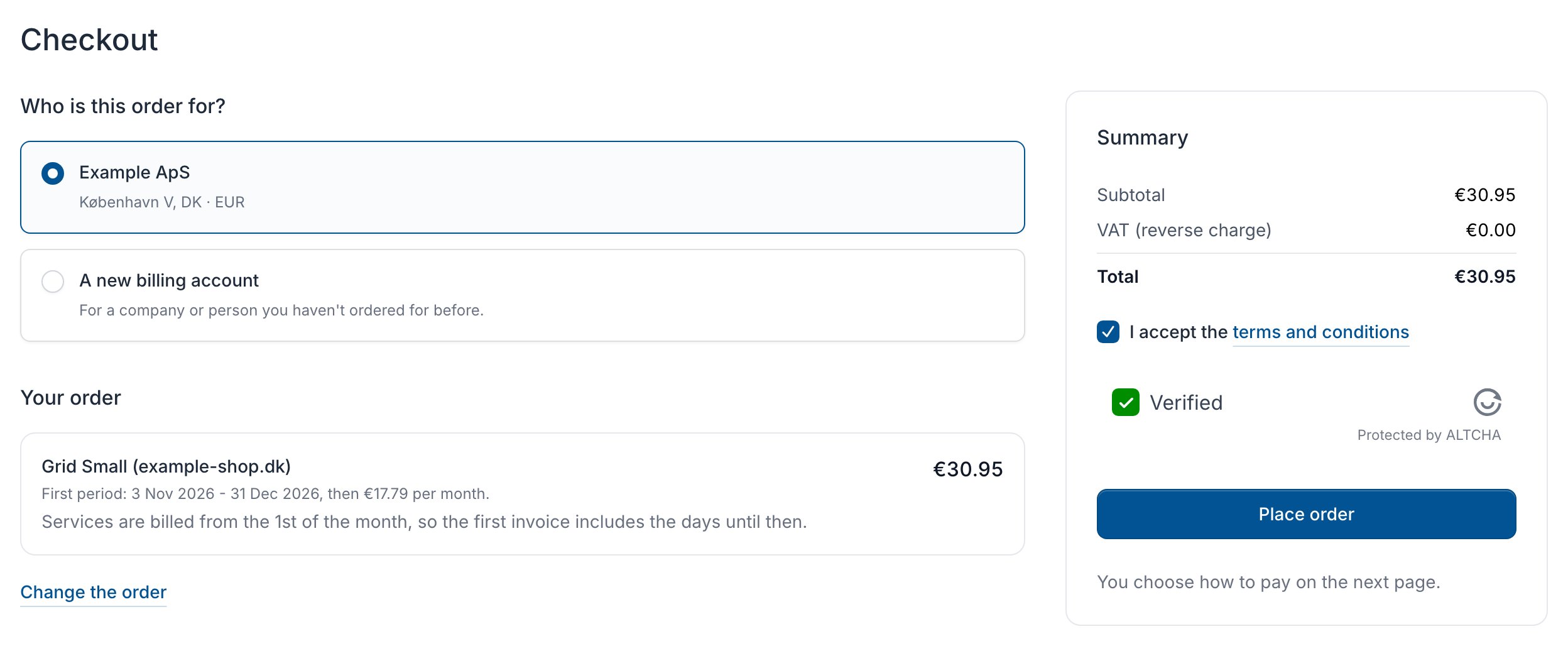
Under Who is this order for?, choose a billing account, or A new billing account and fill in its Billing details and Currency. Without a login, you fill in Your account instead: see Create an account.
2
Accept the terms
Tick I accept the terms and conditions. An order with a
.dk domain also needs I accept the Punktum dk A/S User Agreement.3
Place the order
Wait until the robot check shows Verified, then click Place order.
A new billing account’s currency can only be changed later through support. An EU business is invoiced without VAT once its VAT number is verified.
Pay for your order
The order’s page opens. Choose how to pay: a saved card, Pay by card (or Pay with another card), Pay with iDEAL for orders in euros, or Pay by bank transfer. You need the Pay invoices permission: without it, the page says so in place of the pay box.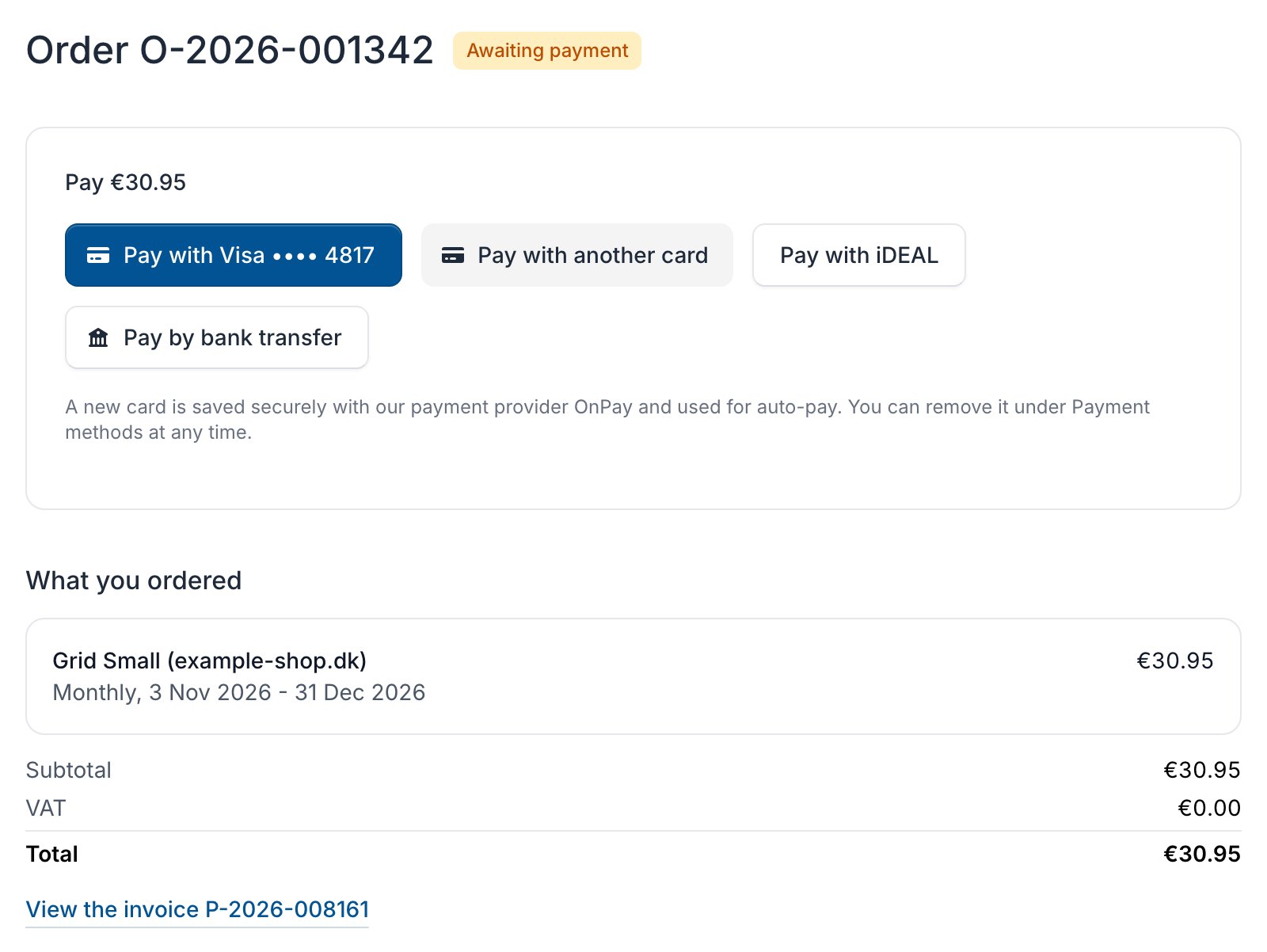
To see all your orders, open More in the sidebar and click Orders.